WORDPRESS
WordPress AI Agent Readiness Checklist: Read, Act, Manage
Audit WordPress AI agent readiness for Read, Act and Manage use cases. Check public content, abilities, permissions, evidence confidence and safe rollout.
FREE WORDPRESS PLUGIN
Agent Readiness Audit
Audit how AI clients discover and read your WordPress site, and whether relevant structured capabilities are available.
- Install the local audit plugin
- Select Read, Act or Manage profile
- Review findings and next steps
Read-only: no crawler bypass, automatic repairs, permission grants or MCP setup. Investigate the reported evidence before changing the site.
Before connecting an AI agent to a WordPress site, decide what it should actually be allowed to do. An agent that only reads public articles, one that fills an approved contact form, and one that updates a production post have very different security and operational requirements. Use this practical Read → Act → Manage readiness checklist to establish evidence before installing connectors or issuing credentials. You do not need to expose administrative abilities just to make your website discoverable by AI.
Quick start: choose the least powerful profile that meets the use case → confirm public content and technical reachability → inspect WordPress Abilities and MCP only if structured actions are required → check authentication, exposure and side effects → run a read-only local audit → validate the actual authorized workflow on staging. A high audit score is not permission to let an AI client act autonomously.
On a working WordPress site, ModelGain Agent Readiness Audit offers a local, read-only evidence report for Read, Act and Manage profiles. It checks discoverability, page readability, action readiness, permission metadata and observability. It does not connect your ChatGPT/Claude account, execute an agent’s tools, change WordPress settings, guarantee security, or prove that a remote client can authenticate. The rest of this guide works as a manual checklist even without the plugin.
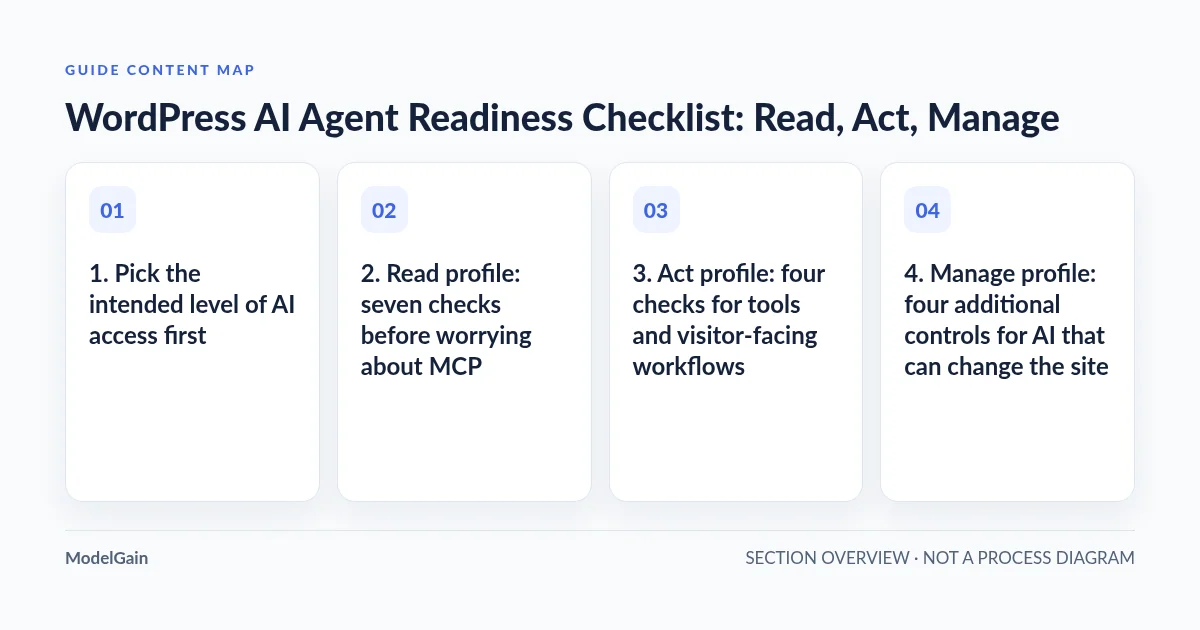
1. Pick the intended level of AI access first
Read, Act and Manage are planning and audit profiles, not new WordPress roles or grantable permissions. Each profile changes which evidence matters; it does not change what the site’s users can do.
| Profile | Representative outcome | Minimum evidence | Risk boundary |
|---|---|---|---|
| Read | An agent retrieves public product information or articles | Reachable HTML, meaningful server output, canonical URL, crawl/indexing policy understood | No WordPress account, MCP server or write capability is required just to read public HTML |
| Act | An agent prepares an approved form or invokes a tightly scoped task | Verified action interface, clear input/output contract, opt-in or permission checks and human confirmation where appropriate | A tool’s ability to fill or execute does not imply permission to submit, charge, email or modify records automatically |
| Manage | An agent drafts an article or updates a named record through an authorized integration | Least-privileged WordPress identity, explicit exposed abilities, capability enforcement, staging proof, change logging and rollback | Publicly discoverable tools must not become unrestricted administrative operations |
For example, a public FAQ-answering assistant usually starts at Read. An assistant helping a visitor complete a quotation form might need browser-side Act but still leave submission to the visitor. A content-production assistant that saves drafts is a Manage workflow and should operate with a narrowly permitted user and a separate review checkpoint. Do not choose Manage just because a plugin describes its features as “AI ready.”
Which WordPress agent-readiness profile do you need?
Applies when: A site owner or developer wants to evaluate an AI agent use case before enabling machine access, a structured action or privileged WordPress operations.
Quick answer
Begin with the smallest intended capability: Read for public content, Act for constrained visitor tools, or Manage for scoped authenticated changes. These are audit profiles, not WordPress permission roles. Validate real client behavior separately.
What to do
-
Decide whether the assistant only retrieves public information, helps with a visitor-facing action, or manages WordPress data.
-
Use the matching profile to assess reachable content, available abilities, permissions and uncertain observations; do not equate a high score with security approval.
-
On staging, validate least privilege, an approved non-destructive action where relevant, a denied request and the ability to revoke access.
What will your AI agent actually do?
All paths are listed below. Select a symptom to focus on the most relevant path.
Start with Read—no agent credential required
Verify anonymous HTTPS, meaningful server-rendered HTML, intended crawl/index rules and a real public page response. Do not install an MCP server merely for public page retrieval.
Check action interfaces and human boundaries
Identify whether this is WebMCP form filling or an authenticated Abilities/MCP tool. Confirm opt-in, supported fields or schemas, correct permission callbacks and human review for sensitive outcomes.
Start with a limited user and staging
Inventory write/destructive abilities and customer data exposure. Use a dedicated least-privileged identity, audit execution, approval for irreversible changes, rollback and revocation tests. A plugin score does not authorize admin access.
Audit public Read first and defer permissions
Collect baseline Read evidence without configuring MCP or exposing admin abilities. Specify one useful agent task and its minimum access before evaluating Act or Manage.
Did this help?
2. Read profile: seven checks before worrying about MCP
R1 — Confirm the public canonical URL and HTTPS. Open the exact public homepage and a representative article as an unauthenticated visitor. Record redirects, final URL, HTTP status and the intended content policy. A site can work for a logged-in admin while anonymous machine readers get a login page or challenge.
R2 — Check what the server actually returns. Inspect the initial HTML response for meaningful page text, a correct page title, language and a main/article landmark. A browser that paints content after JavaScript loads does not prove that simple HTTP fetchers receive the same information. Our server-rendered WordPress content guide shows the difference.
R3 — Check robots and indexing policies independently. Read the public /robots.txt, the relevant page’s meta robots and any X-Robots-Tag header. Intentional noindex and crawl restrictions can be correct for staging, customer portals and private materials. Do not remove them merely to improve an AI-readiness score. Follow our robots and sitemap diagnostic for targeted changes.
R4 — Find the canonical XML sitemap. Verify it is accessible and references real public canonical URLs rather than stale or private endpoints. A valid sitemap helps discovery but is not an authorization mechanism or proof that an AI assistant will index the website.
R5 — Check the page’s machine-readable claims. Inspect canonical links and JSON-LD for correct syntax and correspondence with visible facts. A parseable JSON-LD block is not proof that its claims are semantically true or that a crawler must accept them.
R6 — Separate origin, CDN and agent user-agent responses. A challenge page or 403 for a specific user agent may deserve a review, but a local comparison is not proof that every real-world agent can reach the site. If the site is publicly unreachable to an AI crawler, use the machine-client access checklist and inspect only the narrow blocking rule involved; do not turn off security sitewide.
R7 — Do not treat an absent llms.txt file as a critical defect. This format is experimental and not a WordPress or MCP prerequisite. If you publish it, ensure it is accurate and maintained; if it is missing, evaluate whether there is a real integration requiring it before investing effort. ModelGain’s audit treats this signal as experimental and non-scoring.
Read acceptance: the intended public pages are reachable without credentials, their source contains useful correctly described content, discovery controls reflect your policy, and any remaining access restriction has an identified owner. At this stage no AI tool needs to be granted an administrative WordPress role.
3. Act profile: four checks for tools and visitor-facing workflows
A1 — Identify the actual action surface. Is this ordinary browser automation, browser-based WebMCP, a WordPress Abilities API action, or a remote MCP client? They are not interchangeable. WordPress’s Abilities API arrived in core with WordPress 6.9 and provides a structured PHP/REST registry; the official MCP Adapter bridges appropriately exposed abilities to MCP clients. Neither is automatically necessary for a visitor to read a page or type into a form.
A2 — Check that a named ability has a defined contract. Verify its name, category, purpose, input/output schemas and registration lifecycle. The WordPress Core introduction documents registration and permission callbacks. If the API is unavailable, check the core version and initialization first in our Abilities API diagnostic. Do not expose a new route or execute an unknown action to compensate for missing registration.
A3 — Review exposure and execution separately. A registered ability does not automatically become available over MCP. The official adapter uses opt-in metadata and still applies the executing WordPress user’s permission callback. Visibility alone is not proof that the action is safe: an apparently read-only tool may leak private information, while a write tool may create external side effects. Read the official default-server security model and verify the installed integration rather than adopting a universal “public” setting.
A4 — Test the real user checkpoint. For an approved Contact Form 7 integration, verify supported visible fields, constraints, spam validation and who presses Submit. Our Contact Form 7 WebMCP guide explains ModelGain WebMCP Forms’ fill-only, visitor-controlled behavior. It must not be mistaken for remote MCP access to WordPress admin, automatic sending or CAPTCHA bypass. For tool execution, use synthetic staging data and test the precise permission-denied path as well as the authorized path.
Act acceptance: the action is discoverable to the right caller, has a constrained schema and consistent outcome, enforces permission at execution time, and never silently crosses a payment, personal-data or human-submission boundary.
4. Manage profile: four additional controls for AI that can change the site
M1 — Use a dedicated low-privilege WordPress identity. Avoid an ordinary administrator Application Password for a content-drafting assistant. Use HTTPS, a unique revocable connection, a role that can perform only the desired operations, and real WordPress capability checks. WordPress’s roles and capabilities guide documents the underlying permission model; the WordPress developer MCP security guide recommends dedicated limited users and conservative exposure. A connector that authenticates successfully still should not be able to manage arbitrary users, plugins, payment settings or private customer records.
M2 — Enumerate read, write and destructive tools. For every exposed ability, record the name, source plugin, required capability, read/write classification, expected side effects and any destructive or idempotency annotation. Treat vague or missing annotations as a review signal, not as proof of safety. An administrative “list orders” operation can expose customer data even without modifying it; data-access boundaries matter as much as writes.
M3 — Put review and rollback between agent output and production. For content work, prefer creating a draft and having an authorized person or deterministic publishing gate approve it. For WooCommerce, CRM and configuration operations, design explicit scope, human approval for irreversible actions, idempotency/duplicate handling, a backup and a recovery route. A model’s suggested action is not a substitute for a site’s transactional validation.
M4 — Verify observability and revocation. Record which dedicated identity invoked the ability, what action was attempted, success/failure and a correlation ID, without logging passwords, tokens or unnecessary personal payloads. Confirm the connection can be revoked and that past access actually stops. A local plugin’s ability to inspect registration does not prove that every third-party tool invocation is already logged; this needs a separate runtime test.
Manage acceptance: an authorized staging client can perform the specific intended non-destructive workflow, an unauthorized identity is rejected, high-impact production writes remain gated, logging is sufficient for incident review, and a revoked identity can no longer act. This is a real permission and operational test—not merely a passing scan.
5. Run ModelGain Agent Readiness Audit without changing the site
Install the released ModelGain Agent Readiness Audit from WordPress.org on a working WordPress installation (the plugin supports WordPress 6.6+ and PHP 7.4+, while the core Abilities API itself requires WordPress 6.9+). The minimum PHP requirement is a compatibility declaration, not guidance to use an unsupported PHP release in production. Under Tools → Agent Readiness, choose Read, Act or Manage to assess the specific use case, then run the audit.
The current v0.1.0 ruleset contains 28 deterministic checks across five domains: Discoverability, Readability, Actionability, Safety & Governance, and Observability. It checks indicators such as HTTPS, public same-origin responses, robots/sitemap, server-rendered HTML, Abilities API availability, registered abilities, schemas, official MCP Adapter and local route-registration evidence, permission metadata and reportable diagnostics. It does not install an MCP server, connect an external AI account, enumerate secrets or make arbitrary external URL probes.
Use the results as an evidence record. A Pass means a particular rule’s tested condition held, not that the whole site is secure. A Warning requires review. Fail identifies a condition the rule can demonstrate. Unknown means the available evidence is insufficient; do not silently interpret it as Pass or Fail. Not Applicable means the rule is outside this profile’s scope. The overall score excludes Unknown and Not Applicable from the applicable scoring denominator, but Unknown lowers a separate confidence indicator. Experimental conventions such as llms.txt are informational rather than score-determining.
Start with Critical/High safety findings, then failures blocking the selected workflow, then Unknown findings that conceal important evidence. A score of 90 with weak confidence, unknown authorization behavior or a verified public destructive ability is not a “go live” certificate. Export the locally produced JSON or Markdown report if a developer or stakeholder needs a repeatable before/after record; redact private operational details before sharing externally.
6. Avoid these false positives and false assurances
| Tempting interpretation | What it actually means | What must still be tested |
|---|---|---|
| “llms.txt is missing, so we are not AI ready.” | Experimental discovery convention, not a universal prerequisite | Actual public HTML and any specifically required client format |
| “WordPress 6.9+ is installed, so MCP is ready.” | Core Abilities API may exist; adapter and appropriate tools may not | Correct plugin, route, exposure, permission, client handshake |
| “The MCP endpoint returns 200, so all tools work.” | One HTTP response does not demonstrate authorization or tool execution | Method/protocol, permitted discovery and an approved safe call; see MCP route troubleshooting |
| “No read/write warning means everything is safe.” | A static local check has bounded visibility and may miss dynamic permissions or runtime behavior | Effective capability checks, external integrations, customer data and side effects |
| “The audit passed, so I can give the agent administrator credentials.” | An audit does not approve any privilege escalation | Least-privilege account, scoped abilities, approval, revocation, recovery |
7. A realistic staging-to-production acceptance run
- Record scope: site, intended AI client, requested action, external data exposure, and whether Read, Act or Manage is actually required.
- Run the matching audit profile: save date, plugin/ruleset version, summary, confidence and Critical/High issues; do not invent a green checklist by hiding Unknown.
- Close the relevant blockers: improve actual HTML/URL reachability for Read, explicit schema and permission boundaries for Act, and least-privilege plus logging/rollback for Manage.
- Verify staging with the real client: simulate a public read, approved test-form fill or non-destructive draft workflow as applicable. Check both permitted and denied behavior; inspect actual headers/logs and avoid live customer records.
- Roll out minimally: start with one approved tool or content surface, confirm no unrelated site function regressed, and demonstrate revocation of the dedicated connection.
- Repeat and compare: rerun the read-only audit after a component update or permission change, and preserve the result alongside the change record. Score movement matters only when supported by changed evidence and successful actual-path tests.
FAQ: WordPress AI agent readiness
Do I need the official MCP Adapter for AI search engines to read my WordPress website?
No. Public page fetching and structured MCP tool execution are different surfaces. Start with the Read profile; install MCP only if an actual authorized agent action requires it.
Does the Read / Act / Manage selector change WordPress roles or permissions?
No. The selector changes which audit questions are relevant. It does not install tools, grant access, create an agent user or expose any ability to the internet.
Does the audit send source code or visitor data to ModelGain?
The released product is local-first: its bounded HTTP checks stay on the site’s own origin and do not forward WordPress credentials, cookies, post bodies or customer data to a ModelGain scanning service. Review the released plugin and your own hosting policy for other logging and privacy needs.
Why can I see Unknown with a high score?
Unknown means a rule lacked evidence. It is not assigned the same penalty as Fail in the score, but it reduces confidence. Investigate Unknown on a critical capability before trusting the score.
Can I give a ChatGPT connector an administrator Application Password after the audit?
An audit never authorizes that. Create a dedicated least-privileged user and revocable connection instead, validate each exposed action and require a separate approval mechanism for production changes with irreversible effects.
Next action
If you are only publishing content, resolve the Read checklist first and observe whether relevant pages are actually reachable. If you plan structured tools, use the Act or Manage checks before connecting a client. For a reproducible local report, review and install the released ModelGain Agent Readiness Audit from WordPress.org on a working test/staging site. If you need to correct a specific integration rather than inspect it, our WordPress Development service is a separate implementation route; the audit itself does not perform repairs.