WORDPRESS
WordPress Abilities API Not Available: Check Your Core Version First
Diagnose missing WordPress Abilities API by checking core version, PHP functions, registration hooks, MCP Adapter exposure and permissions.
If the WordPress Abilities API appears to be unavailable, check the WordPress core version and the PHP execution context before installing another plugin or changing REST API security rules. The API has been part of WordPress core since version 6.9. A missing PHP function, an unregistered ability, and an AI client’s inability to discover that ability are three different problems.
This guide is for plugin developers, site maintainers, and administrators integrating WordPress with the official MCP Adapter. It uses read-only checks first. You do not need to give an AI agent administrator credentials or expose private abilities to diagnose the installation.
Abilities API unavailable: classify the actual failure
Applies when: A WordPress developer cannot find an Abilities API function, a registered ability, or an ability in an MCP client.
Quick answer
Check the affected WordPress installation's core version first: the built-in API starts with WordPress 6.9. If the functions exist, investigate hook timing and registration; if the ability exists, investigate MCP exposure and authorization separately.
What to do
-
Record the WordPress core version and confirm WP_Ability and wp_register_ability exist in the same installation where the failure occurred.
-
Check whether the category and the ability register on their dedicated initialization hooks, and review callbacks without executing write actions.
-
Confirm ability identity, adapter version, exposure and limited-user permissions. Treat REST routing failures as separate symptoms.
Which layer is actually failing?
All paths are listed below. Select a symptom to focus on the most relevant path.
Prepare a tested core upgrade
WordPress 6.9 introduced the core Abilities API. Check the affected installation, then stage and test a supported WordPress core upgrade; do not patch core files.
Inspect initialization and category ordering
Use wp_abilities_api_categories_init for categories and wp_abilities_api_init for abilities. Inspect the exact error and metadata; do not weaken capability checks.
Check the adapter, exposure and caller
Verify the current adapter release, ability identity, opt-in exposure, server and authorized caller. A private ability is not a missing PHP API.
Classify the independent HTTP failure
A REST 404 can indicate routing or missing endpoints, while a 403 can be expected authentication or edge security behavior. Diagnose the response before changing access.
Did this help?
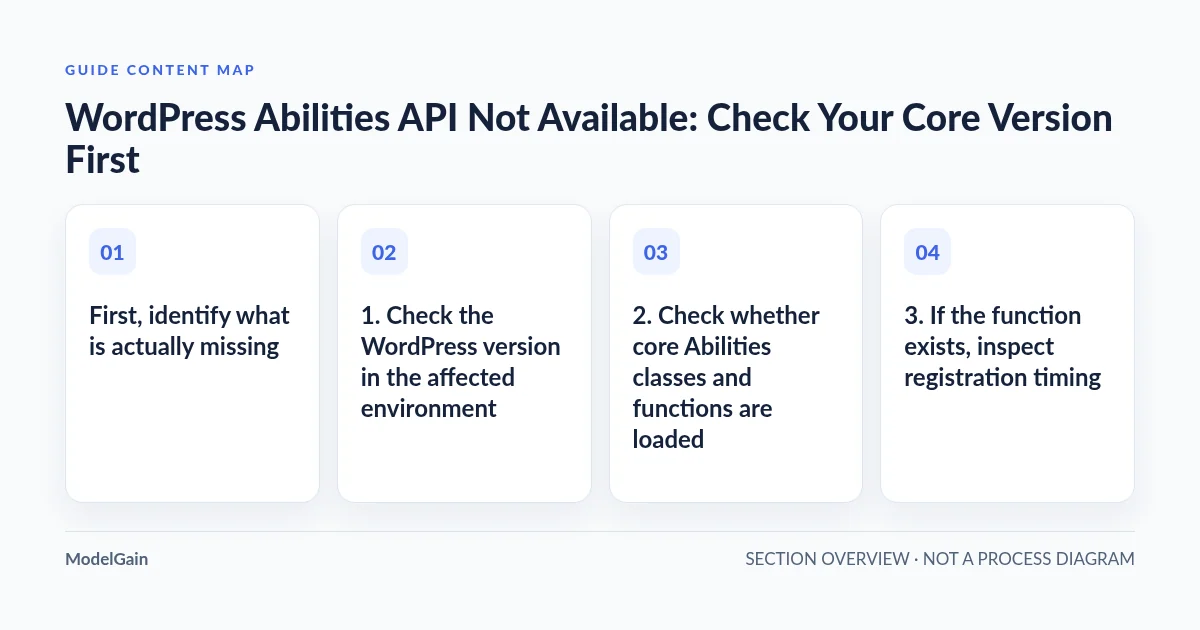
First, identify what is actually missing
WordPress’s Abilities API handbook states that the API is available in WordPress 6.9 and above. The official getting-started guide recommends checking for the WP_Ability class when supporting older installations. Do not infer the running core version from the theme, the PHP version, or a hosting dashboard that might describe a different WordPress instance.
| Observed symptom | Likely layer to investigate | Next read-only check |
|---|---|---|
Call to undefined function wp_register_ability() |
Core version, loaded bootstrap, or an incorrectly targeted PHP execution context | Check wp core version and function_exists() in the affected installation |
| The function exists, but your custom ability never appears | Registration hook, category, schema, callback, or plugin initialization | Inspect registration at wp_abilities_api_init and the WordPress debug log |
| The WordPress ability exists but an MCP tool is missing | Adapter exposure, client discovery, permissions, or adapter release | Compare the PHP registry with the adapter’s configured discovery surface |
/wp-json/ fails with HTML 404, 401, or 403 |
REST routing or access control; not necessarily missing PHP API | Classify the exact HTTP response and read the related REST diagnostic guide |
1. Check the WordPress version in the affected environment
If you have authorized WP-CLI access to the installation, start with the core version:
wp core versionA result earlier than 6.9 means the built-in Abilities API is not provided by that core release. Plan a tested core update using a staging clone and your normal backup and rollback process. Do not patch core files or install an obsolete stand-alone API package merely to silence an integration error. If your site is on 6.9 or later, continue rather than treating the version number alone as evidence that your custom ability is registered.
Be precise about which site WP-CLI uses: on multisite, staging, or hosts with several WordPress installs, pass the correct installation path and site URL using your established administrative procedure. A version check against the wrong instance produces a convincing but irrelevant result.
2. Check whether core Abilities classes and functions are loaded
On the affected installation, run this read-only WP-CLI expression:
wp eval 'printf("WP=%s; class=%s; function=%s\n",
  get_bloginfo("version"),
  class_exists("WP_Ability") ? "yes" : "no",
  function_exists("wp_register_ability") ? "yes" : "no"
);'
The expected result on a correctly bootstrapped WordPress 6.9+ installation is that both checks return yes. This verifies existence in that WP-CLI PHP process, not that a web request follows the same plugin loading path or that an ability is registered. If the dashboard, HTTP process and CLI disagree, verify they point to the same WordPress installation, code revision and activated components before making changes.
Do not call wp_register_ability() from a standalone PHP file that does not bootstrap WordPress and then conclude the API is missing. Conversely, if WordPress is fully loaded but the function is absent, capture the exact version, runtime and error for a controlled compatibility investigation.
3. If the function exists, inspect registration timing
The core function reference requires abilities to be registered while wp_abilities_api_init runs. Categories are registered separately on wp_abilities_api_categories_init, before the ability is created. Calling wp_register_ability() immediately when a plugin’s main file loads can fail even when the function exists. The failure is a lifecycle issue, not a missing API.
// Register callbacks during plugin load, not after the hooks have fired.
add_action( 'wp_abilities_api_categories_init', function () {
    wp_register_ability_category( 'example-tools', array(
        'label'       => 'Example Tools',
        'description' => 'Example read-only tools.',
    ) );
} );

add_action( 'wp_abilities_api_init', function () {
    // Call wp_register_ability() here with a namespaced name,
    // an existing category, schemas, and explicit callbacks.
} );
Review the category, exact namespaced ability name, required metadata, input/output schemas, execution callback and permission callback against the documentation for the installed WordPress version. Registration and execution are distinct operations: an ability can be registered but correctly unavailable to a user without permission. Avoid changing a permission callback to return true merely to make it visible to an agent.
A real MCP Adapter issue (#117) documented default adapter abilities not registering because the hook had already fired. The report concerned WordPress 6.9 and MCP Adapter 0.4.1 and is now closed. It demonstrates why hook order matters; it does not prove that the same defect affects current adapter installations.
4. Separate WordPress Abilities from MCP discovery
Abilities API is a WordPress registry; MCP Adapter is the bridge to external AI clients. Seeing the PHP class and function only establishes the first layer. The official MCP Adapter getting-started guide requires WordPress 6.9+ and PHP 7.4+ for its current installation path. Since adapter version 0.6.0, using the separate legacy Abilities API plugin instead of the WordPress core implementation is no longer a supported adapter setup.
On a site where the ability is registered but the MCP client says it cannot find it, check the installed MCP Adapter version, its active server, the exact ability name, whether exposure is opted in, and the current user’s authorization. In current adapter documentation, abilities are private by default; external exposure is separately configured. Avoid treating a private or permission-denied ability as evidence that core failed to load.
As of the October 2026 MCP Adapter 0.7.1 release, the adapter also gives clearer unknown/unavailable ability errors and handles some registration order cases more robustly. Troubleshooting instructions copied from pre-0.6.0 examples may no longer match the installed release. Before changing a production integration, use the actual release’s migration notes and test client reconnection in a controlled environment.
5. Do not confuse PHP availability with REST routing and permissions
An absent /wp-json/ endpoint, a WordPress JSON rest_no_route response, and a 403 from a web application firewall are different failure modes. None by itself proves wp_register_ability() is missing. First test the exact WordPress PHP runtime and then classify the HTTP response separately.
If the REST root or a plugin namespace returns 404, use our WordPress REST API 404 routing guide. If an authorized editor workflow fails with 403, consult the Site Health REST 403 checklist. If a server-to-self request times out, use the WordPress loopback cURL 28 guide. Changing permalinks cannot register an ability, and removing a firewall rule cannot fix a missing PHP function.
6. Verify one layer at a time, then retest the real integration
After a carefully reviewed version upgrade or registration fix, check the same WordPress instance again for the core class and function. Then inspect the custom ability’s registration through an authorized WordPress context without executing any write or destructive operation. If an MCP client is involved, confirm discovery under its own limited user identity and the supported transport for the installed adapter.
Do not assume wp ability list is available on every stable WP-CLI installation: the official WP-CLI ability command reference currently notes that this command is not yet part of a stable WP-CLI release. Use it only if your own installed command set supports it, rather than upgrading an operational CLI to nightly just to troubleshoot a site.
Your success criteria are concrete: the correct core version is recorded, both core symbols exist in the intended WordPress runtime, the named ability registers on the correct hook, and the intended authorized caller can discover it without broadening permissions. If the problem is at the MCP transport layer rather than the core registry, keep the scope there.
What to investigate next
For a site that still reports a missing function, capture the version, environment and exact stack trace before changing code. For an ability that registers correctly but is absent from an AI client’s tool list, move to adapter discovery and permission checks instead of repeating a core upgrade. If you need help reviewing a specific WordPress integration or release-safe compatibility change, see ModelGain WordPress Development. That service is distinct from any future Agent Readiness Audit plugin and does not imply that an unreleased plugin is available today.