WORDPRESS
WordPress REST API wp-json 404: Rewrite or Missing Route?
WordPress wp-json returns 404? Compare the REST fallback, server rewrites and rest_no_route JSON before resetting permalinks or firewall rules.
When WordPress /wp-json/ returns 404, first determine whether the web server cannot route the pretty URL or WordPress’s REST router deliberately rejected a specific endpoint. Those failures can produce the same HTTP number but require different fixes. A server-generated HTML 404 at the REST root is not the same thing as a JSON error with code: rest_no_route.
Begin with the public, read-only REST index. Do not reset production rewrite rules, deactivate a firewall or register a new route until you can identify the layer that returned the failure.
WordPress REST 404: rewrite failure or missing endpoint?
Applies when: An intended public WordPress REST root or a documented specific API route returns HTTP 404.
Quick answer
Compare the public /wp-json/ index with the documented rest_route fallback, then distinguish a server HTML 404 from WordPress JSON rest_no_route for a particular method and namespace.
What to do
-
Use anonymous GET for the pretty REST index and the query-string fallback on the actual WordPress installation base.
-
Record status, content type, redirect, body and any edge request ID. Do not treat an HTML 404 and JSON rest_no_route as the same issue.
-
Review permalink/rewrite or registered route and method; do not blindly save production settings or run write-capable API calls.
What happens when you compare the REST root routes?
All paths are listed below. Select a symptom to focus on the most relevant path.
Inspect the permalink and web rewrite path
Verify the site base, permalink configuration and correct Apache/Nginx/proxy rewrite ownership. Regenerating rules is a reviewed write operation.
Confirm the responding application
Check host, installation subpath and final redirect. Correlate edge and origin routing evidence before touching WordPress settings.
Validate the exact REST endpoint
Check namespace, version, HTTP method and installed component's route registration. A missing plugin endpoint is not repaired by permalink saving.
Investigate intended permissions
Do not make the privileged route public. Review the authenticated workflow, nonce, identity and trusted security response evidence.
Did this help?
1. Compare the pretty route with the documented fallback
The WordPress REST API handbook explains that the REST API root commonly appears at /wp-json/, while installations without pretty permalinks can use /?rest_route=/. Both routes are intended to reach the REST API index. For a site installed in a subdirectory, use the actual WordPress site base rather than copying a root-domain URL blindly.
For a public WordPress test domain, compare ordinary GET responses:
curl --silent --show-error --max-time 15 \
  --dump-header - https://example.com/wp-json/ \
  --output /tmp/wp-rest-pretty.json

curl --silent --show-error --max-time 15 \
  --dump-header - 'https://example.com/?rest_route=/' \
  --output /tmp/wp-rest-fallback.json
Check the HTTP status, Content-Type, final redirect destination and whether the body contains a plausible REST route index. These are anonymous read-only requests; no session cookie, password or elevated REST capability is needed. The fallback is a diagnostic tool, not an argument to leave rewrite rules broken.
2. Separate the actual response types
| Observed result | Meaning to investigate | Safe next step |
|---|---|---|
Pretty /wp-json/ returns HTML 404; fallback returns REST JSON |
Request may not reach WordPress’s REST rewrite handler | Check permalink mode, virtual-host rewrite and reverse proxy path rules |
| Both pretty and fallback return HTML 404 | Wrong hostname/base path, routing to another app or server denial may apply | Verify installation URL and the destination vhost first |
Root index works; one plugin endpoint returns JSON rest_no_route |
REST layer reached; route/method not registered or matched | Check namespace, API version, method and component registration |
| Route returns JSON 401/403 | Authentication or capability check may be working as intended | Inspect correct authorized flow; do not expose the endpoint |
| Response is a challenge page or redirect to login | Firewall, proxy or authentication layer intervenes | Inspect trusted security log and the intended route policy |
3. If the fallback works, inspect rewrite ownership
WordPress’s core REST rewrite function adds rules routing REST URLs to the rest_route query variable. If the query-string fallback works while the pretty path returns a server 404, inspect which software is supposed to rewrite the URL: Apache, Nginx, a hosting-panel configuration or a reverse proxy. A custom Nginx vhost does not use .htaccess; editing that file will not fix an Nginx-only routing problem.
In a controlled environment, inspect Settings → Permalinks and the host’s published, version-appropriate rewrite configuration. Saving the permalink screen can regenerate WordPress rewrite rules, so it is a change operation—not a completely read-only diagnostic. Record the previous settings, use a staging replica when possible and verify other front-end URLs afterward. Do not paste an unknown rewrite template over a working commerce site’s custom configuration.
A WordPress.org support exchange describes permalink regeneration as one possible remedy, but that recommendation is not proof that it will fix a missing endpoint on another server.
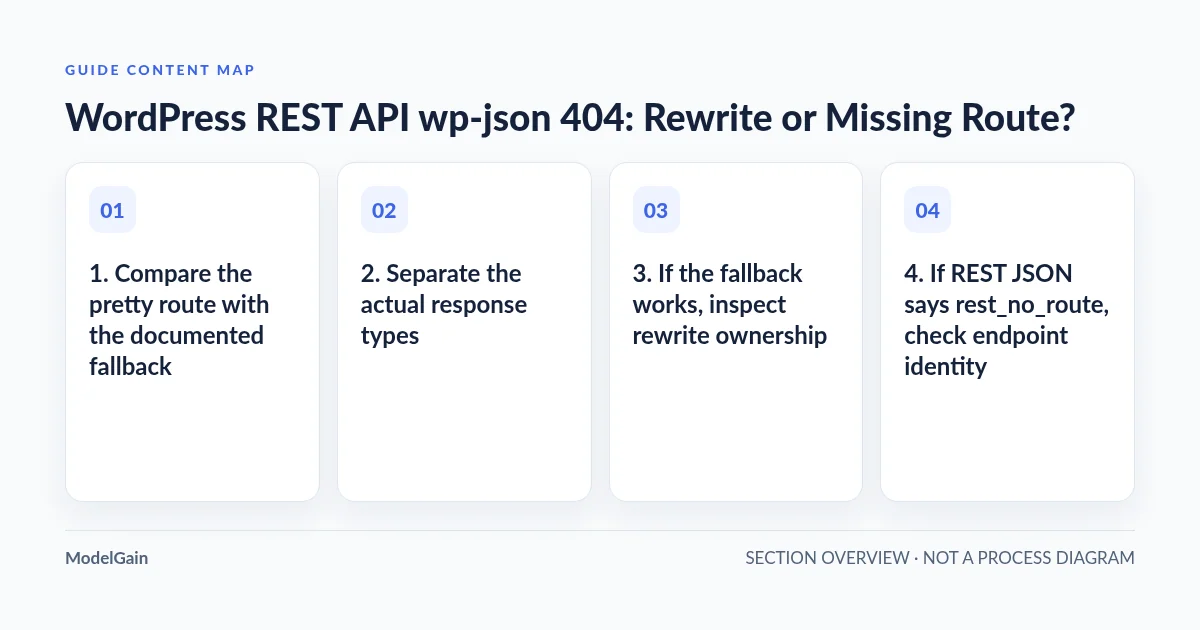
4. If REST JSON says rest_no_route, check endpoint identity
The REST routes and endpoints guide explains that a route’s HTTP methods and its namespace are part of its identity. The root discovery index may work while a request to /wp-json/vendor/v1/action fails because that endpoint was never registered, its owning plugin is inactive, its API namespace/version changed, or the wrong method was used. A GET request cannot test a POST-only action merely by opening it in a browser.
For a read-only route, inspect official documentation and the route index if exposed. Do not send guessed POST, PUT, DELETE or payment-related requests to discover methods on production. In a plugin development environment, inspect the code that calls register_rest_route(), its registration hook and the plugin’s active/version state. Re-saving permalinks cannot register a missing callback.
If a privileged route responds 401 or 403 rather than 404, consult the Site Health REST permissions guide before changing access policy. Correct authorization should not be misclassified as a broken REST endpoint.
5. Identify proxy, cache and security interference
Compare origin and public responses through approved administrator access, without exposing private origin addresses or disabling TLS verification for real users. A CDN may return a cached HTML 404, route /wp-json/ to another application or challenge an automated request. Log a request ID, timestamp, actual path and host to correlate the decision with trusted CDN and web-server records.
Apply only a verified, narrow correction to the right owner: permalink rules, the specific virtual host, proxy location block, or a documented plugin route. Globally allowlisting /wp-json/ or disabling REST authentication to get HTTP 200 can create security and business risk.
6. Verify the route and the real user workflow
After an approved change, read the REST index via both routes and confirm that the intended safe endpoint gives the expected status and JSON schema. Then test the exact application feature that originally failed, with its intended identity and HTTP method, using a safe staging workflow. Check private logs and unrelated WordPress front-end routes for regressions.
When both routes time out instead of returning 404, use the loopback timeout guide if WordPress’s own server request is failing. If the issue is about a machine client fetching an ordinary public page, use the robots and sitemap discovery audit rather than editing REST routes. For a verified WordPress hosting or routing defect, ModelGain WordPress Development provides an implementation-oriented next step.