WORDPRESS
WordPress Robots.txt and Sitemap: Find Missing Public Pages
Audit WordPress robots.txt, sitemaps and noindex without opening private pages. Separate crawler access from discovery and indexing.
When WordPress is public but a search engine or machine client cannot discover a page, inspect three separate things: what the crawler may fetch, what the sitemap advertises, and what the page itself permits to be indexed. A valid robots.txt file is not a guarantee that the page can be fetched; a URL in sitemap.xml is not a guarantee of indexing; and noindex is not a firewall response.
This practical audit is for public WordPress sites that need reliable search discovery and usable links for automated clients. It does not recommend unlocking private staging, account, checkout or administrator pages, nor does it claim that a robot directive forces ChatGPT or Google to recommend your site.
WordPress robots and sitemap diagnostic
Applies when: An intentionally public WordPress page is unexpectedly missing from machine discovery or search, without opening any private routes.
Quick answer
Check crawler-specific policy, the active sitemap's canonical URL, indexability and the actual public body separately. A sitemap inclusion does not guarantee indexing.
What to do
-
Record the final response and hostname. Do not change private staging, account or admin protections.
-
Read robots.txt per client, active XML sitemap and meta/header noindex on the final page.
-
Keep the original policy; only change a confirmed unintended public-page exclusion and verify public response, sitemap and useful links.
What is the strongest evidence for this URL?
All paths are listed below. Select a symptom to focus on the most relevant path.
Resolve the intended access policy
Check the applicable user-agent group and path, then ask the owner whether the public-page restriction is intentional. Robots is not a security boundary.
Identify the one sitemap owner
Follow the robots-advertised sitemap index and actual canonical. Review plugin exclusions, stale redirects and normal HTML links; do not force noindexed routes into XML.
Review the indexing decision
Read X-Robots-Tag and robots meta from the real response. Preserve intentional exclusions; Google cannot see page-level noindex if robots blocks its fetch.
Investigate the fetch or HTML layer
Correlate one real request with trusted edge/host logs and inspect the returned body. Challenge HTML, empty application shells and indexing absence require different fixes.
Did this help?
Start with the exact public URL and the right question
Pick one canonical page you intend visitors to discover, such as a product detail or public guide. Record the full hostname and path, final HTTP status, redirect chain, effective canonical link and server response. Do not test an admin route or a personalized page and conclude the whole website is inaccessible.
Ask whether the problem is crawling (a client is forbidden or unable to fetch), discovery (the link is missing from navigable pages and sitemaps), indexability (robots metadata says not to index), or selection (a fetchable/indexable page is not shown in results). Those are different outcomes. Google’s sitemap guidance says submission improves discovery, not guaranteed inclusion.
1. Inspect robots.txt on the exact host
Request https://yourdomain.example/robots.txt using the real domain being audited. Check that it returns the intended plain-text policy rather than a homepage redirect, WAF challenge, error page or stale cache. Read the groups for your target user agent and the matching path. The syntax documented in Google’s robots specification includes User-agent, Allow, Disallow and an absolute Sitemap URL.
A broad Disallow: / in the applicable group can block crawling of an intended public site. Conversely, an instruction against /wp-admin/ usually does not apply to a normal article URL. Rules are agent-specific; inspect the correct group rather than relying on an arbitrary example from a forum. On WordPress, the file can be generated virtually or served as a physical file or by an SEO plugin, CDN or reverse proxy. Inspect the public response and identify its real owner before editing anything.
Do not use robots.txt to secure sensitive content. Google explicitly warns that a disallowed URL can still appear in search results as a URL-only reference, and robots is not access control. Protect private pages with authentication or approved access restrictions.
2. Verify the sitemap rather than assuming its path
Read the sitemap URL actually advertised by the site’s robots.txt and SEO system. WordPress Core, The SEO Framework, Yoast and Rank Math can expose different routes. An old /wp-sitemap.xml reference may redirect to an SEO plugin’s sitemap; record the final destination and confirm a real XML response. A sitemap index can point to multiple child sitemaps—follow the one relevant to the public page.
Check that the intended canonical public URL appears exactly as expected and resolves to a useful 200 HTML response. Look for stale hostnames, staging subdomains, noncanonical parameter URLs, redirect-only URLs, deleted content, 404s and noindexed pages. A sitemap is a list of discovery hints, not an override of security rules, canonical declarations or noindex.
If the page is absent from the sitemap, first check whether it was deliberately excluded by its SEO plugin or a noindex rule. Do not automatically force every media attachment, author archive or private route into the sitemap. Then ensure at least one relevant public page has a normal HTML link to the target; Google notes that well-linked important pages are often discoverable even without a sitemap.
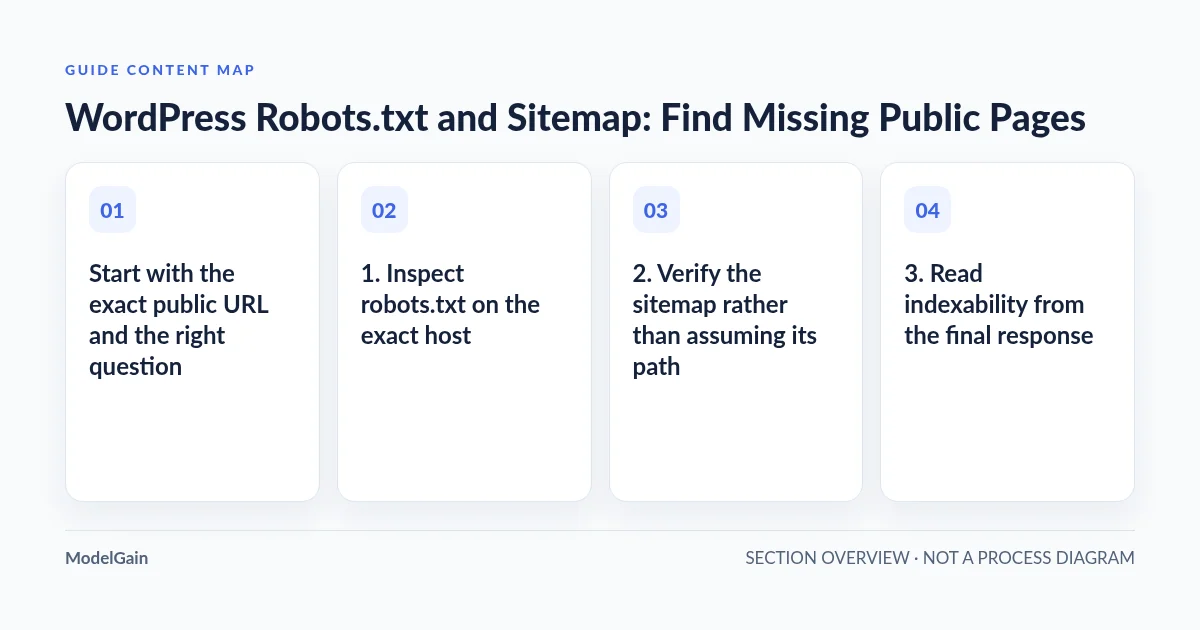
3. Read indexability from the final response
Check the response headers and HTML for X-Robots-Tag and a robots meta directive. WordPress’s Settings → Reading → Discourage search engines from indexing this site can add a site-wide indexing instruction, as can a page-level SEO setting. An intentional noindex may be the correct policy for staging or thin private content.
Google’s noindex documentation makes an easy-to-miss distinction: if robots.txt prevents Googlebot from fetching a page, Google may not see the noindex instruction inside it. Do not combine Disallow and noindex as if they were mutually reinforcing access controls. To keep genuinely private content private, use authentication instead.
For WordPress-specific reading-setting diagnosis, use the search-visibility and IndexNow explanation. An accepted IndexNow submission is not evidence that a page was indexed.
4. Separate ChatGPT discovery from Google indexing
Different machine clients have different policies and permissions. OpenAI’s official crawler guide distinguishes OAI-SearchBot for ChatGPT Search discovery, GPTBot for potential model-training crawling, and ChatGPT-User for certain user-initiated visits. A site owner can express different preferences for search discovery and training. OpenAI also notes that user-initiated ChatGPT-User requests may not follow robots in the same way as automatic crawlers.
Allowing OAI-SearchBot is not a promise of ranking, citation or inclusion; disabling GPTBot is not the same as disabling ChatGPT Search. Never infer bot identity from a user-agent string alone when changing firewall rules. For a real 403, rate limit or challenge, check verified source IP ranges and trusted edge logs. Our AI crawler fetch diagnosis handles those delivery problems separately.
Diagnosis matrix
| Observed state | What it establishes | Safe next action |
|---|---|---|
| Applicable robots group disallows the public URL | Policy may prohibit that crawler’s request | Ask the site owner whether the restriction was intentional |
| Robots allows, sitemap omits the URL | Sitemap does not advertise this page | Check SEO plugin exclusions, canonical and internal links |
| Listed URL redirects to another host or 404 | Advertised URL may be stale | Review final canonical and regenerate via the one sitemap owner |
| HTTP 200 with noindex response | Indexing policy may exclude the page | Check site/page intent; preserve private exclusions |
| Policy allows but the real client receives challenge HTML | Delivery is blocked at another layer | Correlate trusted firewall/request evidence before a narrow fix |
| 200 + indexable + linked, but absent from results | No technical guarantee of indexing or ranking | Review GSC inspection and content usefulness; avoid blind resubmission |
5. Verify the actual body and internal navigation
A 200 response can still contain an empty application shell or a browser challenge. Compare the initial server-delivered HTML with the browser-rendered content for the same public URL. If meaningful text and links appear only after JavaScript execution, use the server HTML versus rendered-page guide. Do not try to solve a rendering problem by adding more sitemap directives.
Ensure the page has a normal, relevant <a href="..."> link from another public article, category or product page. Crawlable links help readers navigate and help search systems discover relationships. Keyword-stuffed sitewide footer links are not an alternative to a useful topical path.
6. Verify one reversible change, not five
Record the original policy, sitemap and page response. Fix only the confirmed layer—an outdated sitemap route, unintended noindex or mistaken public-page robots rule—after confirming ownership and backup. Refresh the specific cache if required, then fetch robots, sitemap and the canonical article again. In Search Console, use URL Inspection for Google-specific evidence and monitor actual impressions over time. Search Console is not a real-time certification of ChatGPT search behavior.
For WordPress architecture and disclosure changes, ModelGain WordPress Development is relevant when a concrete implementation problem is confirmed. This guide does not claim that an unreleased Agent Readiness Audit product can already repair your settings. The durable result is an evidence log showing policy, discovery, indexability, final body and approved next action.