WORDPRESS
Scheduled PHP Security Checks Stopped? Trace WP-Cron and Last Fresh
PHP security checks stopped updating? Trace WordPress WP-Cron, skipped CLI runs, stale advisory evidence and missing alerts without resetting every job.
FREE WORDPRESS PLUGIN
PHP Security Monitor
Identify the PHP version serving your WordPress admin request, review potentially matching PHP CVEs after consent, and prepare a host-support report.
- Install on WordPress 6.9+ with PHP 7.4+
- Open Tools → PHP Security and review the web runtime
- Opt in to Check now, then review evidence and the host report
Version evidence only; an advisory match is not proof of exploitability or compromise. Cannot patch PHP, verify backports or provide continuous protection. External checks share server IP/PHP version after consent; optional WP-Cron checks and email require separate consent and are not guaranteed.
Scheduled PHP security checks used to run, but the “Last fresh” time has stopped moving. Before restarting cron or changing PHP settings, identify which stage stopped: monitoring consent → scheduled WP-Cron event → actual callback execution → fresh PHP advisory evidence → eligible email notification. Each stage has a different failure mode. A future event in the schedule is not a completed check, and a recent “Last run” is not necessarily a fresh result.
Fast answer: open Tools → PHP Security → Monitoring health in ModelGain PHP Security Monitor. Compare Last run, Status, Last fresh, Mail and Next scheduled. If no monitoring status exists, check consent first. If Next scheduled is overdue but Last run never moves, investigate WordPress cron dispatch. If Status is skipped_cli, your runner used the wrong PHP execution context for this monitor. If Last run advances but Last fresh does not, inspect the feed result before changing cron again. If the check is fresh but email is missing, investigate notification eligibility and delivery separately.
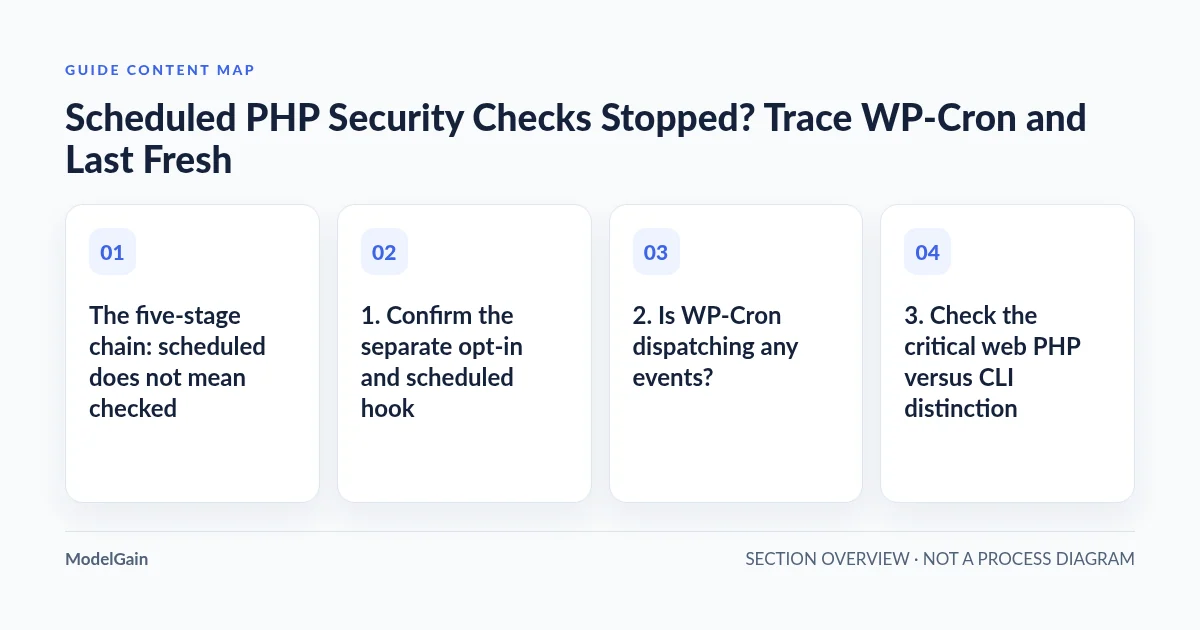
The five-stage chain: scheduled does not mean checked
This guide covers the released ModelGain PHP Security Monitor (WordPress 6.9+ and PHP 7.4+ installation requirements), which offers optional PHP advisory checks through a separately authorized WordPress WP-Cron event. It does not diagnose every plugin’s scheduler, scan WordPress malware, guarantee hourly protection or patch the PHP interpreter. For generic delayed WordPress events, read our Site Health scheduled-event guide.
| Stage | Evidence to inspect | What is still unproven |
|---|---|---|
| 1. Monitoring enabled | Manual query consent plus separately enabled monitoring and email consent; Monitoring health available | That a scheduled event was created or executed |
| 2. Event scheduled | Next scheduled and exact modelgain_php_security_tick hook with this site’s event generation |
That the event was dispatched at its due time |
| 3. Callback ran | Last run moved and Status records how it ran, including skipped_cli |
That a web PHP version was checked or an acceptable feed response arrived |
| 4. Validated evidence | Last fresh advanced, actual web PHP_VERSION checked, fresh retrieval/provider update timestamps |
That a potential CVE match proves an exploitable host or that no other issues exist |
| 5. Notification considered | Qualifying baseline/change or failure incident, plus Mail state | That a message was due or reached the recipient’s inbox |
1. Confirm the separate opt-in and scheduled hook
Installing or activating the free plugin does not start external PHP queries. An administrator first authorizes manual queries under Tools → PHP Security; pressing Enable manual queries alone does not fetch anything. The separate Enable monitoring and email alerts action requires opt-in for recurring PHP queries and email. If these settings were never enabled, an empty Last run is expected rather than a failed schedule.
When monitoring is successfully enabled, the plugin uses the WP-Cron hook modelgain_php_security_tick and a custom recurrence of 21,600 seconds (six hours). Its first event is scheduled about 60 seconds after enabling. The plugin checks whether the event for the current monitoring generation already exists before registering another; repeatedly saving the setting is not a way to make checks run on demand. Next scheduled reports a planned WordPress event timestamp, not a guaranteed completion time.
If the feature previously worked and disappeared after a plugin deactivation or consent withdrawal, check the current opt-in and scheduled state before assuming WordPress deleted tasks at random. The plugin intentionally unschedules its own monitor on deactivation, and withdrawal of manual consent clears retained data and monitoring state. Re-enabling monitoring is an administrator decision: do not silently restore external data requests or event email without renewed permission.
2. Is WP-Cron dispatching any events?
WordPress’s WP-Cron handbook describes an event system triggered by requests rather than a continually running server daemon. A low-traffic site might not run a due event at the intended time. A site can also have a disabled built-in trigger, blocked loopback request, misconfigured replacement scheduler or a callback error. Check for an actual last execution, not only whether the clock passed the Next scheduled time.
As a read-only start, open Tools → Site Health → Status and note the exact scheduled-event and loopback warnings, if any. If a host provides WP-CLI access, wp cron event list can help an authorized operator inspect registered hook names and due times without executing them. Ask the host to identify the entry for modelgain_php_security_tick and whether the site’s configured web cron process has actually called it. Avoid copying secret-bearing configuration files or full server logs into a public support ticket.
If many unrelated events are late, prioritize the shared scheduler or WordPress loopback path, then use our named-hook Site Health investigation. If scheduled posts also miss publication times, the missed scheduled-post guide covers the different publish_future_post behavior. If a WooCommerce queue is stuck while other cron events run, the Action Scheduler diagnostic owns that separate queue path. Do not assume all these symptoms identify the ModelGain monitor’s callback.
3. Check the critical web PHP versus CLI distinction
This monitor intentionally records skipped_cli and does not query PHP advisory data when the scheduled callback executes under PHP CLI or phpdbg. The purpose is to avoid scanning the server’s command-line interpreter instead of the PHP worker serving the WordPress administrator’s web request. A CLI cron invocation may execute many other WordPress tasks successfully, while it cannot deliver this particular monitor’s web-runtime check.
That distinction matters if a host has set up a system crontab running wp cron event run --due-now or a direct PHP invocation of wp-cron.php. Those commands use a CLI interpreter and are not an end-to-end success test for ModelGain PHP Security Monitor. A recent Last run with skipped_cli means the hook executed but its safety guard refused the scan; Last fresh should not advance merely because of that skip.
The official WordPress system-scheduler guidance documents using a web request to wp-cron.php as one supported alternative on low-traffic sites. Ask the host to verify that its scheduler invokes the appropriate web execution context over HTTPS and that the specific hook subsequently records a real result. The site URL, access controls, reverse proxy and rate limits must remain appropriate for the environment. Do not publish a secret URL, disable TLS verification, expose private endpoints or change all scheduled jobs merely to force one status indicator.
Important: DISABLE_WP_CRON disables WordPress’s normal page-load-driven cron spawning; it does not prove that a real replacement job exists. Check the host’s replacement configuration and actual executions before changing the constant. A service may need a reliable HTTP-triggered cron path for this plugin even if other services are intentionally using WP-CLI.
4. Did the callback produce a complete, fresh assessment?
A web-context callback can run and still fail to produce validated advisory evidence. Compare Last run and Status with Last fresh. A fresh assessment requires more than a successful HTTP connection: the plugin validates the PHP branch and advisory response, checks for missing or malformed records and requires its last successful retrieval and the provider’s data-update timestamp both to be under 24 hours old. At seven days the evidence is expired, not merely an old but acceptable clean report.
The released scheduler advances Last fresh only after a complete, fresh assessment with evaluable version conditions and lifecycle information. It does not treat partial evidence or unknown record conditions as a resolved baseline. A background run may record stale, expired, unknown, partial or another non-fresh state even though the event itself executed. These states call for checking the provider response, current web PHP version, network connectivity or evidence interpretation—not duplicating cron events.
If the manual Check now also fails or its Provider updated timestamp is old, follow our PHP vulnerability-data refresh troubleshooting guide. A stale saved snapshot must never be presented as a fresh post-check result. For interpreting a genuine fresh response with zero potentially affected advisories and unknowns, read why zero matches are not security clearance.
The provider query is bounded and cannot be forced continuously; manual or scheduled requests are limited by the plugin’s at-most-once-per-minute attempt gate and a bounded HTTP timeout. Avoid repeated force-runs that mask the original failure. Recheck the actual timestamps and state only after the relevant cause has been addressed.
Choose which stage to investigate next
Select the strongest observation from your own WordPress dashboard. The decision tree does not access your site, execute cron events, send emails, change consent or query any advisory provider.
Find where scheduled PHP monitoring stopped
Applies when: An administrator has opted in to ModelGain PHP Security Monitor scheduled checks but Last fresh is missing or overdue. Distinguish consent, registered event, actual web execution, complete evidence and notification eligibility.
Quick answer
Review the monitoring timeline in Tools > PHP Security. An event can be scheduled without running, run under CLI and be skipped, run without usable evidence, or run successfully without sending mail. Correct only the failed stage.
What to do
-
Confirm separate manual-query and monitor/email consent, the specific modelgain_php_security_tick hook and Next scheduled UTC. A registered event is not proof it executed.
-
Compare Last run and Status; skipped_cli means the monitor intentionally refused to query a CLI interpreter. Check WordPress cron dispatch, traffic/loopback and the host's actual web trigger before changing anything.
-
Last fresh must advance after acceptable data whose retrieval and provider timestamps are each under 24 hours. Notification eligibility and inbox delivery are separate checks.
Which observation best matches your scheduled PHP check?
All paths are listed below. Select a symptom to focus on the most relevant path.
Confirm separate opt-in and event registration
The plugin does not enable recurring external checks at activation. Check monitoring consent and the site's own scheduled hook. Do not silently re-enable outbound requests after consent withdrawal.
Investigate WordPress cron triggering
Inspect Site Health, the exact overdue hook and host loopback or replacement web cron logs. A due time is not an execution record. Avoid forcing all due jobs or deleting cron data.
Fix the execution context
A CLI or phpdbg run is intentionally skipped because it cannot reliably describe the web PHP runtime. Ask the host to verify an appropriate HTTPS web-context cron trigger, then check the recorded result.
Investigate the feed and freshness state
The callback ran but cannot establish a complete current advisory assessment. Check the status, actual PHP version, Last successful retrieval and Provider updated. Stale/partial/unknown results do not advance Last fresh.
Separate notification eligibility and delivery
A fresh check often produces no email: initial clean and unchanged results are silent. If an alert was due, inspect Mail, the administrator test email and downstream provider; transport acceptance is not inbox delivery.
Did this help?
5. Why a stopped schedule may never send its own failure email
The plugin’s optional monitoring can attempt a single incident email when it has lacked complete fresh evidence for at least 48 hours, but only when a scheduled callback actually runs and evaluates that condition. A completely stopped WP-Cron system cannot be expected to reliably send a notification about its own stoppage. The absence of such a message is not proof that monitoring has continued normally.
Even after a successful background scan, an email is not due on every check. The first complete fresh check with no matching advisories and a supported lifecycle creates a silent baseline. Later identical findings are deduplicated; a changed advisory set or initial relevant finding can justify an event email. A successful wp_mail() call records mail transport acceptance, not inbox delivery; the plugin intentionally avoids replaying ambiguous sends. Check Mail and the notification chain separately with the PHP security-alert email troubleshooting guide. Do not reset monitoring consent or replay historical events solely to generate another email.
Safe recovery procedure and evidence of success
- Record the baseline first. Save the exact displayed state, Last run, Status, Last fresh, Mail, Next scheduled, web PHP version and SAPI, site timezone and UTC observation. Note whether manual and background consent are enabled.
- Locate the broken stage. If no monitor event exists, inspect its opt-in and registration. If it is overdue but no callback runs, investigate WordPress dispatch and host logs. If Status is
skipped_cli, address the web/CLI execution path. If the callback ran without a fresh result, inspect the feed and evidence timestamps. - Make a bounded fix. Prefer one scoped host/scheduler configuration correction rather than changing unrelated WordPress cron events. Do not delete scheduled queues, disable security layers or change advisory validation thresholds to force green status.
- Verify a real new web-context execution. Observe Last run advance after the expected real trigger and confirm the status is meaningful for the actual WordPress web PHP runtime. An event-list entry alone is not a pass.
- Verify useful fresh evidence. Confirm Last fresh advanced after a complete assessment, both retrieval/provider times are current, and any potential or unknown advisory records received an appropriate response. If external checks are unavailable, record that limitation instead of declaring no vulnerabilities.
- Check notification delivery only if relevant. Separate alert eligibility, attempted mail, mail acceptance and actual inbox receipt. For security-critical issues, follow official advisories and hosting support immediately rather than relying on six-hour monitoring.
| Observation after recovery | Disposition |
|---|---|
| Monitor registered, but no execution evidence yet | Scheduled only — verify dispatch later |
Last run advances with skipped_cli |
Execution-context blocker — correct web versus CLI path |
| Last run advances; Last fresh still old | Feed/evidence blocker — investigate actual run status |
| Last run and Last fresh advance after the expected web event | Monitoring execution verified — independently interpret advisory results |
| Monitoring works but a qualifying email is missing | Mail-path issue — investigate separately |
A useful hosting-support request
Subject: PHP Security Monitor scheduled event not producing fresh results
On our WordPress website [domain/environment], Tools → PHP Security shows web PHP [version/SAPI], monitoring consent [enabled/not enabled], Last run [UTC], Status [value], Last fresh [UTC], Next scheduled [UTC] and Mail [value]. Please confirm whether the site’s
modelgain_php_security_tickWP-Cron event is registered and executing through an actual web PHP request, rather than only PHP CLI; whether the configured replacement cron and loopback path are functioning; and whether relevant redacted PHP/network errors were observed. We will verify a new web-context Last run and a complete fresh result before treating the issue as recovered.
Install the focused monitor—or keep using your existing tools
ModelGain PHP Security Monitor is a free WordPress administrator diagnostic available from its official WordPress.org listing. It displays the current administrator web request’s PHP version/SAPI and, with consent, advisory evidence and health/status timestamps. Recurring approximately six-hour WP-Cron checks and event email require a separate opt-in. It cannot make a stopped WP-Cron run, verify every worker pool, patch PHP or guarantee alert delivery. For an existing installation, the most productive next step is to inspect the recorded stages before installing more scheduler plugins.
Frequently asked questions
Why does Next scheduled show a time but Last run says Never?
The event may be registered but not yet dispatched, or it may be scheduled for a future time. Check the UTC due time, actual traffic or replacement cron and any Site Health loopback errors. A schedule is not an execution record.
Why does Last run update but Last fresh stay the same?
That may be a CLI skip, stale/invalid/incomplete advisory response or another non-fresh outcome. Inspect Status and the separate evidence timestamps. Recent callback execution is not equivalent to a validated check.
Does wp cron event run –due-now prove the PHP monitor works?
No. That command normally uses PHP CLI, while the monitor intentionally skips CLI/phpdbg to avoid treating a command-line interpreter as the site’s web PHP runtime. It is not a valid end-to-end acceptance test of this monitor.
Do I need to disable built-in WP-Cron?
Only if your host has verified an appropriate replacement for the affected site’s scheduling needs. The DISABLE_WP_CRON constant without a running replacement can stop automated jobs. Do not change it as a generic first step.
Will the plugin email me automatically if all scheduled checks stop?
No guarantee. Its 48-hour missing-fresh-evidence incident check also depends on a scheduled callback running, and notification transport/inbox delivery is separate. For critical PHP advisories, use primary host/vendor information rather than waiting for a monitoring message.
Official references and related fixes
- WordPress Plugin Handbook — WP-Cron scheduling and request-driven timing
- WordPress Plugin Handbook — system scheduler and web-based cron invocation
- WordPress Advanced Administration — loopback requests
- WordPress Core — recurring cron event registration
- ModelGain PHP Security Monitor — WordPress.org plugin description and requirements
- ModelGain — general failed scheduled-event symptoms
- ModelGain — evidence-provider refresh failure
- ModelGain — missing PHP security alert email