WORDPRESS
PHP Security Scan Shows No Findings: Is the Data Fresh?
Your WordPress PHP scan shows zero vulnerabilities? Check consent, data freshness, unknown records, failed requests and the actual web PHP version.
FREE WORDPRESS PLUGIN
PHP Security Monitor
Identify the PHP version serving your WordPress admin request, review potentially matching PHP CVEs after consent, and prepare a host-support report.
- Install on WordPress 6.9+ with PHP 7.4+
- Open Tools → PHP Security and review the web runtime
- Opt in to Check now, then review evidence and the host report
Version evidence only; an advisory match is not proof of exploitability or compromise. Cannot patch PHP, verify backports or provide continuous protection. External checks share server IP/PHP version after consent; optional WP-Cron checks and email require separate consent and are not guaranteed.
Your WordPress PHP security check shows zero potentially affected advisories. Does that mean the server is safe? Not necessarily. First confirm that the check actually ran, that its results are fresh, and that no records were classified as unknown. A clean-looking count can represent a successful but limited version comparison, a previous result, or no usable evidence at all.
Fast answer: inspect the evidence status, Last attempt, Last successful retrieval, Provider updated, observed PHP_VERSION, and the three counts: Potentially affected / unknown records / version not matched. A fresh 0 / 0 / N result means that within the retrieved PHP advisory set, the current web PHP version did not meet any recognized affected-version predicate. It does not verify vendor backports, unreported CVEs, hosting configuration, WordPress plugin security or absence of compromise.
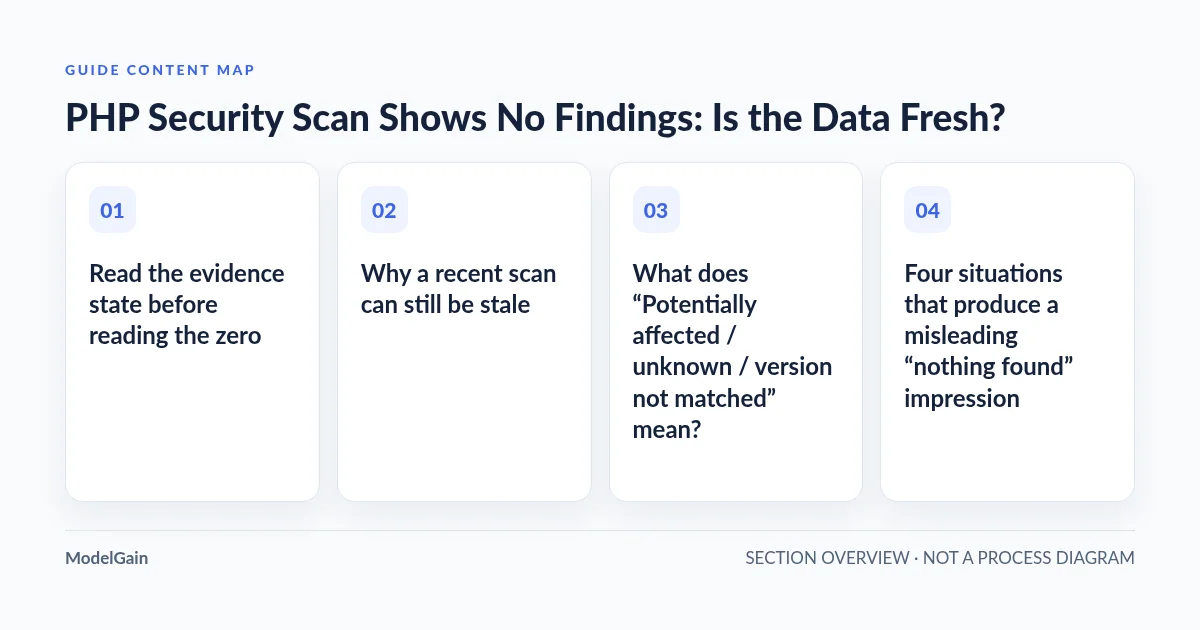
Read the evidence state before reading the zero
The following states are used by the released ModelGain PHP Security Monitor. They are not interchangeable and should not be collapsed into a generic green/red scan badge. The plugin reads its saved snapshot on page load; displaying the WordPress dashboard does not itself fetch an external vulnerability feed.
| State shown | What it means | First appropriate action |
|---|---|---|
| Not enabled | No consent for external PHP queries; no feed check was initiated by merely opening the page | Review the privacy disclosure and decide whether to opt in to a manual check |
| Unknown: no check for this runtime | Consent exists, but there is no snapshot for this exact PHP version | Use Check now if an authorized administrator agrees |
| Unknown: insufficient or invalid evidence | No usable verified response, an invalid envelope, or an unsupported upstream version | Inspect the last attempt and failure indicator; use official/hosting evidence independently |
| Fresh | Successful retrieval and provider data-update times are both under 24 hours old | Read the potential, unknown and not-matched counts; review conditional advisories |
| Stale: historical evidence only | At least one evidence timestamp is 24 hours old or older, or a subsequent request failed and left usable historical evidence | Request a fresh check and investigate the retrieval/provider timestamp |
| Unknown: evidence expired (7 days) | The snapshot is seven days old or older by the oldest relevant timestamp and cannot be used for the current assessment | Treat current applicability as unknown; refresh or ask the host to verify independently |
Why a recent scan can still be stale
A vulnerability-data provider and a WordPress plugin operate on two different clocks. Last successful retrieval tells you when WordPress fetched an acceptable response. Provider updated tells you when the upstream service says its data was last refreshed. The WPVulnerability API includes an updated Unix timestamp in its JSON response envelope, alongside the response’s error and data fields.
ModelGain treats evidence as fresh only if both the successful retrieval and the provider update are less than 24 hours old. Either one reaching 24 hours makes the evidence stale. At seven days, the snapshot is expired and no longer contributes usable advisory results. An HTTP request that succeeds right now does not reset the provider’s original update time.
| Illustrative observation at 12:00 UTC | Plugin interpretation | Reason |
|---|---|---|
| Retrieved 11:55; provider updated 09:00 today | Fresh | Both timestamps are under 24 hours old |
| Retrieved 11:55; provider updated 10:00 yesterday | Stale | The provider data is 26 hours old despite a new fetch |
| Retrieved yesterday 11:00; provider updated today 09:00 | Stale | The last successful retrieval is 25 hours old |
| Last good provider update was eight days ago | Expired / unknown | Stored historical bytes are not usable as a current verdict |
| Latest request failed, but a usable result was retained | Stale historical evidence | A failed check cannot produce a new clean state |
WPVulnerability’s own FAQ describes infrastructure-data refreshes as hourly, but that is a provider-side operating statement rather than a guarantee for every request, server outage or particular advisory. Always use the actual returned timestamp instead of treating a general published cadence as proof of freshness.
What does “Potentially affected / unknown / version not matched” mean?
ModelGain’s manual query retrieves PHP-branch advisory history rather than a server-side assertion that every returned item affects your installed version. The plugin locally compares the observed web-request PHP version with the minimum and maximum version predicates in each record.
| Column | Correct interpretation | Common misreading |
|---|---|---|
| Potentially affected | The stable upstream PHP version meets a recognized advisory’s version-range conditions | “This site was compromised” or “the host definitely did not backport a fix” |
| Unknown records | An advisory has missing, unsupported or malformed facts needed for reliable applicability evaluation | “Unknown items can be ignored because no positive finding was shown” |
| Version not matched | The PHP version does not meet a recognized advisory’s current affected-version predicates | “All PHP vulnerabilities, plugins, themes and hosting risks were ruled out” |
For example, an illustrative fresh result of 0 / 2 / 17 is not a clean result: two records could not be evaluated with confidence. A fresh result of 0 / 0 / 19 supports a narrower statement: none of the 19 recognized evaluated records matched this upstream version. Neither number measures the quality, breadth or completeness of the entire security landscape.
Only the current upstream version is considered by the plugin’s comparison logic. Whether your vendor patched an older package through backporting, or whether a CVE needs a specific SAPI, module, hosting configuration or application behavior, still requires separate evidence. If your host claims a patch but the upstream warning persists, follow our host patch-evidence verification guide. For an actual newly reported CVE and urgent response, use the PHP vulnerability warning triage guide.
Zero CVEs is also not PHP lifecycle clearance. If the web runtime runs an end-of-life branch such as PHP 8.1 in November 2026, a complete and fresh zero-match result does not mean the PHP project will maintain it against the next vulnerability. Review our EOL-versus-no-current-CVEs decision and extended-support guide before deciding whether to stay on a vendor-maintained legacy branch or migrate.
Four situations that produce a misleading “nothing found” impression
1. Manual queries have never been enabled
Installing or activating the plugin does not send a query. Open Tools → PHP Security as an authorized administrator. The page shows the observed PHP_VERSION and PHP_SAPI without an external request. If the status is Not enabled (no external request), read the disclosure and, if acceptable, choose Enable manual queries. This consent action alone does not run the check: click Check now separately. Do not imply that the absence of a previous scan is itself evidence of low risk.
2. An earlier good result survived a failed network request
An HTTP timeout, unsuccessful response or invalid JSON can leave the last usable snapshot on the site. The released plugin labels usable retained data stale instead of converting failure to a successful zero. Look for Last attempt, Last successful retrieval, the failed-request message and the provider timestamp. If the last good evidence is past the seven-day cutoff, it is expired even if its data remains stored until another check or consent withdrawal.
Do not repeatedly press Check now as a workaround for an unavailable endpoint. Manual and scheduled queries are subject to an at-most-once-per-minute gate, an eight-second timeout, no redirects and bounded response size. Troubleshoot the site’s outbound HTTPS connection, DNS, firewall/host restrictions and provider availability without disabling public TLS certificate verification or exposing credentials.
3. The host changed PHP versions, but the old evidence belonged to another runtime
The local snapshot is bound to the exact PHP_VERSION observed when it was obtained. After a version change, the earlier result is not carried forward as proof for the new interpreter. An unrecognized or prerelease version produces unknown evidence rather than being treated as a standard upstream release. A web request also cannot prove that every load-balanced node or background CLI worker runs the same PHP version.
Check the web runtime again and request a new authorized query. If the discrepancy is in the host control panel, follow our WordPress hosting-panel PHP version guide. Do not publish a publicly accessible phpinfo() diagnostic page for this purpose.
4. Scheduled checks or notification emails are not actually executing
The plugin’s optional monitoring requires separate scheduled-query and email consent after manual-query consent. It requests checks approximately every six hours through WordPress WP-Cron, which is traffic- and execution-dependent rather than continuous. The plugin deliberately skips PHP CLI/phpdbg cron execution because that context cannot identify the actual web-serving PHP version.
If you expected recurring scans, inspect Last run, Last fresh, Next scheduled and Mail on the plugin’s page. WordPress’s WP-Cron documentation explains why an event may remain due until a qualifying page load; the loopback troubleshooting guide covers a different failure where WordPress cannot call its own cron endpoint.
A separate plugin feature may attempt one failure alert after 48 hours without validated fresh evidence, but WP-Cron must be working for that alert to run; a stopped scheduler cannot reliably report its own outage. An alert sent via wp_mail() may be accepted without reaching the administrator’s inbox. Do not wait for a scheduled alert when a newly disclosed critical vulnerability warrants an urgent independent check.
Choose the next check from your actual result
This interactive guide helps classify the next step from the evidence shown on screen. It does not connect to your WordPress installation, fetch the provider feed or detect exploitation.
Find the next check behind a zero-advisory result
Applies when: A WordPress administrator sees zero potentially affected PHP advisories, an unknown result, or an outdated last-good scan and needs to decide what can be trusted.
Quick answer
Only a successfully retrieved, provider-fresh and interpretable PHP-version advisory result supports a narrow no-match conclusion. Unknown, stale, failed and expired evidence cannot be used as a current clean result.
What to do
-
Under Tools → PHP Security, distinguish Not enabled, Unknown, Fresh, Stale or Expired before interpreting the counts.
-
Compare Last successful retrieval and Provider updated against 24 hours, confirm the web PHP_VERSION, and inspect Last attempt for failures.
-
Separate potentially affected matches, unknown records and version-not-matched records. Ask your host about vendor backports or conditions independently.
What does the PHP Security evidence panel show?
All paths are listed below. Select a symptom to focus on the most relevant path.
First establish usable evidence
Check the actual web PHP version. Read the disclosure; if authorized, consent to a manual query and separately press Check now. An invalid response or unsupported version requires independent host/advisory review, not a green result.
Do not use historical data as a current pass
Compare retrieval and provider timestamps, inspect the failed-request indicator, and retry within the documented rate limit. At seven days the snapshot is expired and unusable. For urgent advisories, check primary sources and ask the host now.
Check unknown records and scope before concluding
Zero potentially affected plus zero unknown records supports only no recognized match in this fetched PHP-branch data at the observed version. It cannot establish full server safety, completeness of advisories or the state of vendor backports.
Did this help?
What to ask your host or scanner provider
When the discrepancy persists, send a sanitized, bounded evidence request rather than screenshots of server configuration or copied private logs:
Subject: PHP vulnerability result freshness / evidence discrepancy
Our WordPress administrator web request reports PHP [version] / SAPI [handler] at [UTC timestamp]. Our PHP advisory check shows [state] with [potential / unknown / not matched] records. Last successful retrieval: [UTC]; provider updated: [UTC]; last attempt: [UTC]. Please confirm whether the provider’s PHP-branch advisory response is current and whether the active web PHP package/build for this domain has the relevant CVE-specific patches. If you identify an expired feed, a failed fetch or a vendor backport, please provide the applicable advisory/package reference and the next verifiable check. No passwords, tokens or personal data are included.
Where ModelGain PHP Security Monitor helps—and where it stops
ModelGain PHP Security Monitor is a focused, free WordPress runtime evidence tool, available from its official WordPress.org listing. It can show the web PHP version and SAPI, distinguish fresh/stale/expired evidence, categorize matching versus unknown advisories, and produce a copyable host-support report. It requires WordPress 6.9+ and PHP 7.4+ for installation; those are software compatibility minimums, not security recommendations for older PHP branches.
External queries are disabled until explicit consent. A query sends the observed PHP version to WPVulnerability, which also sees the server’s IP and generic plugin user agent; it does not send your site URL, login details or cookies. Withdrawing consent deletes the plugin’s cached evidence and stops its monitoring state. Optional scheduled checks and email require separate opt-ins.
Limitations: the plugin does not patch PHP, scan WordPress plugins/themes for vulnerabilities, verify operating-system backports, inspect every server pool, prove exploitability or certify that a site is secure. A zero-match result is one bounded input into a larger host and application security review.
Frequently asked questions
Does zero PHP vulnerabilities mean my WordPress site is secure?
No. It means no potentially matching records were identified in a particular usable feed and version comparison, subject to unknowns and coverage. It says nothing conclusive about WordPress plugins/themes, unreported vulnerabilities, malicious code or historical compromise.
Why is a successful check marked stale?
The upstream updated timestamp may be 24 hours old or more even when WordPress has just retrieved the response. The plugin evaluates both clocks, not only when the HTTP request completed.
What happens when the data is seven days old?
The plugin reports expired/unknown and excludes the old snapshot from its current advisory assessment. Stored bytes may persist for a time, but they are not evidence that the current PHP runtime has no known issues.
Why do I see zero potential matches but some unknown records?
An advisory can lack valid version-range or source information. Such records are deliberately classified as unknown rather than silently ignored. Review the upstream sources and ask your host about relevant CVEs.
Does the plugin’s six-hour schedule guarantee fresh results or an email?
No. Scheduled checks depend on consent, WordPress traffic, WP-Cron execution, provider availability and a web PHP runtime. Notification delivery depends on the separate email system. Use the explicit timestamps and monitoring status to decide whether the process actually ran.
References and related ModelGain guides
- WPVulnerability API: envelope, error state and updated timestamp
- WPVulnerability FAQ: source refresh, coverage and limitations
- WPVulnerability privacy information
- ModelGain PHP Security Monitor: shipped capability and limitations
- WordPress developer documentation: WP-Cron scheduling
- WordPress loopback failures and cron troubleshooting
- PHP official supported versions and lifecycle
- First response to a WordPress PHP vulnerability warning
- When your host says PHP is patched but a version-based warning remains
Bottom line: before calling a zero-match PHP scan reassuring, verify that it ran, that the retrieved and provider-updated timestamps are current, that the result has no unknown records, and that the web PHP version is the one you intended to check. Then keep the conclusion limited to the advisory set and version predicates actually evaluated.