WORDPRESS
PHP Still Flagged as Vulnerable After a Hosting Patch?
Your hosting provider patched PHP, but WordPress still flags a vulnerability? Verify the actual web handler, vendor package, security backport and CVE evidence.
FREE WORDPRESS PLUGIN
PHP Security Monitor
Identify the PHP version serving your WordPress admin request, review potentially matching PHP CVEs after consent, and prepare a host-support report.
- Install on WordPress 6.9+ with PHP 7.4+
- Open Tools → PHP Security and review the web runtime
- Opt in to Check now, then review evidence and the host report
Version evidence only; an advisory match is not proof of exploitability or compromise. Cannot patch PHP, verify backports or provide continuous protection. External checks share server IP/PHP version after consent; optional WP-Cron checks and email require separate consent and are not guaranteed.
Your hosting provider says PHP is patched, but WordPress still shows an older PHP version or a vulnerability warning. Who is right? Either could be reporting a valid but incomplete part of the picture. A scanner may compare the upstream PHP version while your host runs a vendor-patched package with the same visible version string. Conversely, a host may have installed an update on the server without switching the web worker serving your WordPress site to the fixed build.
Fast answer: ask for an evidence chain linking your domain → active web PHP handler → installed vendor package → CVE-specific security advisory → deployed patch and restarted worker. If any link is missing, treat patch status as unverified, not automatically safe or definitely vulnerable. For a critical, remotely exploitable CVE on an exposed web runtime, arrange urgent host remediation while this evidence is gathered. For the first-time interpretation of a warning, start with our WordPress PHP vulnerability alert triage guide; this article is specifically about resolving a patch disagreement with your hosting provider.
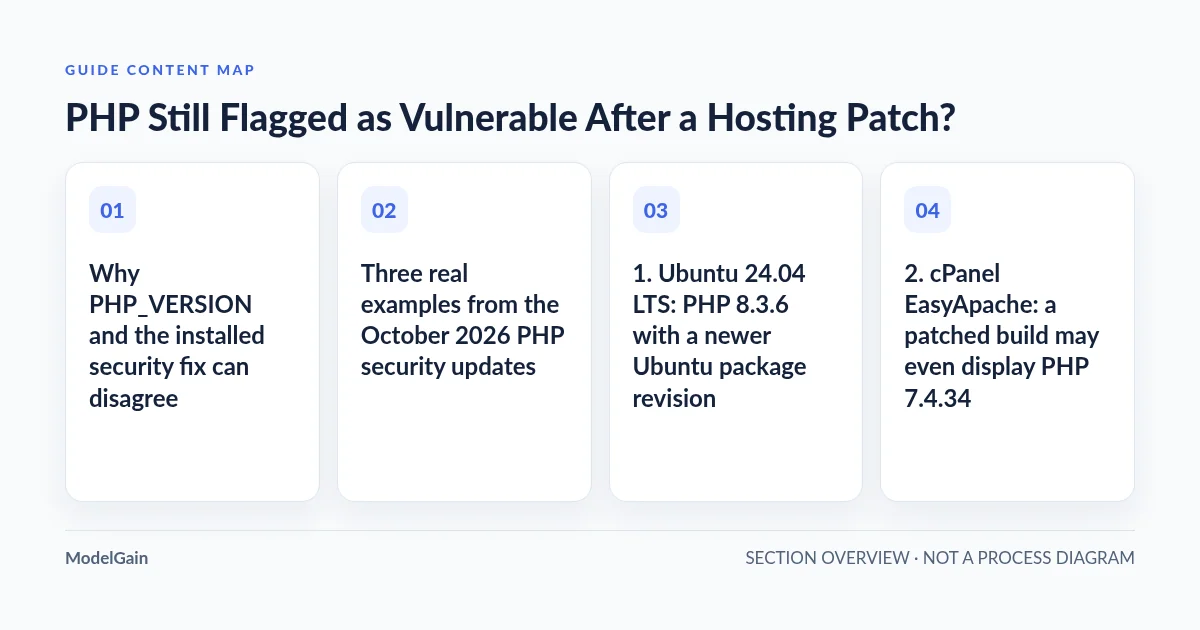
Why PHP_VERSION and the installed security fix can disagree
The PHP project ships upstream versions such as PHP 8.3.36. A Linux distributor or hosting vendor may instead take a security fix from that release and apply it to its own supported PHP package without replacing the entire interpreter version. This is a security backport. The PHP version string seen in WordPress can remain at an older upstream baseline while the package’s full release identifier and changelog show the backported fix.
Red Hat’s official backporting explanation describes why comparing only upstream versions can misclassify patched distribution packages. But backporting is not a blanket exemption: a vendor’s existence, maintenance policy or generic claim of support does not prove that this specific CVE was fixed in the package currently running for your domain.
| What someone shows you | What it establishes | What is still missing |
|---|---|---|
| WordPress Site Health reports PHP 8.3.6 | Version reported by the WordPress web request | OS/vendor package release, patch provenance and all relevant workers |
| The host’s panel displays a newer PHP selector | That version is offered or configured in the panel | Proof that your domain’s active handler is serving it |
php -v reports a fixed version |
Version of the command-line interpreter invoked | Identity of the PHP-FPM, Apache, LiteSpeed or CGI runtime actually serving WordPress |
| The vendor has published a security notice | A fix exists for specified vendor products and package builds | Exact installed package, repository, effective web worker and update time |
| A host provides installed package + matching advisory + verified worker | Substantial evidence that the documented fix is active for that domain | Other independent CVEs, other sites/pools and any past compromise still need separate checks |
Three real examples from the October 2026 PHP security updates
These are vendor-documented examples for CVE-2026-109618 and CVE-2026-109619 as reviewed on 9 November 2026. They are not a list of every supported package or a claim that an unknown host has installed the latest package. Always check the current vendor notice for the exact distribution, repository and package name.
1. Ubuntu 24.04 LTS: PHP 8.3.6 with a newer Ubuntu package revision
Canonical’s Ubuntu Security Notice USN-8948-1, published 21 October 2026, lists php8.3-fpm, php8.3-cli, php8.3-cgi and libapache2-mod-php8.3 for Ubuntu 24.04 LTS as fixed in 8.3.6-0ubuntu0.24.04.13. That full package version contains a vendor fix even though its upstream portion is 8.3.6—lower than the PHP project’s upstream fixed release 8.3.36.
A hosting reply saying only “PHP 8.3.6” is therefore insufficient. If the host identifies Ubuntu 24.04 LTS, ask for the complete installed FPM or Apache PHP package version and a link to USN-8948-1. Do not assume the same Ubuntu revision fixes the issue on Debian, a third-party PHP repository or a custom container image. Also do not mistake the CLI package for the web handler.
2. cPanel EasyApache: a patched build may even display PHP 7.4.34
The cPanel security response says EasyApache 4 25.91 (21 October 2026) delivered fixes for the two CVEs in the applicable ea-php74 through ea-php85 package lines, with older EA-PHP branches receiving vendor backports. A follow-up 25.92 updated meta-package changelogs. The EasyApache 4 changelog, updated 4 November 2026, records that 25.94 made ea-php74 report 7.4.34 to mark those CVE fixes and explicitly says no upstream PHP 7.4.34 release exists.
This is not a general license to trust any unusual version number. A different host displaying 7.4.34 has not thereby proved it is a patched cPanel package. Verify the exact ea-php package and EasyApache changelog on that server. Also distinguish cPanel/WHM’s internal PHP (which serves panel applications such as webmail) from EasyApache EA-PHP (which can serve customer WordPress sites). A statement that cPanel itself was upgraded is not proof that your WordPress domain’s PHP handler was updated.
3. CloudLinux alt-PHP and EA-PHP: verify the correct RPM lineage
CloudLinux’s detailed October 2026 response explains that alt-php, ea-php and the operating system’s native PHP are distinct package families with different update channels and timelines. Its 22 October update specifically notes a patched alt-php85 package at 8.5.11-5 and an ea-php84 example at 8.4.26-2.el8.cloudlinux.1, even though those upstream-looking version portions precede the PHP.net fixed versions.
CloudLinux documents checking the relevant package changelog for both CVEs. For an authorized server administrator on an RPM-based installation, the following are examples of read-only package-inspection commands—not instructions to update packages blindly:
rpm -q alt-php85-common
rpm -q --changelog alt-php85-common | grep -E 'CVE-2026-(109618|109619)'

rpm -q ea-php84-php-cli
rpm -q --changelog ea-php84-php-cli | grep -E 'CVE-2026-(109618|109619)'
Choose the package that actually corresponds to the active interpreter. A package not installed on the host can return “not installed”; a matching CLI package name still does not prove that every web pool uses it. The vendor’s notice explains that some native-PHP builds need a different version or changelog check; the commands above are not universal instructions for every CloudLinux server or a substitute for provider confirmation.
November 2026 update: CloudLinux’s November 19 security release uses new fixed build thresholds. The supported alt-php and ea-php packages have a different release state from native OS PHP. For the specific November RPM versions, repository checks and active-worker verification, see our CloudLinux PHP fixed-build verification guide. The October package examples above establish only their named October CVEs.
Step 1: preserve the WordPress warning before the host changes anything
Capture the domain, URL or installation being investigated, the full CVE identifier(s), scan timestamp, warning text, data-provider freshness, and the PHP version/SAPI under WordPress → Tools → Site Health → Info → Server. If multiple websites share a host, identify which affected domain produced the result. Do not create a public phpinfo() page, include credentials in a support ticket or send a raw configuration dump.
If you used ModelGain PHP Security Monitor, you can also collect its observed web-request PHP version, conservative advisory-match status and copyable support report after the necessary consent. The plugin’s result documents what that WordPress admin request observed; it does not inspect installed Linux packages or independently certify that a host backported a fix.
Step 2: request the minimum complete proof from your host
Instead of “Is my PHP patched?”, send an exact-evidence request. A useful hosting answer should identify the following in one response:
- Runtime identity: your domain’s active PHP handler/pool and where it runs—system native PHP, cPanel
ea-php, CloudLinuxalt-php, container or other managed stack. - Package identity: the full installed package name, version, release/build and distribution/repository. A bare
PHP_VERSIONis not enough. - Patch reference: the exact vendor advisory/changelog identifying the CVE and the fixed package or build for that product and distribution.
- Deployment confirmation: when the package was installed and whether the affected web processes/pools were reloaded or restarted as required.
- Follow-up evidence: a post-change observation that the correct domain now uses that handler, and confirmation of any remaining affected sites, workers or processes under the same account.
Suggested hosting ticket:
Our WordPress site at [domain] still reports web PHP [version] / [SAPI] and flags [CVE IDs] as of [UTC time]. You indicated that the host is patched. Please identify the active PHP handler/pool for this domain, the exact installed package name/version/release and its vendor repository, and the CVE-specific advisory or changelog showing the corresponding fix. Please also confirm the package installation time, necessary web-worker restart/reload, and how you verified this domain is now served by that patched build. If a vendor backport retains an older PHP_VERSION, please cite the exact fixed package revision. We do not need credentials or raw private logs.
Step 3: grade the reply by evidence, not reassurance
| Host reply | Assessment | Next request |
|---|---|---|
| “Everything is up to date.” | Insufficient evidence | Exact domain handler and installed package revision |
| “We upgraded WHM/cPanel’s internal PHP.” | Wrong or incomplete runtime unless proven to serve WordPress | Customer domain’s EA-PHP/other handler mapping and patch |
| “We run PHP 8.3.6, but Ubuntu 24.04 applied USN-8948-1.” | Possible documented backport | Installed php8.3-fpm/libapache2-mod-php8.3 full revision and active web worker |
| “CloudLinux patched alt-php, here is its changelog.” | Promising but not yet domain-specific | Exact installed alt-php package and proof the domain uses it |
| “Package [full revision] is installed, vendor advisory covers [CVEs], and [domain] uses the restarted [handler].” | Documented remediation for those CVEs subject to verification | Retain evidence, refresh scan and test key workflows |
| “The WAF blocks the exploit.” | Interim risk reduction, not a PHP patch | Patch/upgrade plan and remaining exposure |
Which piece of patch proof is missing?
This short decision aid routes you to the next verification step. It does not probe your server, assess exploitability or override your provider’s incident-response process.
Which part of the hosting patch evidence is missing?
Applies when: A hosting provider claims a PHP vulnerability is fixed, but WordPress or a version-based scanner continues to show a warning.
Quick answer
Trace the same domain's web handler to an installed vendor package, compare that package with a CVE-specific security notice, and confirm the patched worker is active before declaring remediation verified.
What to do
-
Record the domain, web PHP version and SAPI from Site Health, CVE IDs and the scan time. Do not substitute CLI PHP or the panel's default selector.
-
Ask for the package name, full version/release, repository, exact security advisory and proof of update for the active handler. A general patched claim is insufficient.
-
Verify the correct domain uses the fixed build after necessary reloads. Retain scanner and vendor evidence separately, and test critical WordPress workflows.
What did your hosting provider supply?
All paths are listed below. Select a symptom to focus on the most relevant path.
Ask for a domain-specific package identity
Request the exact FPM/Apache/LiteSpeed handler used by your domain, the full installed package release, and the vendor/repository. Do not mark the vulnerability resolved based on reassurance alone.
Match the advisory to the installed build
Confirm the notice covers the exact product, distribution branch and CVE IDs. Ask for installed package evidence and the web-worker mapping; a vendor publishing a fix is not evidence the server installed it.
Compare the complete vendor revision and verify the worker
Compare the installed package with the vendor's fixed-build threshold, then verify restart/reload and the same domain's live web runtime. If matching, document CVE-specific remediation; keep unrelated alerts or compromise investigations separate.
Did this help?
Step 4: retest the active web worker and the real application
When the host delivers the proof, verify the same domain rather than a different site on the account. Record the new web PHP version and SAPI plus the host’s full package/advisory evidence and update timestamp. A version-only scanner may continue to display the same upstream-version warning after a documented backport; preserve the warning alongside the vendor evidence instead of changing it to a false “all clear.” If the scanner is stale or its external lookup failed, that is a separate evidence-quality problem—not proof that the fix did or did not apply.
Also test the actual application behavior after patching. On staging, where practical, exercise WordPress login/admin, contact forms, key frontend routes, plugin/theme compatibility and any checkout or scheduled critical jobs. The WordPress PHP staging checklist covers that broader change-validation workflow; the hosting control-panel guide covers version switching. Neither substitutes for CVE-specific package proof.
Important: a patch being installed now does not show whether a system was exploited earlier. If the site has suspicious admin activity, unexplained file changes, web-shell indicators or credible compromise alerts, preserve incident evidence and investigate separately. If the server is still plausibly exposed to a critical remote-code-execution issue, ask the provider about urgent isolation or remediation rather than waiting for a perfect audit trail.
Where ModelGain PHP Security Monitor fits
ModelGain PHP Security Monitor is a free WordPress-side evidence tool. From Tools → PHP Security, it can show the PHP version and SAPI observed for the administrator’s web request. After an explicit opt-in, its manual check queries WPVulnerability for potential PHP advisory matches and reports evidence freshness; the host-support report helps you ask for the right facts. The released WordPress.org plugin requires WordPress 6.9+ and PHP 7.4+ for installation; this installation floor is not a recommendation to remain on unsupported PHP.
It cannot read the host’s installed RPM/DEB packages, verify vendor backports, patch PHP, prove exploitability or certify the server secure. External checks require consent and send the server IP and PHP version to WPVulnerability. Separately optional WP-Cron checks and administrator emails depend on scheduler execution and email transport; they are not a guaranteed urgent-response mechanism. Use the plugin to improve the evidence in a host ticket, not to replace host-side verification.
Frequently asked questions
Is my PHP warning a false positive if the host says it is patched?
Not automatically. A version-only match may be a potential false positive against a genuine vendor backport, but “host says patched” without the package, advisory and live-worker mapping is not enough to close the case. Mark it unresolved until that chain is verified.
Does PHP 7.4.34 exist?
The PHP project did not release an upstream PHP 7.4.34. The cPanel EasyApache 4 25.94 changelog documents a vendor-specific 7.4.34 reported version associated with its October 2026 security backports. Its meaning depends on that exact vendor package, not on upstream PHP release numbering.
Can php -v prove WordPress is protected?
No. It identifies the CLI interpreter invoked by your shell. WordPress might run under a different FPM pool, Apache module, LiteSpeed handler or container. Ask the host for evidence connecting the correct package to the site’s active web requests.
Does a patched package mean I should ignore all future warnings?
No. CVE-specific proof supports that specific fix in a specific installed build. It does not establish that later advisories, other dependencies, additional pools or past compromise indicators have been addressed. Keep the normal security update and monitoring workflow.
Should I edit WordPress files to hide the warning?
No. Hiding a warning changes presentation, not the runtime. Preserve the observation, document the vendor’s patch evidence, and repair or update the actual hosting environment if needed.
Official evidence and related guides
- Red Hat: why security backports can retain older upstream versions
- Ubuntu USN-8948-1: affected releases and exact fixed PHP packages
- cPanel: EasyApache 4 25.91–25.94 PHP security/package changes
- cPanel: October 2026 PHP CVE response
- CloudLinux: native, alt-PHP and EA-PHP package status and verification
- PHP project: upstream support lifecycle
- WordPress: Site Health and runtime evidence
- ModelGain: first response to a WordPress PHP CVE warning
- ModelGain: staging checks after a PHP update
Bottom line: a low PHP version number does not automatically mean an unfixed vendor package, but a vendor security notice alone does not mean your web worker received that package. Resolve the warning through domain-specific runtime identity, full installed package revision, CVE-specific changelog and post-change verification. Record any remaining uncertainty explicitly, especially for exposed critical vulnerabilities.