WORDPRESS
WordPress PHP Upgrade Staging Checklist: Test Before Switching
Test a WordPress PHP upgrade on isolated staging with runtime checks, sandbox checkout, restore evidence and clear cutover gates.
A WordPress PHP upgrade is ready for production only when a representative, isolated staging site passes your real workflows on the target web runtime and you have demonstrated a usable recovery path. A homepage that loads, a clean compatibility scan or a successful CLI command is not that evidence. Record what passed, what failed and which differences from production remain before making the switch.
This operational checklist is for the rehearsal between code review and production cutover. It is not another list of PHP syntax risks. The aim is a specific go/no-go decision supported by test results, with no customer emails, real payments or personal data escaping from staging.
Is this PHP upgrade ready for cutover?
Applies when: Rehearsing a WordPress PHP runtime upgrade on an isolated, representative staging site.
Quick answer
Proceed only when staging is isolated, the target web runtime is verified, required workflows pass and a recovery path has been demonstrated. A static scan or working homepage is not functional or restore verification.
What to do
-
Use synthetic data, protect staging access, intercept outgoing email and replace payment and integration credentials with safe test destinations.
-
Compare the actual web handler, FPM pool where applicable, extensions and CLI runtime. Test the same customer and administrative journeys before and after switching staging.
-
Preserve pass/fail evidence and verify an isolated restore and runtime rollback route. Agree stop conditions and have an operator available during production verification.
Which gate is still unresolved?
All paths are listed below. Select a symptom to focus on the most relevant path.
Stop before running workflows
Remove real personal data, protect access and intercept outbound delivery. Verify sandbox payment mode and disable or redirect fulfillment, webhook and other integration side effects. Noindex alone does not secure staging.
Resolve the environment mismatch
Identify the actual domain handler, pool and required extensions with private diagnostics. Record CLI differences and intentional staging limitations. Do not treat a panel selection or CLI version as web-runtime proof.
Fix and repeat the affected gate
Keep logs and test evidence private. Resolve failed workflows or the recovery gap, then repeat the relevant tests. Never expose WP_DEBUG output publicly or use production transactions to test staging.
Schedule the supervised switch
Confirm the recovery checkpoint and operator. Verify live dynamic requests, low-risk workflows and relevant queue progress after switching. Revert on agreed failure triggers; do not restore over new orders without a separate data-recovery plan.
Did this help?
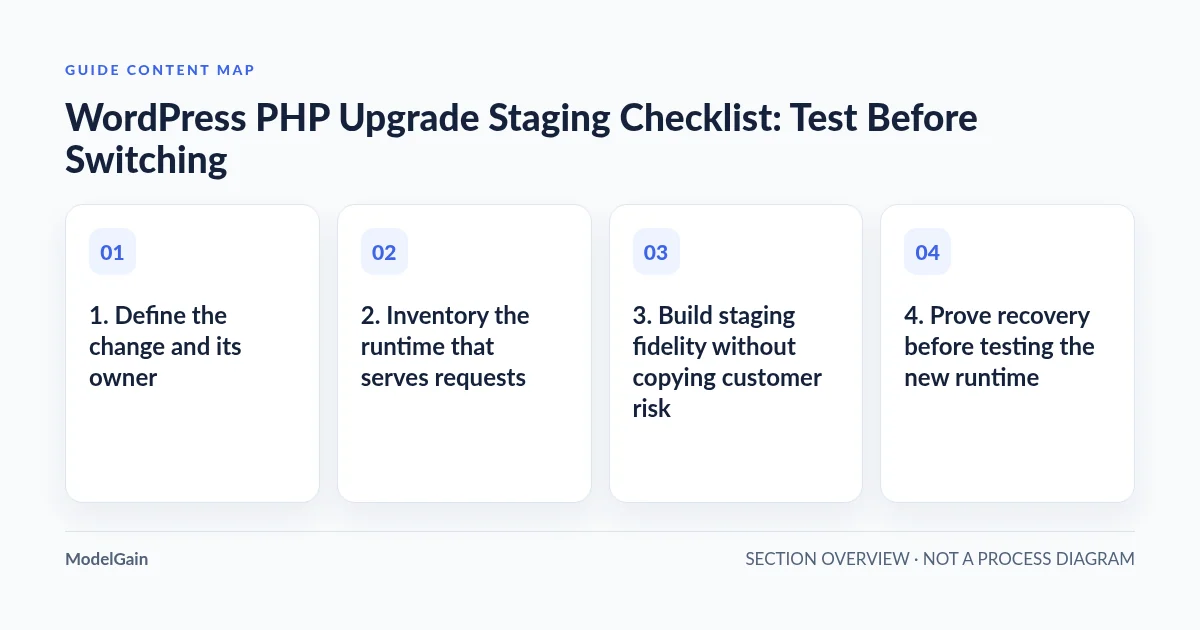
1. Define the change and its owner
Record the current and proposed PHP versions, the exact domain, the maintenance window and the person who can reverse the hosting change. Keep WordPress core, plugin and theme versions fixed during the comparison where possible. If an update is necessary for compatibility, record it as a separate change and repeat the relevant tests. Changing everything at once makes a failure harder to attribute.
Write a short acceptance list based on the site: administrator login, content editing, media upload, search, forms, account access and any store journeys. Give each test an expected result and an observer. “Checkout works” is too broad; “a sandbox card creates one test order with the expected total and one captured test email” is inspectable.
2. Inventory the runtime that serves requests
Use Tools → Site Health → Info to record the web PHP version, SAPI and relevant environment details. The Site Health screen documentation explains the distinction between Status checks and the Info inventory. Record WordPress core, active plugins, the active parent and child themes, database version and required PHP extensions.
Ask the host to identify the domain’s PHP handler and, where PHP-FPM is used, the actual service and pool behind the virtual host. Compare memory limits, execution limits, extension versions, configuration overrides and filesystem permissions. The same PHP version label can describe different effective environments.
If you have authorized shell access, php -v, php --ini and php -m inspect the CLI interpreter. They do not certify the web runtime. Also identify the PHP binary used by scheduled CLI work. A successful browser test does not prove that a system cron command runs the same PHP build, and the reverse is equally unsafe. Investigate a mismatch rather than installing extensions indiscriminately.
3. Build staging fidelity without copying customer risk
Match the relevant production architecture: plugin and theme versions, caching behavior, web handler, required extensions and representative configuration. Document intentional differences such as hostname, authentication and sandbox credentials. A staging site with payment, cache or integration plugins removed cannot certify their compatibility.
Use synthetic accounts, addresses, orders and uploaded files. Exclude real personally identifiable information and personal data from the test dataset; sanitize a copy before exposing it to the staging environment. Do not assume changing email addresses alone removes customer data from notes, metadata, exports or attachments. Keep production API secrets and reusable payment tokens out of the clone.
Protect staging with authentication and access restrictions, and set it to discourage indexing. Noindex is an indexing instruction, not access control. Confirm protection on media and diagnostic endpoints too. If sandbox callbacks need inbound access, arrange a narrowly scoped, provider-supported route rather than opening the entire copy publicly.
Disable outgoing delivery to real customers at the transport layer and direct test emails to a private capture inbox. Replace payment credentials with sandbox credentials and verify the gateway’s test-mode indicator. Disable or redirect webhooks, shipping-label purchases, fulfillment exports, CRM synchronization and other outbound integrations before allowing background tasks to run. A staging hostname alone does not prevent production side effects.
4. Prove recovery before testing the new runtime
WooCommerce’s PHP update guidance calls for backing up database and files before upgrading. Confirm what your backup includes, where it is stored, who can retrieve it and whether its configuration matches the intended restore. A completed backup notification is not a restore test.
Restore the backup into an isolated destination and check that WordPress starts, expected content exists and representative files are readable. Verify access to the prior handler configuration and required extensions. Record restore duration and any missing steps. Never restore a staging database over a live store as a casual rollback: new production orders and other writes could be lost.
Distinguish a reversible PHP handler switch from a data-changing deployment. If only the runtime changes, the first containment option may be reverting the runtime. If updates include database migrations, switching PHP back does not undo those migrations. Resolve that recovery plan before cutover.
Pass/fail matrix for the rehearsal
| Gate | Pass evidence | Stop condition |
|---|---|---|
| Isolation | Authentication, sanitized data and intercepted outbound traffic verified | Real recipients, live payment credentials or customer data remain |
| Runtime fidelity | Target web handler, extensions and CLI differences documented | Only a panel selector or CLI version has been checked |
| Recovery | Isolated restore and previous runtime route demonstrated | Backup exists but cannot be restored or accessed |
| Customer workflows | Named UI tests pass with sandbox evidence | Fatal error, incorrect totals or blocked account access |
| Background work | Representative safe jobs complete with expected logs | Unexplained failures, duplicate jobs or production destinations |
| Cutover readiness | Owner, monitoring window and rollback triggers agreed | No operator available to supervise and reverse the switch |
5. Run the same journeys before and after switching staging
Establish a baseline on the old runtime first. Then switch staging using the host-supported method and verify its actual web version. Run the same tests with synthetic users. Include authenticated and logged-out views, editing and saving, image processing, search and every important form. Check validation errors as well as successful submissions.
For WooCommerce, test the cart, shipping and tax calculation, coupons where used, sandbox payment success and failure, order creation and account access. Verify the intended test order state and captured notifications. Never use a real transaction just to prove that staging works. A sandbox result demonstrates that sandbox path; document any production-only behavior it cannot exercise.
If a plugin/theme interaction fails, use WooCommerce’s conflict-testing procedure on staging. Change one variable at a time, restore the original combination and reproduce the result. Do not deactivate production payment or fulfillment plugins as an exploratory shortcut.
6. Observe background work and errors privately
Inventory cron schedules, Action Scheduler queues and integrations that matter to this site. In the isolated environment, observe representative safe tasks and their timing under the intended web and CLI runtimes. A disabled staging runner explains why jobs never execute; it does not establish that the PHP upgrade broke them. Re-enable only the safe test path after outbound destinations are controlled.
Compare PHP error logs, application logs and browser behavior against the baseline. Follow the WordPress debugging documentation for temporary staging diagnostics. Never expose WP_DEBUG output publicly: keep display disabled, protect logs outside public access and remove temporary diagnostics after testing. Hiding errors does not fix them, and an empty log alone does not prove a workflow passed.
7. Make a supervised go/no-go decision
Proceed only when all required gates have evidence. Preserve the test record, timestamps, software inventory and sanitized error excerpts before reverting or cleaning up staging. A failure needs an owner and a retest, not a vague “probably fine.” Nonblocking warnings should have a documented impact assessment.
At cutover, take the agreed recovery checkpoint and keep unrelated changes out of the window. Confirm the live web runtime, then perform approved low-risk smoke checks: login, dynamic pages, account access and form rendering. Observe real queue progress and private errors without replaying payments or customer notifications. If a production transaction test is genuinely required, it needs its own controlled procedure; the staging checklist does not authorize one.
Rollback triggers include new fatal errors, broken critical journeys or an unresolved handler mismatch. A runtime rollback should preserve incident evidence; a database restore requires a separate plan for intervening production writes. Stay available through the monitoring window rather than treating the version selector as the finish line.
Use each tool for the question it can answer
The PHP compatibility preflight helps prepare code review; this rehearsal proves selected workflows. If the target runtime lacks a module, follow the missing-extension diagnosis. For store-specific failures, use the checkout error investigation.
PHP Upgrade Risk Audit is a static compatibility scanner. It does not execute checkout, validate environment fidelity or verify restores. Keep its findings alongside the rehearsal results, not in place of them. The useful next step is to assign and complete the first missing gate before scheduling production.