WORDPRESS
PHP 8.2 End of Life: What WordPress Sites Must Check Before December 31, 2026
PHP 8.2 support ends December 31, 2026. Check WordPress compatibility, hosting security patches, migration targets and safe rollback steps.
FREE WORDPRESS PLUGIN
PHP Security Monitor
Identify the PHP version serving your WordPress admin request, review potentially matching PHP CVEs after consent, and prepare a host-support report.
- Install on WordPress 6.9+ with PHP 7.4+
- Open Tools → PHP Security and review the web runtime
- Opt in to Check now, then review evidence and the host report
Version evidence only; an advisory match is not proof of exploitability or compromise. Cannot patch PHP, verify backports or provide continuous protection. External checks share server IP/PHP version after consent; optional WP-Cron checks and email require separate consent and are not guaranteed.
PHP 8.2 reaches upstream end of life on December 31, 2026. If your WordPress site still runs PHP 8.2, the question is not whether WordPress instantly stops working in January. It is whether the actual PHP build serving your site will continue receiving relevant security fixes, who is responsible for supplying them, and whether you have a tested path to a maintained runtime.
Short answer (checked November 10, 2026): start a planned migration now. Check for any urgent unpatched advisory first, then confirm the live web PHP version and hosting provider’s patch policy. Choose a host-supported, application-tested target such as PHP 8.4 or, where justified, PHP 8.3 or 8.5. Back up and test the change on staging, validate key business workflows, and agree on a rollback path before switching production. A documented vendor-maintained PHP 8.2 build can justify a limited transition period, but mere control-panel availability is not proof of security maintenance.
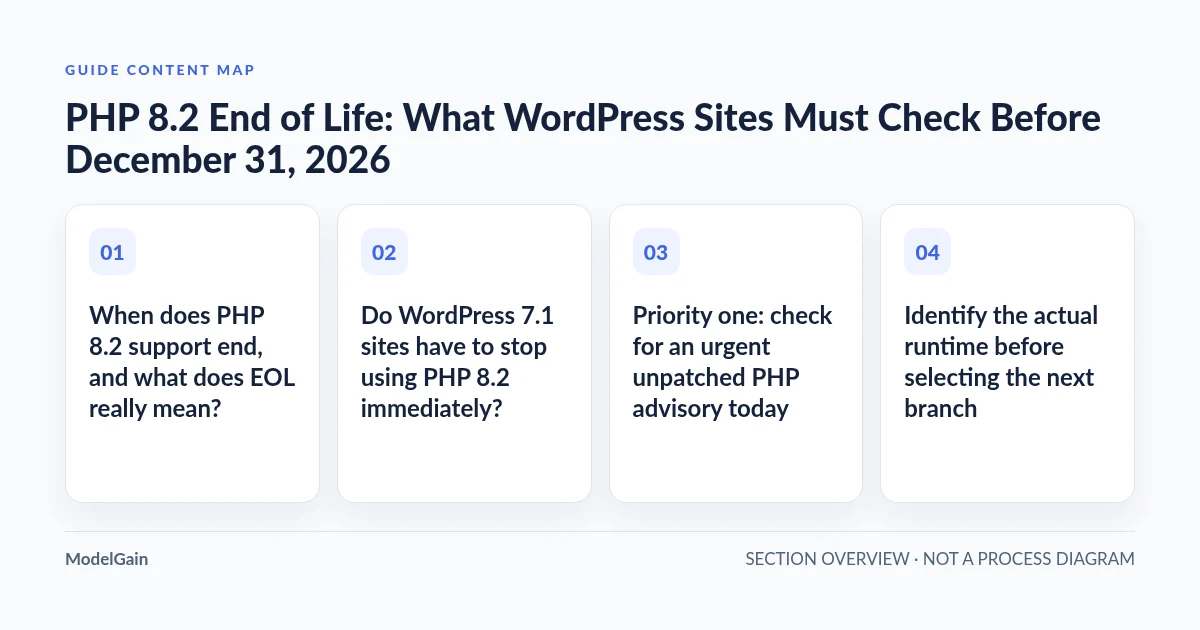
When does PHP 8.2 support end, and what does EOL really mean?
The PHP project’s support policy and release table divide each branch into active bug-fix support, security-only support, and end of life (EOL). PHP 8.2 has already left routine active bug-fix support; on December 31, 2026 its remaining upstream security-support period ends. From that date, the PHP project no longer commits to publishing security patches for the 8.2 branch. This is a maintenance and exposure risk, not a claim that all PHP 8.2 sites will suddenly fail, be compromised, or immediately become inaccessible.
| PHP branch | Upstream security support ends | Decision context in November 2026 |
|---|---|---|
| 8.2 | Dec 31, 2026 | Security-only now; migration or verified vendor maintenance needed soon |
| 8.3 | Dec 31, 2027 | Still security-supported; shorter future maintenance runway than 8.4/8.5 |
| 8.4 | Dec 31, 2028 | Maintained; a practical candidate when host, WordPress and extensions support it |
| 8.5 | Dec 31, 2029 | Maintained; verify compatibility of your actual WordPress and third-party stack first |
Three different claims must stay separate: (1) the PHP project maintains a branch upstream; (2) your hosting vendor supplies and deploys patched packages for your specific service; and (3) your WordPress, plugins, theme and custom code are compatible with a particular interpreter. None of these establishes either of the other two.
Do WordPress 7.1 sites have to stop using PHP 8.2 immediately?
No automatic compatibility shutdown is implied. The official WordPress hosting compatibility reference includes PHP 8.2 among the versions available at WordPress 7.1’s release. The WordPress Core team’s May 2026 PHP support clarification says the recommended minimum is PHP 8.3, while WordPress’s minimum supported PHP version is a separate backwards-compatibility decision. WordPress continuing to run on PHP 8.2 does not extend PHP 8.2 upstream support past December 31.
A hosting dashboard that still offers “PHP 8.2” likewise cannot tell you whether a provider will deliver future patches. Ask the host for the actual package name/build, release channel, responsible patch vendor, security-maintenance end date and CVE-specific advisories. Some distributions backport patches without changing the upstream version displayed by PHP_VERSION. Confirm those claims with package and vendor evidence rather than assuming every old version string is unsafe or every vendor promise is sufficient.
Priority one: check for an urgent unpatched PHP advisory today
An EOL timetable is a planning deadline; an actively relevant critical security advisory can require action sooner. For example, on October 21, 2026 the PHP project announced a security update for the 8.2 branch, PHP 8.2.35, addressing two critical issues identified in the PHP project’s 2026 announcements. That is a dated release example—not a claim that 8.2.35 will remain the latest available patch indefinitely, or that every hosting configuration has confirmed exposure.
When a relevant advisory applies to your deployed environment, confirm the affected version range, required conditions, fixed release or vendor backport and the exact web-serving build. Do not delay an urgent fix until your planned end-of-year migration. Equally, switching from an old unpatched PHP 8.2 build to an unpatched PHP 8.3 or 8.4 build does not establish that the vulnerability was corrected. Follow our WordPress PHP security-warning triage and request package-specific evidence from your host.
Identify the actual runtime before selecting the next branch
In WordPress, open Tools → Site Health → Info → Server to inspect the PHP version serving your dashboard request. Alternatively, the free ModelGain PHP Security Monitor shows PHP_VERSION and PHP_SAPI for the current admin web request under Tools → PHP Security, without running a remote query merely to display them.
Record the timestamp, WordPress version and active PHP SAPI. In managed hosting, the CLI interpreter, a staging site’s runtime, the configured control-panel version, and the actual public web PHP process can differ. A single dashboard request cannot prove that every node in a load-balanced environment has switched. If the host claims to have updated PHP but WordPress still reports an old version, follow the hosting-panel versus live-runtime troubleshooting guide.
After explicit opt-in, PHP Security Monitor can query a third-party PHP advisory feed and display version-range potential matches, upstream lifecycle evidence and a host-support report. The provider sees the queried PHP version and server IP. It does not patch PHP, prove exploitation, certify vendor backports, guarantee feed completeness or run a plugin/theme compatibility scan. Treat its evidence freshness and unknown-record states seriously; our zero-result interpretation guide explains why no potential matches do not mean the runtime is secure.
Choose a target PHP version with a practical maintenance window
There is no single universally safe version for every older WordPress site. A host offering PHP 8.5 is not proof that a custom payment extension, theme or native PHP module will work on 8.5. Conversely, choosing the shortest-supported target only because it is easiest today can create a second migration soon. Select the newest maintained branch for which your specific host, WordPress release, plugins, themes and extensions have defensible compatibility evidence.
| Situation | Reasonable next decision | What must be verified |
|---|---|---|
| Host offers updated PHP 8.4 and all critical dependencies pass staging | Consider 8.4 for a longer upstream support window | Actual package is patched, required extensions and checkout/login/forms pass |
| A mission-critical extension supports 8.3 but not yet 8.4 | Use a patched 8.3 as a documented intermediate target if supported by the host | Provider commitment, vendor update plan and next migration review |
| Site stack is verified for PHP 8.5 with a patched host build | 8.5 may offer a longer runway | Version-specific testing, dependencies, cache, background jobs and rollback |
| Host promises extended maintenance for PHP 8.2 | Consider a time-limited deferral only with concrete coverage | Exact installed build, CVE patch/backport proof, SLA, costs and contractual end date |
| No tested target, no restore and unclear host patch coverage | Escalate the blocker immediately and plan a restore-tested migration | Recovery owner, known working baseline and third-party support |
Use the WordPress Core PHP compatibility matrix and plugin/theme release notes—not an isolated PHP version number—as inputs. The optional PHP Upgrade Risk Audit product checks some known static plugin/theme code compatibility patterns before a change; it is not a complete execution test, cannot prove custom integrations safe, and will not perform the server migration. For the full practical sequence, use our staging and rollback checklist.
Decision guide: what should your WordPress site do first?
Select the condition that best matches the evidence available to your site administrator. This guide does not inspect your hosting account, query vulnerabilities, change PHP versions or establish a security certification.
Decide your next PHP 8.2 action before support ends
Applies when: A WordPress administrator has discovered that PHP 8.2 reaches upstream security end of life on December 31, 2026 and must decide how to respond without breaking a production website.
Quick answer
Treat current unpatched advisories separately from the future EOL deadline. Verify the web PHP build and host maintenance promise, select a compatible maintained runtime, and rehearse the restore path before making the production switch.
What to do
-
Check the admin web PHP_VERSION/PHP_SAPI and confirm exact installed packages and other hosting nodes. CLI and control panel values can disagree.
-
Use primary advisories and host evidence to check whether a current fix is missing; ask whether your specific 8.2 build remains maintained after December 31, 2026.
-
Choose host-supported, application-compatible PHP 8.3, 8.4 or 8.5 based on real dependencies; test staging and a full restoration path.
What evidence do you have for your current PHP 8.2 deployment?
All paths are listed below. Select a symptom to focus on the most relevant path.
Treat the current vulnerability as the first priority
Read the exact official advisory, confirm affected builds and preconditions with the host, and get a patched target or documented vendor backport now. Do not postpone critical mitigation until the end-of-year migration.
Validate a time-limited extended-support arrangement
Request the installed package/build, vendor maintenance dates, covered CVEs, SLA and costs in writing. If substantiated, schedule a documented transition; an old PHP_VERSION string alone neither proves nor disproves backport coverage.
Prioritize a supported runtime before December 31
Verify the WordPress core and extension compatibility for a host-supported patched PHP 8.4, 8.3 or 8.5 build. Restore-test backup, test staging and revenue-critical paths, then change production with an agreed rollback window.
Resolve the dependency rather than forcing production
Document the failing theme/plugin/integration and its owner; update, replace or ask the vendor for a compatibility release. Ask the host whether a precisely scoped, patched interim runtime is supportable and set a next review date.
Did this help?
A minimum viable change plan for a live WordPress business
- Capture an owner-approved restore point. Back up both site files and database, confirm you can restore the backup, note current PHP packages/settings and extensions, and set a suitable change window. A downloadable backup that has never been tested is not a verified rollback.
- Test on staging. Use a copy isolated from real customer payments and outbound email. Match the intended hosting runtime, PHP modules, WordPress version, plugins and theme. Test WordPress admin access, frontend pages, login/roles, content editing, forms, search and integrations.
- Exercise revenue-critical paths. For an online store, test cart, checkout, payment-sandbox callbacks, order emails and scheduled actions. For a membership site, test registration, login and recurring workflows. Check relevant application and server errors rather than relying only on a homepage HTTP 200.
- Switch the correct web runtime. Confirm the host actually switched the production web-serving pool, not only a shell executable. Recheck the new
PHP_VERSION/PHP_SAPIin a fresh admin request and, where applicable, all web nodes. - Observe and retain rollback readiness. Recheck key paths immediately and during the following business cycle, monitor errors and scheduled jobs, and use the pre-agreed restoration procedure if a blocker appears. If restoration returns you to PHP 8.2, its support risk still needs a dated resolution.
PHP interpreter upgrades are generally hosting-layer changes, not WordPress Core updates. Updating WordPress itself does not replace the server’s PHP binary; changing PHP does not automatically update vulnerable plugins or repair incompatible code. See WordPress’s official PHP update guide for preparation and the host-managed change process, and our staging error investigation guide if a candidate runtime breaks a workflow.
Questions to put to your hosting provider
For a site still on 8.2, ask for answers that can be tested or recorded. Use the list below as the brief for a support ticket:
Subject: PHP 8.2 end-of-life migration and patch coverage for our WordPress site
As of [UTC date], our WordPress dashboard reports PHP [version] / SAPI [handler] on [site identifier]. Please confirm (1) the package/build actually serving our web requests, including other nodes; (2) patch status and vendor advisory references for relevant October 2026 PHP security fixes; (3) whether PHP 8.2 will receive security maintenance after December 31, 2026, with coverage, cost and support end date; (4) which patched PHP 8.3/8.4/8.5 builds and extensions you support for our environment; and (5) the staging, restoration and rollback procedure if the migration fails. We can provide redacted logs and compatibility test results through a private support channel.
If a host confirms backported fixes while the dashboard shows an older upstream version string, consult our vendor backport evidence guide. Ask for a package-specific statement, not an unqualified assurance that an outdated PHP branch is “fully safe.”
What a clean scan can—and cannot—tell you about EOL
Lifecycle support and particular known vulnerabilities are different datasets. A version may be nearing EOL with zero recognized version-range matches in one feed; that does not change the upcoming support deadline or prove all threats have been found. The reverse is also possible: a still-supported branch may require immediate installation of an important security point release. After a host patch or interpreter migration, check the actual web runtime again and obtain fresh provider and package evidence; do not assume an unchanged warning means no vendor backport exists.
ModelGain’s PHP Security Monitor on WordPress.org can surface web-runtime evidence, consented advisory history, recorded freshness and a host-support summary. It is free and requires WordPress 6.9+ with PHP 7.4+ for installation; those are compatibility minima, not endorsements of old PHP branches. The product does not automatically upgrade PHP or verify application compatibility, and its optional WP-Cron/email alerts are not independent continuous protection.
Frequently asked questions
Is PHP 8.2 already end of life in November 2026?
No. As of November 10, 2026, it remains in upstream security-only support until December 31, 2026. Its normal bug-fix support ended earlier. It is time to plan the migration, and a specific unpatched security advisory may require urgent action even before EOL.
Will my WordPress website break on January 1, 2027?
Not solely because of the date. WordPress compatibility and PHP upstream maintenance are separate. An existing website may continue to run, but future security patch coverage becomes dependent on your vendor’s own support terms or migration to a maintained branch.
Should I upgrade directly from PHP 8.2 to 8.5?
Only if your host offers a patched 8.5 build and your installed WordPress version, theme, plugins, modules and business workflows pass meaningful tests. PHP 8.4 or 8.3 may be a safer operational intermediate choice for a particular site. Choose by evidence, not version number alone.
Can a host legally or technically keep PHP 8.2 secure after EOL?
A vendor may offer separately maintained builds or backported fixes, but the word “supported” must be specific to your package, coverage period and vulnerabilities. Independent vendor maintenance is not the same as upstream PHP project support. Confirm exact terms and evidence with your provider.
Does updating WordPress or installing a scanner upgrade PHP?
No. PHP is managed at the hosting/runtime layer. A security monitor provides limited diagnostic evidence; a compatibility audit can flag some code issues; neither replaces staging, a host-managed PHP switch, validation or rollback.
Primary references and related guides
- PHP: official release support windows
- PHP 8.2.35 security release announcement (October 2026)
- PHP project: 2026 security release archive
- WordPress: recommended server requirements
- WordPress Core: PHP compatibility by version
- WordPress Core: PHP support clarification (May 2026)
- WordPress: how to prepare for a PHP update
- ModelGain: test and roll back a PHP upgrade on staging
- ModelGain: respond to a current PHP vulnerability warning
- ModelGain: confirm hosting patch and backport evidence
Bottom line: for PHP 8.2, December 31, 2026 is a firm upstream support deadline, not an automatic WordPress outage. Address urgent fixes now, determine whether your exact host build remains patched, and move to a maintained, proven-compatible PHP runtime through a restore-tested change.