WORDPRESS
IndexNow HTTP 202 Accepted: Key Validation Pending in WordPress
IndexNow returned HTTP 202 Accepted? Check the real WordPress sender, key URL and validation status before retrying. Submission receipt is not indexing.
FREE WORDPRESS PLUGIN
IndexNow Health Check
Check diagnostic IndexNow key access, response status, and public URL signals before changing your submission setup.
- Install the diagnostic plugin
- Inspect key route and site visibility
- Run an explicit test if appropriate
Read-only diagnostics use a separate IndexNow test key. They do not prove the SEO plugin's active submission key was validated, automatically resolve HTTP 202, or guarantee indexing. Review the real sender and test deliberately.
IndexNow HTTP 202 Accepted means the endpoint received your URL notification, but validation of the IndexNow key is still pending. It is not a confirmed key-validation success, and it does not mean Bing has crawled or indexed the page. Before resubmitting anything, identify which WordPress plugin sent the notification, the exact response code and timestamp, and the public key-file URL used by that sender. A normal first-time 202 is different from a persistent key-verification problem.
Start here: if this is the first 202 for a new key, do not immediately rotate the key or flood IndexNow with retries. Check whether the submitted key URL returns the exact expected plain-text value to an unauthenticated request, verify the submitted URL’s host and any custom keyLocation, and let verification progress. For a legitimate later changed URL, review the submitting plugin’s next recorded response. If it becomes 200, the submission has been received successfully; indexing remains a separate process.
Need a read-only key-route diagnostic? Install Upaccn Health Check for IndexNow from WordPress.org. It checks a dedicated diagnostic key route, public URL signals, and can perform an explicitly requested protocol test. It does not repair or validate your SEO plugin’s separate production key automatically, and it does not submit URLs on your behalf in the background.
What does your IndexNow response prove?
Applies when: WordPress IndexNow sender has recorded HTTP 202 Accepted, or a later IndexNow response differs.
Quick answer
HTTP 202 means the URL notification was received while key validation remains pending. First identify the actual sending integration and public key route. A later 200 means successful submission receipt, not an indexing guarantee.
What to do
-
Read the real submitting plugin's status history and note its URL, host, timestamp, key and advertised keyLocation. Do not substitute a different diagnostic key.
-
Check the same sender's key-file URL with an anonymous GET; inspect the final host, response body and optional custom path without bypassing security rules.
-
Allow validation time and review a later legitimate update. Do not rotate keys or spam unchanged URLs; treat indexing as a separate decision.
What response is currently recorded?
All paths are listed below. Select a symptom to focus on the most relevant path.
Allow verification, check the key route
202 is an expected pending state for a newly introduced key. Verify public key accessibility and content. Allow time instead of rotating the key or flooding the endpoint.
Trace the sender's own key and host
Check public GET output for the exact key used in the submission, not another plugin's test key. Investigate host/path scope, stale CDN output and access restrictions.
Separate submission from search inclusion
A 200 records successful submission receipt. Check public canonical/indexing policy and Bing URL inspection; repeated unchanged notifications do not guarantee indexing.
Use the actual error's validation path
403 indicates invalid or inaccessible key evidence; 422 points to submitted host, URL or keyLocation constraints. Check the official protocol and avoid generic WordPress firewall changes.
Stop frequent requests
429 means the endpoint is rate-limiting submissions. Pause repeated requests and check the sender's actual notification schedule.
Did this help?
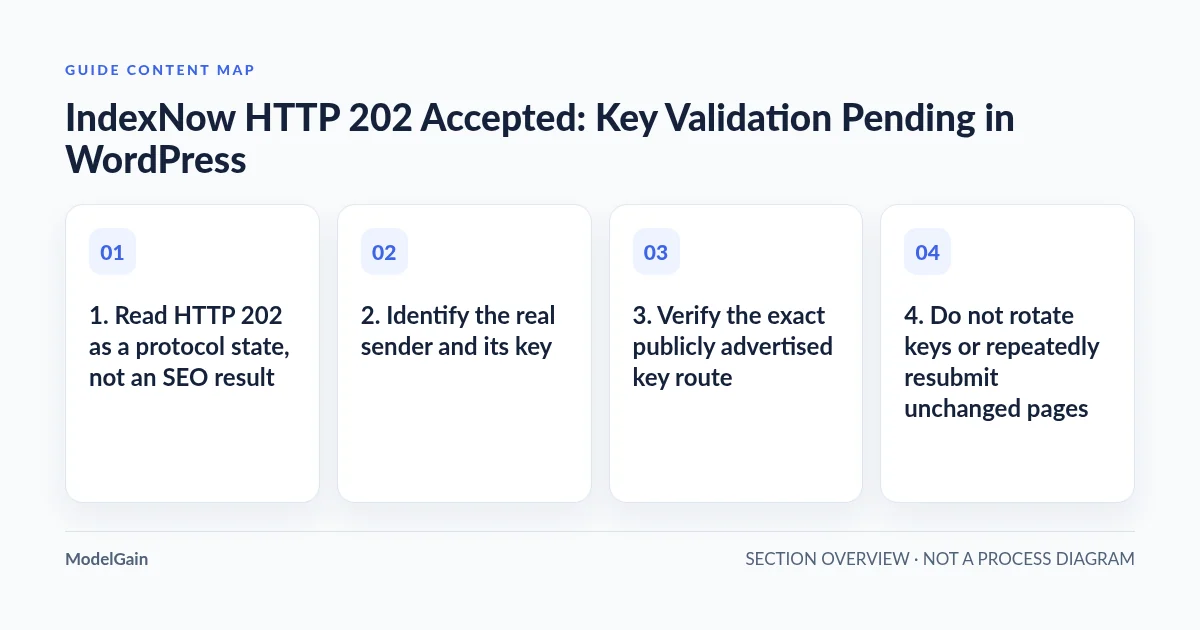
1. Read HTTP 202 as a protocol state, not an SEO result
The official IndexNow protocol documentation defines 202 Accepted as “URL received. IndexNow key validation pending.” Its FAQ notes that an initial submission can return 202 before the search engine verifies the key. A later eligible, successful notification may return 200 after verification, but neither code is a crawl or indexing promise.
| Where you are | What is established | Next safe action |
|---|---|---|
202 on first use of a new key |
Notification received; ownership validation pending | Check the key URL’s public response and allow verification time |
Repeated 202 on later legitimate updates |
Validation may still be pending; root cause is not proven | Inspect the active sender’s key, host, location, cache and access logs |
200 on a later submission |
The submission was received successfully | Stop transport troubleshooting; check indexing independently |
403 from the IndexNow endpoint |
Key rejected or not verifiable | Check exact key body and public accessibility, not WordPress login |
422 from the endpoint |
Host, URL or key-location relationship invalid | Compare submitted host, URL path and configured keyLocation |
429 from the endpoint |
Requests are being rate-limited | Stop rapid retries and respect provider limits |
A WordPress plugin’s interface may summarize different requests under one “IndexNow status.” Confirm whether 202 was returned by the submission endpoint, not your website’s key-file route or the plugin’s own administrative API. Record the timestamp, request endpoint, submitted host, URL and configuration owner before drawing conclusions.
2. Identify the real sender and its key
Find the integration that actually submitted the URL: the official IndexNow WordPress plugin, an SEO plugin’s Instant Indexing feature, or a separate server-side integration. The active sender determines the real key, keyLocation and history to investigate. A key-file URL from an unrelated diagnostic plugin does not prove that this sender’s key is correct.
Check whether two installed SEO/IndexNow plugins submit independently. They may use distinct keys or histories, so “the key file works” is meaningless until it is matched to the same request that returned 202. Do not deactivate plugins, regenerate keys, or remove working submission history just to simplify the interface. Note any pending deployment or caching changes that occurred between the recorded 202 and your present check.
3. Verify the exact publicly advertised key route
IndexNow ownership validation normally retrieves a UTF-8 plain-text key file from the website’s public host. The common root location resembles https://example.com/YOUR-KEY.txt, but some WordPress plugins implement it as a virtual rewrite route rather than a file on disk. Custom locations may be valid when explicitly supplied as keyLocation, and their path scope matters. Follow the official host and key-location rules rather than assuming every site uses a physical file.
In the active plugin’s settings, obtain its actual key URL. Open that URL in a private browser window and check the complete HTTP response. It should return the expected key as plain text, not homepage HTML, a 404 page, a redirect to another hostname, a Cloudflare challenge, a login page or a cached previous key. Compare the body against the same sender’s configured key. A browser HEAD or the file’s existence on disk alone cannot establish that an external validator can GET the correct bytes.
For an authorized read-only command-line check, substitute the real URL below. Avoid pasting any WordPress credentials or private customer data into shell examples:
curl --silent --show-error --location --max-time 12 \
  --dump-header /dev/stderr \
  'https://example.com/YOUR-KEY.txt'
Review whether there was a redirect and inspect the final Content-Type and returned body. This command is a diagnostic GET of the public key route, not an IndexNow submission; it does not establish that a search engine can reach the route from its own network. If the URL returns 404, follow our IndexNow key-file 404 guide. If a firewall or security plugin blocks it, follow the key-URL access diagnosis. For non-root locations, see the keyLocation scope guide.
4. Do not rotate keys or repeatedly resubmit unchanged pages
According to Yandex’s key-verification guidance, 202 can indicate a new key awaiting verification. The advised approach is to ensure that the key is valid, allow some time, and observe later legitimate submissions; a later 200 is supporting evidence that ownership has been verified. There is no universal, guaranteed time-to-200 stated in the IndexNow protocol. A single follow-up result does not prove the fate of every search engine sharing IndexNow notifications.
If a plugin offers manual submission, use it only for a genuinely added, updated or deleted public URL and within its documented limits. Avoid automatic polling loops, resubmitting the same unchanged URLs every minute, rotating the key repeatedly, or sending thousands of fake updates to produce a different status code. Aggressive submission can lead to 429 rate limiting, making the investigation harder.
A persistent 202 should trigger deeper inspection of public key retrieval, host and path scope, duplicate sender configuration, CDN caching or security blocks, not a blind assumption that the content itself has low SEO quality. Where server logs are available, correlate the relevant public key-route requests with the response body served at that time. Missing entries in a partial log are inconclusive: validate log coverage before asserting that a search engine never fetched the file.
5. Know the limits of IndexNow Health Check
Upaccn Health Check for IndexNow provides a small, read-only-oriented WordPress diagnostic screen under Tools → IndexNow Health. It can inspect basic site/public URL signals, independently expose and test its own diagnostic key route, and offer an explicit test. This can help separate a general WordPress routing/access problem from an active sender’s configuration problem.
Important distinction: if the diagnostic key passes but your SEO plugin still records 202, the active sender may be using a different key URL or host. Do not report “production IndexNow verification passed” based solely on the diagnostic plugin. Likewise, this tool is not an IndexNow submission scheduler and cannot guarantee that Bing or another search engine will index a page.
Use the plugin to gather evidence safely, then return to the real sender’s response history. If the destination is 403 rather than 202, follow our IndexNow 403 Forbidden troubleshooting guide. For an incorrect key body or unexpected HTML, use the key-content mismatch guide. Each page addresses a different boundary and should not be substituted for the others.
6. If HTTP 200 arrives but Bing still does not show the URL
At that point, stop treating the problem as a key-verification error. IndexNow communicates URL changes to participating search engines; it does not guarantee crawling, indexing, ranking or a visible search result. Confirm that the target URL is an intended public canonical page with appropriate indexing directives and internal links.
Use Bing Webmaster Tools to inspect the exact URL, its reported crawl/index state, sitemap and any discoverability/access signals. A search-engine report and a protocol response answer different questions. Our IndexNow successful but Bing not indexing guide covers this downstream workflow in detail. Do not try to fix indexing by sending repeated notifications for unchanged content.
7. A short evidence-based resolution checklist
- Sender identified: record the actual submitting WordPress integration, response endpoint, status and timestamp.
- Key verified locally: the correct key URL and bytes are available through an anonymous GET for the same host, with custom location scope checked.
- No risky retries: no indiscriminate key rotation, duplicate sender changes or repeated submissions of unchanged URLs.
- Next legitimate submission reviewed: observe whether a later response changes from 202 to 200; if it does not, inspect the exact verification boundary rather than claiming success or failure without evidence.
- Indexing assessed separately: use the intended page’s canonical/indexing settings and Bing inspection, not the notification code, to evaluate search inclusion.
For protocol reference use IndexNow’s response table, its official FAQ, and Yandex’s key-validation guide. The right outcome is a clear, repeatable verification path—not merely a green status message in a plugin dashboard.