WORDPRESS
IndexNow Successful but Bing Has Not Indexed the Page: What to Check
IndexNow returned HTTP 200 but Bing has not indexed your URL? Check canonical, robots, crawl access and Bing Webmaster Tools before resubmitting.
An IndexNow success response does not mean Bing has indexed your page. HTTP 200 from the submission endpoint means the URL notification was received successfully. You must separately verify the actual page’s response, crawl accessibility, indexing directives, canonical URL, and Bing’s view of that URL. Repeated submissions cannot override a noindex directive or force a search engine to include a page.
Use this order: confirm what succeeded → inspect the exact submitted page → check crawl and indexing signals → inspect the URL in Bing Webmaster Tools → address the verified obstacle. This guide starts after a successful notification; it is not a key-validation repair guide. “Submitted,” “crawled,” “indexed,” and “ranking for my keyword” describe different stages.
Find the stage after IndexNow receipt
Applies when: An IndexNow notification succeeded but the intended page is not appearing in Bing.
Quick answer
A 200 submission response confirms receipt, not indexing. Check the exact final page, crawl access, indexing directives and canonical, then use Bing URL inspection to distinguish inclusion from ranking.
What to do
-
Separate the submission endpoint response from the key-file GET and the content-page GET.
-
Verify final status and body, redirects, robots rules, noindex and canonical without exposing private URLs.
-
Inspect the final URL in the verified Bing property and act on the reported state, not repeated unchanged submissions.
What does the next check show?
All paths are listed below. Select a symptom to focus on the most relevant path.
Resolve the intended public policy first
Check the final destination and whether restrictions are deliberate. Correct only unintended barriers; never expose private pages just to obtain indexing.
Review page selection and distinct value
Inspect canonical/duplicate relationships and any reported issues. Acceptance does not override search-engine content selection.
Treat query visibility as a different task
Review impressions, queries and relevance rather than changing a working IndexNow sender. Indexing does not guarantee ranking.
Return to protocol evidence
Read the real endpoint response. A 403 requires key/host diagnosis; a 202 indicates pending key validation. Neither should be treated as proven indexing.
Did this help?
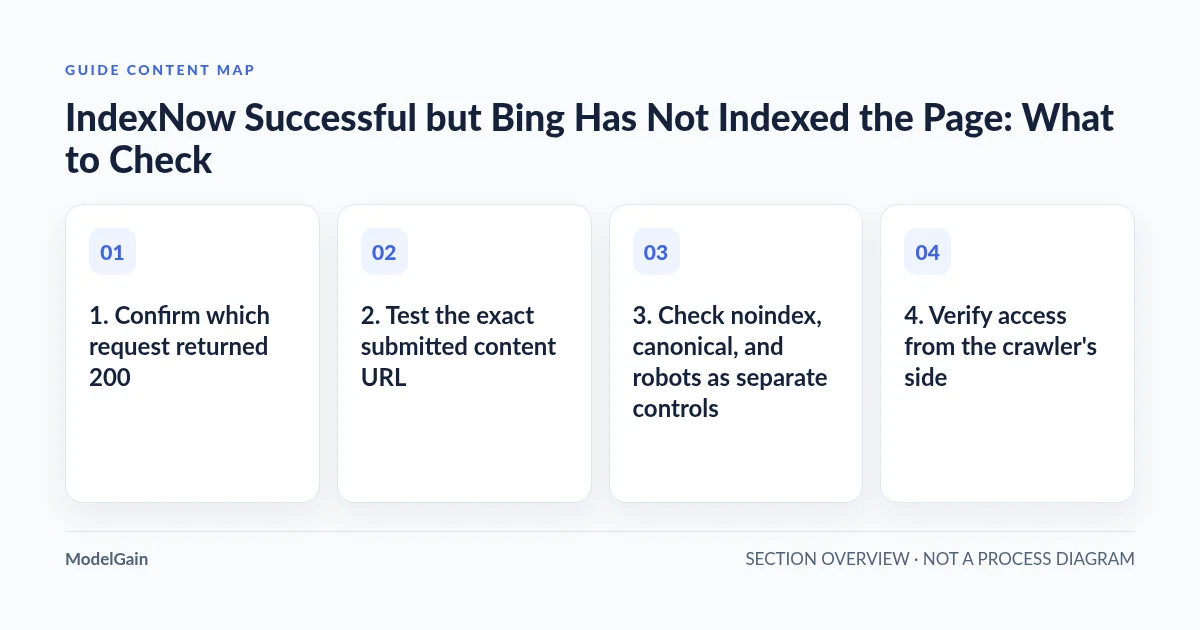
1. Confirm which request returned 200
A WordPress plugin’s green message may describe its local operation, while an HTTP response might come from the submission endpoint, the verification key file, or the content page. Record the sender, timestamp, endpoint, exact submitted URL, and actual response where your integration exposes them. Do not confuse these three requests.
The official IndexNow protocol documentation lists response codes. A 200 means the URL was received successfully; a 202 means it was received with key validation pending. Neither is a promise of indexing. A 403 is a different branch: use the IndexNow key and host diagnosis instead of treating the submission as successful.
| Observed evidence | What you can conclude | What remains unproven |
|---|---|---|
| IndexNow endpoint returns 200 | The notification was received successfully. | Whether the page was crawled, selected for indexing, or ranked. |
| The key-file URL returns 200 with matching text | The public verification route works in that request. | Whether the content page is indexable. |
| The content URL returns 200 with the intended page | An anonymous request can retrieve that page in this test. | Whether Bing can access it and chooses to index it. |
| Bing reports the URL is indexed | The inspection report identifies indexed state at its reported time. | Visibility for a particular query, market, or ranking position. |
2. Test the exact submitted content URL
Copy the URL from submission history, including scheme, hostname, path, and any query parameters. Compare it with the intended public canonical page. A notification for an HTTP address, nonpreferred host, tracking URL, or old slug may point to a redirect rather than the page you want indexed.
Open it in an anonymous browser session. For a public, non-sensitive page, an authorized operator can also make a GET request from a terminal. Replace the placeholder with your own URL; never paste a private preview link or token-bearing address into a shared command log.
curl --silent --show-error --location --max-redirs 5 \
  --dump-header - --output /dev/null \
  'https://example.com/intended-page/'
This requests the page while discarding the body and prints headers across the redirect chain. It does not inspect HTML and does not simulate Bingbot. Review the final URL and final status, then read the actual page body in the browser or a trusted inspection tool. A HEAD request alone can behave differently from GET.
A final 200 containing a login screen, bot challenge, empty template, or “page not found” message is not the intended content. That can explain a misleading success check. If the page redirects intentionally, review the destination’s indexability and submit the legitimate changed destination rather than trying to index the redirecting duplicate.
3. Check noindex, canonical, and robots as separate controls
Inspect both the HTTP headers and rendered/source HTML of the final page. Look for an X-Robots-Tag: noindex header or a robots meta directive containing noindex. A public page can load perfectly while deliberately asking search engines not to index it.
Next, read the canonical link. Does it point to this final URL, another version of the same page, or an unrelated page? If it points elsewhere intentionally, the submitted address may not be the version selected for indexing. A canonical is a signal, not an instruction that guarantees a particular search-engine decision.
Read the site’s public robots.txt for rules applicable to Bing’s crawler and this path. Crawl permission and index permission are not the same thing. Blocking a URL in robots is not a reliable substitute for noindex, and a crawler must be able to retrieve a page to see its current page-level directives.
Do not remove protections from customer portals, account pages, internal search, checkout, or private previews just to get a green result. First decide whether this page should be publicly indexed at all. On WordPress, compare the SEO plugin’s saved settings with public output: cached HTML, server headers, or another integration can disagree with the editor screen.
4. Verify access from the crawler’s side
Your browser may have a login cookie, a bypass token, or a favorable network location. Bing may encounter a firewall challenge, rate limit, origin error, or intermittent timeout instead. Use Bing Webmaster Tools’ URL inspection and available live checks to compare the search engine’s view with your anonymous test. Interface wording can change; distinguish a current fetch test from information about a previously crawled copy.
Correlate reported access problems with narrowly scoped CDN, firewall, and origin logs. Note the URL, time, response, and rule involved. Do not broadly disable the WAF or allow every request claiming to be Bingbot; a user-agent string is not identity verification.
If a host intermittently returns 5xx responses, fix that delivery problem before interpreting another IndexNow notification as progress. A one-time successful fetch is useful evidence, not proof of continuous availability. Conversely, absence of a request in a partial log is not proof that Bing never visited: logging coverage and time windows matter.
5. Use Bing URL inspection to separate indexing from ranking
Open the verified site in Bing Webmaster Tools and inspect the exact final URL. Read the reported indexing state, available crawl information, and any explanation or issue provided. If Bing identifies another canonical or an access problem, investigate that signal directly rather than rotating the IndexNow key.
Use the report to choose a branch:
- Not crawled or discovery unclear: confirm a working internal link and sitemap entry for the intended canonical page, then check access. Do not conclude that submission acceptance guarantees immediate crawling.
- Crawled but not indexed: review duplicate/canonical relationships, the usefulness of the actual page, and any reported issues. More notifications are not a remedy for low-value or substantially duplicated content.
- Blocked or excluded: confirm whether the restriction is intentional. Correct only an unintended obstacle, then retest the public page.
- Indexed but not visible for a keyword: move to query relevance and search performance. This is not evidence of an IndexNow transport failure.
A manual search or a site: query is not a complete URL-level diagnostic report. Personalized results, market differences, and query matching can confuse the picture. Use inspection for the page’s reported state and performance reporting for actual impressions and queries.
6. Align sitemap, internal links, and page purpose
Check that your current XML sitemap includes the intended indexable canonical URL, not only an old address or alternate host. Open the sitemap publicly and verify its entry; a plugin setting that says “sitemap enabled” is insufficient. Keep modification dates truthful rather than refreshing unchanged pages to manufacture activity.
Ensure the page has a normal, crawlable internal link from a relevant existing page. An orphaned URL with no meaningful place in the site structure deserves an editorial review even if it was submitted successfully. Confirm that the page delivers distinct value instead of duplicating a category archive, product variant, or near-identical article.
The IndexNow FAQ describes URL notification as a way to inform participating search engines about additions, updates, and deletions—not guaranteed inclusion. Keep the signal honest: notify genuine changes, and do not use mass repeated submissions as an indexing experiment with no new evidence.
When should you revisit key troubleshooting?
Revisit it if new evidence shows that notifications are rejected or validation is still pending—not merely because a received URL is absent from search. A genuine missing verification route belongs in the key-file 404 workflow. If the problem specifically occurs in Rank Math’s submission history, use the Rank Math 403 guide to identify the failing request.
ModelGain IndexNow Health Check is an optional starting point for protocol troubleshooting. It does not replace Bing’s indexing report or guarantee that a search engine will crawl, index, or rank a page. Once receipt and verification are confirmed, move to page eligibility rather than endlessly changing the sender.
Frequently asked questions
How long after a successful IndexNow submission will Bing index the page?
There is no guaranteed interval or inclusion promise. Record the submission and inspection timestamps, fix identifiable obstacles, and compare later reports without treating a short delay as proof of failure.
Should I resubmit the URL every hour?
No. Repeated unchanged notifications do not resolve blocking, duplication, or content-selection issues. Follow the protocol and your integration’s guidance for legitimate updates rather than creating retry noise.
Will IndexNow make Google index my page?
Do not assume that. IndexNow notifications concern participating engines; a successful notification is not evidence of Google indexing. Assess Google separately through its own tools and documented processes.
What if the page should remain noindex?
Leave the intentional protection in place. The desired outcome is correct indexing policy, not maximum URL inclusion. Do not expose a private or transactional page to satisfy a submission dashboard.
Next step: record the missing stage
Keep a concise record of the exact URL, notification response, final GET response and body, robots/noindex/canonical findings, sitemap entry, and Bing inspection result with timestamps. That identifies whether the next owner is the integration maintainer, host, SEO editor, or content team—and avoids mistaking a ranking problem for an IndexNow failure.