WORDPRESS
IndexNow 429 Too Many Requests When You Submitted Only a Few URLs
IndexNow shows HTTP 429 after only a few WordPress submissions? Trace automatic senders, duplicate retries and rate-limit responses before testing again.
FREE WORDPRESS PLUGIN
IndexNow Health Check
Check diagnostic IndexNow key access, response status, and public URL signals before changing your submission setup.
- Install the diagnostic plugin
- Inspect key route and site visibility
- Run an explicit test if appropriate
Diagnostic only: it does not auto-submit URLs or guarantee indexing. The WordPress.org listing retains the original plugin URL.
IndexNow returned HTTP 429 (Too Many Requests), but you only submitted two or three WordPress pages manually. How can you already be rate-limited? Your visible manual submissions are not necessarily every request the receiving service saw. A WordPress SEO plugin may submit automatically after updates; a second integration may send the same URL; retry logic may have generated additional requests; or a shared outbound IP may be relevant. These are hypotheses to check, not a diagnosis you can make from a 429 alone.
Start by stopping repeated tests and preserving the exact response. IndexNow’s official protocol documentation defines 429 as too many requests (potential spam). Its FAQ recommends waiting and respecting any Retry-After response header. No universal, public daily quota or guaranteed reset time can be inferred from the status alone. A received notification also does not guarantee a page will be crawled or indexed.
This is a focused guide to a remote IndexNow API 429 after apparently few submissions. If your problem is an IndexNow 403 key-verification rejection, a 404 on your public key URL, or a 202 Accepted response, use those separate guides; different HTTP statuses require different investigations.
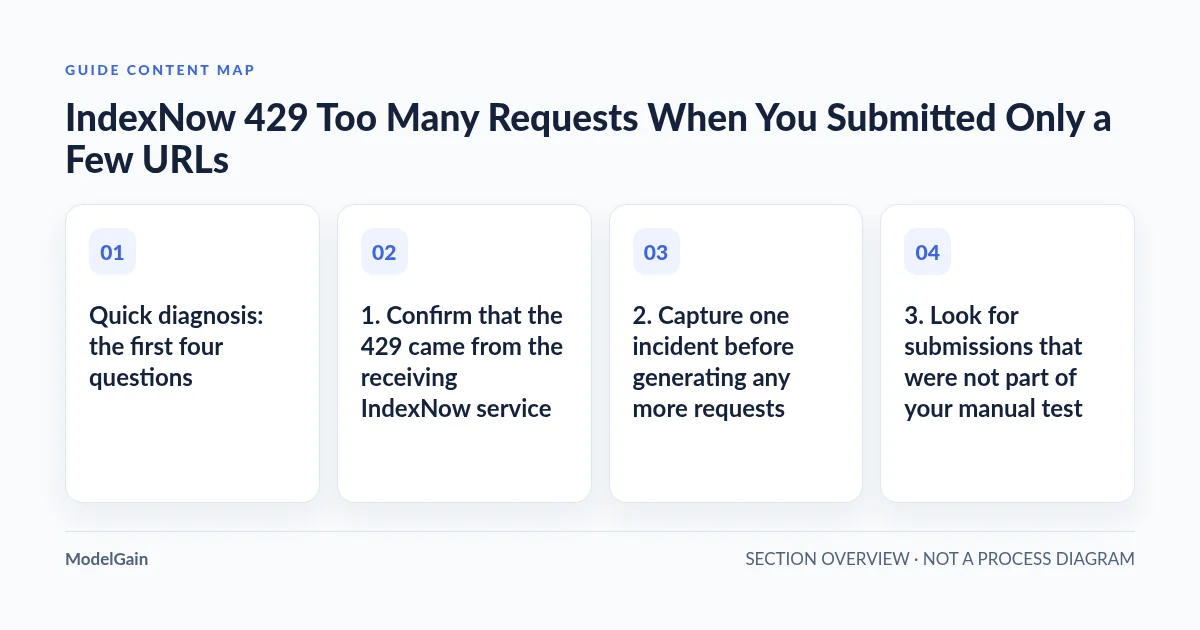
Quick diagnosis: the first four questions
| Question | Evidence to check | Why it matters |
|---|---|---|
Who returned the 429? |
Exact request destination, final HTTP status, response headers, sending integration | A response from api.indexnow.org is not the same as a local WordPress or WAF 429 |
| Were there hidden automatic submissions? | Sender history, posts updated, publishing/import jobs, retry history and duplicates | “I pressed Submit twice” may describe only one of several submission paths |
| Are multiple systems submitting? | WordPress SEO plugins, independent IndexNow plugin, host/CDN integration or custom automation | Several independently working senders may create avoidable repeated notifications |
| Is the limit shared or provider-specific? | Request timestamps, hosting egress details and provider support feedback | A shared IP is possible, but the public protocol does not establish the exact limit’s scope |
1. Confirm that the 429 came from the receiving IndexNow service
Open the submitting integration’s history or status log and inspect the failed request. Record the remote endpoint, timestamp, HTTP status, any response body, and response headers—including Retry-After if provided. An HTTP 429 from a security rule on your own domain is a different event. A browser opening your KEY.txt file and receiving HTTP 200 establishes only that the file was served; it does not explain an API rate limit.
The IndexNow protocol distinguishes several responses. Use the actual status recorded by your sender, not a guessed error code from a dashboard color.
| Remote API response | Documented interpretation | First action |
|---|---|---|
200 |
URL notification received | Stop resending unchanged URLs to seek a different indexing outcome |
202 |
Received; ownership validation pending | Wait for validation, not an immediate forced retry |
403 |
Key not valid or not verifiable | Inspect the sending key, public key response and hostname |
422 |
URL/host relationship or key-schema issue | Check which URLs and host the sender actually submitted |
429 |
Too many requests / potential spam | Pause submissions, respect retry guidance, investigate other senders |
A WordPress.org support case describes exactly this confusing symptom: a site owner reported only a few visible submissions and a 429 in history. Support raised request quotas and shared-host traffic as possibilities. The case verifies that users encounter this mismatch; it does not prove that your specific host, sender, IP or quota caused it.
2. Capture one incident before generating any more requests
Build a small incident timeline from evidence you already have. A screenshot of “429” without a sender and timestamp is not enough to debug the submission path.
- Record the failing event. Note the approximate UTC time, requesting plugin or service, destination hostname, response code, and
Retry-Aftervalue if present. - Identify a sample submitted URL. Use a public URL for your internal investigation; do not paste the complete request containing a key into public forums.
- Find automatic and retry events near the failure. Check whether the same URL was submitted more than once or whether a bulk update triggered batches.
- Check the publication history. Compare automatic submission spikes with post imports, product syncs, redirect updates, bulk editing, category changes or other events your integration actually monitors.
- Separate facts from guesses. Write “429 at 10:05 UTC from this sender” instead of “Bing blocked our IP for 24 hours” unless the provider confirmed the latter.
Privacy note: IndexNow’s public key is an ownership-verification value, but raw query strings, logs and report bundles can also contain private site paths, administrator details or unrelated tokens. Redact unnecessary values before sharing a support ticket. Do not share account credentials or dump entire PHP logs into community forums.
3. Look for submissions that were not part of your manual test
WordPress may contain several independent submission pathways. Check each actual integration rather than assuming the SEO dashboard is the only one:
- Primary SEO plugin: Some plugins send IndexNow notifications when posts or products are created, revised or deleted. Check its own history and whether scheduled retries exist.
- Additional IndexNow plugin: An older setup may have left a separate sender active after the SEO plugin began submitting the same URLs.
- Hosting, CDN or search integration: Confirm whether a platform-level or separately configured service makes its own IndexNow calls; do not assume this is enabled by default.
- Import, publishing or automation workflow: A batch update can produce many content-change events even when you personally clicked Submit only twice.
- Retry logic: An unsuccessful request may be retried automatically. Logs can show more attempts than distinct URLs or visible manual clicks.
First inspect each sender’s configuration and actual logs. Do not disable every SEO plugin, change the site’s canonical URLs, or install additional submission plugins as a generic first fix. If two senders genuinely perform the same function, choose one clear owner for future change notifications and test the change through the existing configuration with a rollback path.
Important distinction: counting 10 submitted URLs in a batch is not necessarily counting 10 separate HTTP requests. Conversely, a single URL may generate several HTTP attempts. Preserve both the request-level history and the URL-level history so you do not conflate the two.
4. Consider shared hosting—but do not declare it the cause
In another WordPress.org discussion, a site owner saw repeated 429 responses while reporting no corresponding Wordfence block. Wordfence support pointed to rate limiting, and the conversation raised shared hosting as a possible factor. That is a real report, not a controlled experiment demonstrating how every IndexNow recipient applies limits.
If you operate on shared hosting, ask the host whether outbound requests are made through shared NAT/egress addresses and whether they can correlate your sending timestamps with rate-limit or proxy behavior. Your host might not have visibility into the receiving search service’s decision. An egress-IP hypothesis becomes stronger if you can show modest originating traffic, no duplicate submitters, and relevant provider or host confirmation. It remains an unknown without that evidence.
Do not switch servers, proxy outgoing requests, rotate the IndexNow key repeatedly, or bypass provider limits simply because another site may share an address. Those changes are costly, may create more ambiguity, and do not establish that you solved the original root cause.
5. Pause, consolidate, then retest once
The official IndexNow FAQ recommends reducing request frequency, avoiding resubmission of unchanged URLs and following Retry-After when the receiver supplies it. If a header is absent, use the receiving service’s documented retry guidance and allow a reasonable cooling-off interval; do not invent a universal daily reset time or keep sending requests every minute.
| Evidence confirmed | Scoped corrective action | Verification |
|---|---|---|
| Two active senders notify the same content changes | Choose one authoritative sender; disable only redundant notifications through supported settings | One change generates the expected single notification path |
| Automatic retries are too aggressive | Respect Retry-After; apply documented backoff and a bounded retry policy |
No burst of repeated requests for an unchanged URL |
| Bulk changes trigger unexpected volume | Review changed-URL eligibility and use documented batching/throttling options | Logs show only genuinely changed URLs notified at an appropriate pace |
| Only one sender exists and the 429 persists after an appropriate pause | Escalate endpoint, timestamps, redacted response details and host context to the sender/provider | Provider guidance or an authorized controlled test identifies the next action |
Once the rate-limit condition is no longer active, use one URL that actually changed and one controlled submission through the intended sender. Check that sender’s recorded response; do not use dozens of duplicate retries to “confirm.” If the receiver returns 200, that establishes notification receipt only. For indexing visibility, use Bing Webmaster Tools and our separate IndexNow submitted but Bing not indexed guide.
Choose the next check for your 429 incident
This on-page decision helper does not contact IndexNow or inspect your WordPress installation. It prioritizes the next read-only observation based on your evidence.
Find the next safe check for an IndexNow 429
Applies when: The WordPress IndexNow sender records HTTP 429 despite only a few visible manual submissions.
Quick answer
A remote 429 says too many requests were received or suspected, but does not identify a quota, the number of unseen automated requests, or the cause. Capture the actual endpoint response, check senders and retries, and pause before retesting.
What to do
-
Capture UTC time, receiving endpoint, HTTP status, Retry-After (if present), originating integration and a redacted request identifier without sending another notification.
-
Review automatic sender settings, multiple IndexNow-capable plugins, host/CDN workflows and retries. Distinguish individual HTTP attempts from URLs in a batch.
-
After the provider-recommended pause, use one genuinely changed URL through the intended sender only; confirm receipt and verify indexing separately.
Which fact have you already confirmed?
All paths are listed below. Select a symptom to focus on the most relevant path.
Remove only confirmed duplicate submissions
Compare timestamps, hooks and integrations. Choose an authoritative sender and disable redundant notifications through its supported settings. Respect Retry-After and avoid repeated manual tests.
Preserve response evidence and escalate
Keep logs of the endpoint, timestamps, headers and sender. Ask the host/provider for relevant egress or throttling evidence; shared IP is a hypothesis, not proof. Do not rotate keys to bypass limits.
Interpret the actual new response
A 403 concerns key verification, 422 concerns URL/host or key schema, and 202 means received with validation pending. Follow the corresponding guide rather than continuing rate-limit fixes.
Did this help?
How ModelGain IndexNow Health Check fits
If you need an independent comparison point, ModelGain Health Check for IndexNow (a ModelGain diagnostic plugin) provides Tools → IndexNow Health. It checks a plugin-owned public diagnostic key route, helps identify a small curated set of active IndexNow-capable plugins, interprets common protocol responses and can create a limited, privacy-conscious report.
It has an explicitly administrator-triggered live test that can send one homepage URL notification to api.indexnow.org after its own prerequisites pass. Opening its dashboard does not send submissions. Do not run its live test repeatedly while you are already being rate-limited. Review the existing sender’s logs first, then use an independent test only after a reasonable pause and when it is actually necessary to isolate a sender-specific issue.
The diagnostic plugin does not inspect or repair another SEO plugin’s private API key, reveal the receiving service’s internal quota counter, increase rate limits, deduplicate every integration’s notifications, guarantee indexing or automatically fix HTTP 429. A successful result with the diagnostic’s separate key also does not prove the other plugin’s configuration was correct. Review the official WordPress.org listing and requirements before installing it; the WordPress tools directory has more ModelGain diagnostic utilities at WordPress plugins and tools.
Support escalation: provide evidence, not a guess
If an expected cooling-off period passes and the error persists, send the responsible plugin provider or host a concise, redacted report: WordPress and sender versions; relevant active submission integrations; the receiving endpoint; UTC failure timestamps; observed HTTP status/headers and any Retry-After; number of manual events versus automatic/retry events; hosting type; and whether the same URL is being re-sent. State which facts you actually confirmed and which explanations remain unverified.
In particular, do not label the problem “Cloudflare firewall blocking IndexNow” without a matching firewall event. For a genuinely blocked key URL, our Wordfence/Cloudflare key-path diagnosis is a better next step. For an API 403 after the 429 clears, return to the IndexNow key verification guide. These problems can coexist but need separate evidence.
Frequently asked questions
How many IndexNow submissions are allowed per day?
The public IndexNow FAQ does not give a universal fixed daily allowance across all receiving services. Do not trust a single hard-coded number presented without the specific endpoint, time period and provider documentation.
Can 429 occur even if I submitted only one URL manually?
Yes. The status refers to what the recipient decided about requests, not just how many times you clicked a button. Check automated notifications, retries, other senders and hosting hypotheses before assigning responsibility.
Will changing my IndexNow key remove an HTTP 429?
Key rotation is not the documented fix for excessive requests. It may introduce a separate 403/422 verification problem if sender and public key location diverge. Investigate key mismatches only when you have evidence of a key issue.
Will HTTP 200 after waiting guarantee that Bing indexes my page?
No. IndexNow reports notification receipt; the receiving search engines decide whether and when to crawl, index or display the URL. Review Bing Webmaster Tools separately.
Should I install a second IndexNow submission plugin to test the error?
Not as the first diagnostic move. First inventory the active senders and their logs. A second automatic sender can produce more notifications and make rate-limit evidence harder to interpret. A separately triggered diagnostic can be useful later, but its own successful key/test does not validate all other sender configurations.
Next reading and primary sources
- Official IndexNow protocol: responses, valid keys and accepted URL lists
- Official IndexNow FAQ: rate limits, retry guidance and indexing boundaries
- Bing Webmaster Tools: IndexNow setup and endpoint response codes
- WordPress.org case: 429 after only a few submissions
- WordPress.org case: Rank Math 429 with no recorded Wordfence block
- IndexNow 403: distinguish key validation from throttling
- IndexNow 202 Accepted: what the response means
- Key file is reachable but verification fails
- Successful submission but Bing has not indexed the URL
Bottom line: a 429 after only a few manual WordPress submissions is a real diagnostic problem, but not evidence of a specific quota, broken API key or malicious firewall. Verify the responding endpoint, enumerate the actual sending paths, respect retry guidance, eliminate confirmed duplicate attempts, and retest once with a genuinely changed URL.