WORDPRESS
WordPress PHP 8 Undefined Function each(): Find the Plugin and Fix
WordPress PHP 8 fatal error: undefined function each()? Identify the plugin or theme, restore access safely, and test a maintained fix before upgrading.
FREE WORDPRESS PLUGIN
PHP Upgrade Risk Audit
Before switching PHP, scan installed plugins and themes for known PHP 8 compatibility risks—without changing your server runtime.
- Install the plugin
- Choose your target PHP version
- Review the scan findings
Only use on a working WordPress installation after recovery. Read-only PHP compatibility risk scanning cannot repair the each() fatal, guarantee detection of this exact runtime call, or replace staging verification.
Seeing “Fatal error: Uncaught Error: Call to undefined function each()” after switching a WordPress site to PHP 8? PHP removed the built-in each() function in version 8.0. A plugin, active theme, child theme or custom code still calling that function can stop the affected request. Find the file and line in the stack trace, restore service safely if the site is down, then update or replace the responsible component. This is a source-code compatibility problem, not an issue that clearing the WordPress cache or resaving permalinks will resolve.
Quick route: record the exact fatal error and path → identify whether it is in wp-content/plugins/, wp-content/themes/ or custom code → use the site’s approved backup/recovery procedure to restore access → update, replace or review the component on staging → test the previously failing request under the target PHP version. Avoid randomly disabling unrelated plugins or editing WordPress core files.
Want to check other components before the next PHP switch? Install Upaccn PHP Upgrade Risk Audit from WordPress.org on a working WordPress installation and select the intended PHP 8 target. It performs a local, read-only static analysis of installed plugins and themes. It cannot fix an existing fatal error, run on a site whose dashboard is inaccessible, or guarantee detection of every runtime call. If the site is already down, follow the recovery instructions below before considering a scanner.
What should you do about each()?
Applies when: A WordPress installation reports Call to undefined function each() after a PHP 8 change.
Quick answer
PHP removed each() in version 8.0. Identify the failing code owner, restore service safely if necessary, then update, replace or test a reviewed code change. Static scanning is useful after the site is functioning, not a fix for an existing fatal.
What to do
-
Read the first fatal error and stack trace privately; record the file, line and current PHP version without exposing server or customer details.
-
Use an approved hosting rollback, verified backup or WordPress recovery-mode path, considering business effects of pausing a component.
-
Update or replace the responsible component or review a code patch on staging, then recheck the original failing feature under the target PHP runtime.
Which situation describes the site?
All paths are listed below. Select a symptom to focus on the most relevant path.
Restore service before scanning
Preserve logs and use approved temporary rollback or recovery procedures. Do not try to install a scanner into a broken dashboard. Then isolate the named plugin or theme and test a maintained release.
Find and update the plugin owner
Match wp-content/plugins/ path and line number to the installed component. Review its supported PHP release and staging replacement. Do not bulk-disable unrelated plugins.
Review the legacy cursor semantics
A one-line foreach substitution is not always equivalent to each() because the removed function advanced the array's internal cursor. Have the custom-code owner test the real behavior.
Scan other upgrade risks on a working site
Use a local read-only component scan only after WordPress can run. Treat any finding as a review item and verify the target PHP version on staging.
Did this help?
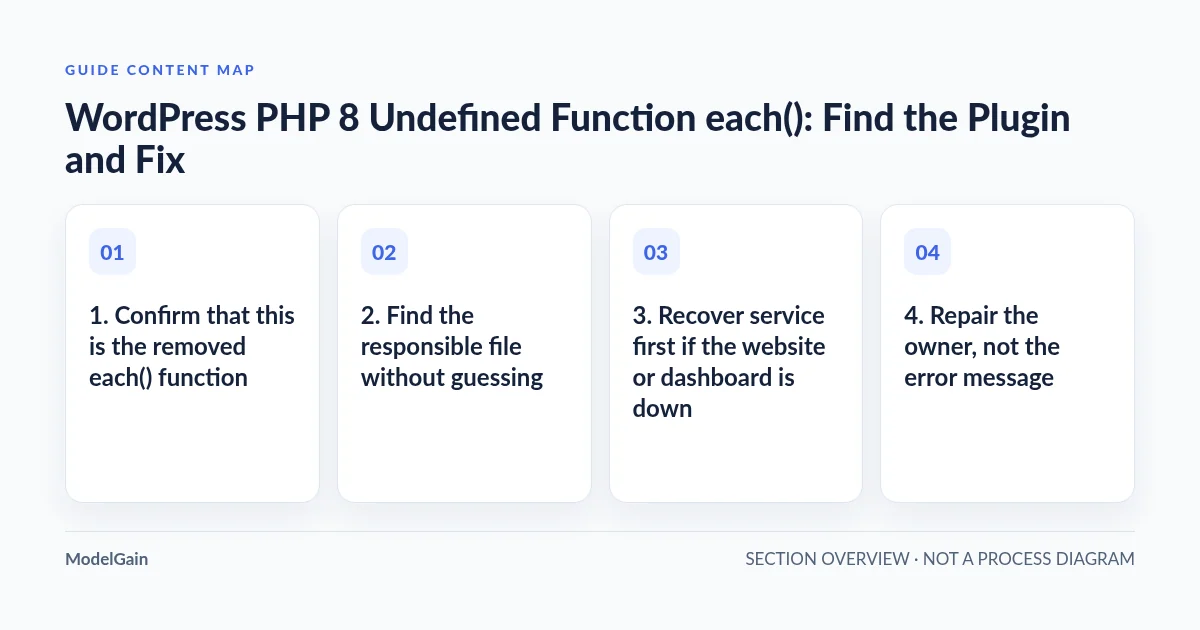
1. Confirm that this is the removed each() function
The official PHP function reference records that each() was deprecated in PHP 7.2 and removed in PHP 8.0. The PHP 8.0 backward-incompatible changes guide recommends foreach or ArrayIterator as alternatives. The key evidence is the exact error text; many “undefined function” errors have entirely different causes.
| Observed error or condition | Interpretation | Safe next step |
|---|---|---|
Call to undefined function each() with a plugin path |
Outdated plugin code may be executing a removed PHP API | Capture the plugin name, file, line and version; locate an updated or maintained replacement |
| Same error with a theme or child-theme path | Legacy theme or custom theme code | Review a theme update or staging patch by its maintainer |
| Site fails immediately after a hosting PHP change | Compatibility failure surfaced by the new runtime | Recover access through the host’s supported change/rollback path, without losing the error evidence |
Different undefined function, e.g. mysqli_connect() |
Not the removed each() case |
Check installed PHP extensions and the actual fatal symbol instead |
| WordPress still opens but one plugin screen fails | Only the exercised code path may invoke each() |
Test the affected screen on staging; do not interpret the working homepage as proof of compatibility |
2. Find the responsible file without guessing
Read the WordPress recovery-mode email if one was sent to the site administrator, and use the web host’s PHP error log or a pre-existing private WordPress debug log to capture the first fatal event. The WordPress common errors guide describes checking the admin email and debug logs for the actual failing component. A representative, synthetic error looks like this:
PHP Fatal error: Uncaught Error: Call to undefined function each()
in /var/www/site/wp-content/plugins/example-legacy-plugin/includes/settings.php:87
Stack trace:
  ...
The hypothetical example-legacy-plugin path is only an illustration. In an actual incident, the path identifies the code owner and line number. It does not establish that the plugin’s entire codebase is broken or that it is safe to delete its database records. WordPress has had real reports: a WordPress.org support thread shows an older internal-link-building plugin calling each() after an upgrade. That single report illustrates the failure mechanism; it does not imply all link-building plugins share the defect.
Keep logs private. Paths, installed versions and stack traces can expose details of a server, and arbitrary debug logs may contain customer or session data. If more logging is needed, enable it only through a controlled staging or temporary incident procedure. The official debugging handbook specifically recommends staging and cautions against leaving development debug settings enabled on a live site. Never publish stack traces or enable error display to visitors.
3. Recover service first if the website or dashboard is down
If a host control-panel change from an older PHP release caused the outage, preserve the fatal evidence, then use the host’s supported PHP-version rollback where feasible and approved. Check the availability, vendor support and security implications of any temporary older runtime before choosing this option; an unsupported PHP version is an incident containment measure, not a permanent solution. Restore a verified backup if rollback is not viable. Do not blindly change production PHP versions or replace core files from an unknown source.
If the incident affects just one known component, WordPress recovery mode may permit an administrator to pause the faulty plugin or theme. Decide with the site owner whether that component is essential: disabling a checkout, access control, subscription or fulfillment plugin may have operational consequences even if the homepage returns. Make a backup first, document the change and verify real user transactions after recovery. Our WordPress critical-error-after-PHP-upgrade guide covers incident containment and rollback boundaries; the PHP 8 white-screen guide covers cases where no clear error appears.
Do not install a PHP compatibility scanner into a currently broken WordPress dashboard. Installation requires the application to run. If the host has a staging clone still working, that is where to run diagnostics and test a fix before changing production.
4. Repair the owner, not the error message
For an affected third-party plugin or theme, check for a maintained release explicitly compatible with the target PHP version, review its changelog and upgrade in a staging copy. Test the exact feature or admin screen that produced the fatal error. If the product has been abandoned, replace it with a supported alternative and plan any content, settings and data migration. A simple version number or successful homepage load is not a substitute for function-level testing.
If you own the custom code, replace the obsolete use of each() with an equivalent operation after understanding its behavior. This is important: each() returned the current key/value pair and advanced the array’s internal pointer. A foreach loop may be the right replacement for a full traversal, but it is not automatically a drop-in replacement for a one-item cursor read, code mixing next()/reset(), or loops that deliberately mutate the array during iteration.
For a straightforward, complete traversal where the code needs each key and value, the following demonstrates a possible rewrite—not a tested patch for any named plugin:
// Legacy pattern: removed in PHP 8.
while ( list( $key, $value ) = each( $items ) ) {
    process_item( $key, $value );
}

// Candidate only if a full traversal matches the original intent.
foreach ( $items as $key => $value ) {
    process_item( $key, $value );
}
This example assumes $items is an appropriate iterable and process_item() is the existing application callback; it is not a complete plugin repair. Also, list() with each() may depend on a particular initial internal pointer position, and mutation during iteration can change semantics. A maintainer must check return-value handling, early exits, by-reference changes, repeated passes and the actual runtime data before deploying a replacement. Test under the intended PHP release and include boundary cases. Do not add a global custom each() polyfill as a long-term compatibility strategy.
5. Check the rest of the upgrade risk before switching PHP again
One corrected call does not prove that every installed component is PHP 8 compatible. PHP 8 removed other legacy constructs, including create_function(), and introduced additional type and error-handling incompatibilities. See our specific create_function() fatal-error guide and plugin-ownership and compatibility diagnosis for how to separate additional failures.
On a working WordPress environment, Upaccn PHP Upgrade Risk Audit can inspect installed plugin and theme source against a selected PHP target. Its results identify components for human review, including file/line/rule findings where supported. A scan does not execute every branch of application code; absence of a finding cannot guarantee that this exact removed-function call—or every other fatal runtime path—was detected. Do not label the site “PHP 8 safe” just because a scanner finishes successfully.
Keep the active production runtime unchanged while completing the staging PHP-upgrade checklist. Validate both front-end and admin paths, important plugin workflows, cron, email, and any checkout/payment-dependent paths using safe synthetic test data. Select a supported target PHP release only after checking WordPress core, plugin/theme requirements and hosting support. If an upgraded component changes stored data, document the separate migration and rollback constraints.
6. Verify the repaired path and capture what actually changed
After staging tests pass, deploy the smallest reviewed update or code patch with an explicit backup and rollback plan. Confirm that the original each() fatal no longer occurs on the formerly failing URL or admin action, check the actual log in the same PHP context, and verify unrelated important workflows. Do not count “site loads once” as full acceptance. If the stack trace now shows another fatal, preserve the new evidence rather than masking it with a broad try/catch or disabling logging.
Record the old/new PHP versions, responsible component and version, original error path, selected repair, staging tests, production verification, and rollback location. If the old component had no maintained PHP 8-compatible release, explicitly document the replacement decision and removal of unused code. This protects the next upgrade from repeating the same emergency.
Quick questions
Can I just downgrade PHP permanently?
No. A temporary host-supported rollback may restore service, but leaving an obsolete or unsupported PHP runtime in production creates long-term compatibility and security risk. Replace or update the offending code, then test a supported PHP version.
Why does the homepage work while one admin screen crashes?
The old function may be called only in that screen’s code path. Test the exact failing action; a working homepage does not establish compatibility of every plugin function.
Will the ModelGain plugin fix each()?
No. It is a read-only static risk audit for a functioning installation. It may help identify additional compatibility concerns for review but does not edit code, run every runtime path, or restore a crashed website.
Done means the error is gone without creating another failure
- Root cause confirmed: the fatal points to a real
each()call in an identified, owned component. - Service safely restored: user-facing availability and critical business paths were checked after incident containment.
- Permanent repair reviewed: the component was updated, replaced, or its custom code changed and tested against actual cursor behavior.
- Upgrade verified: the original workflow and adjacent high-impact paths run on a supported target PHP version in staging and production.
- Evidence retained: backup, error, versions, patch and acceptance results are recorded for future maintenance.
If the named plugin has no safe update, review the ModelGain WordPress Development service for a scoped compatibility repair or replacement plan. For general preparation before future PHP changes, use the WordPress PHP 8 upgrade compatibility guide. Neither a scanner nor a service is a substitute for a real test of the failing feature.