DEVELOPER TOOLS
WebMCP Form Privacy: What Data Can Browser Agents See?
Understand what WebMCP exposes to browser agents, how Contact Form 7 data crosses trust boundaries, and how to test ModelGain WebMCP Forms safely.
FREE WORDPRESS PLUGIN
ModelGain WebMCP Forms
Let a WebMCP-capable browser agent fill approved Contact Form 7 fields, while the visitor stays in control of submission.
- Install alongside Contact Form 7
- Enable one compatible form
- Let the visitor review and submit
Requires Contact Form 7, WordPress 6.9+, PHP 7.4+ and a browser exposing WebMCP. Explicit opt-in; only supported visible fields. Never submits forms or bypasses validation and anti-spam safeguards.
Quick answer: Enabling WebMCP on a contact form makes a structured description of selected form inputs available to a compatible browser agent. It does not automatically make every form value public, send a message, or guarantee that an agent provider cannot receive data. Those are different trust boundaries. Before enabling a WordPress form, examine what its tool schema describes, which browser agent is connected, what that agent can observe or transmit, and what action still requires a human. ModelGain WebMCP Forms 0.1.0 deliberately offers a narrow Contact Form 7 implementation: administrator opt-in, supported visible fields only, no plugin telemetry or external cloud requests, and fill-only execution without submission.
For a practical evaluation: start with the compatible-field reference, enable only a disposable form on staging, and run the no-submission acceptance test. This article examines data exposure and security boundaries, rather than repeating the installation or browser-configuration walkthroughs.
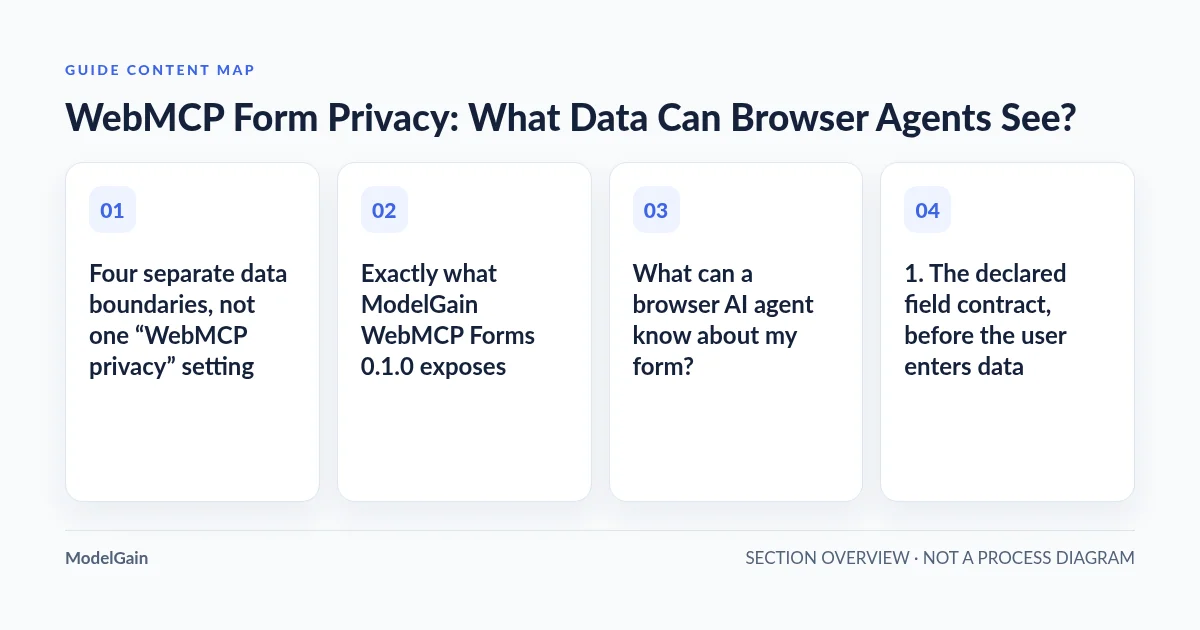
Four separate data boundaries, not one “WebMCP privacy” setting
WebMCP is a browser-side interface that can let an agent discover a website’s declared tools. The Chrome imperative API documentation describes registering a tool with a name, description and JSON input schema. The browser agent, WordPress plugin and Contact Form 7 submission pipeline have different responsibilities. Keeping them separate prevents a misleading claim such as “the plugin sends nothing, therefore the entire agent workflow is private.”
| Boundary | What may be available | What to check |
|---|---|---|
| Page → browser WebMCP interface | Registered tool name, description, parameter names, types, requirements and allowable values | Does the schema expose only the intended, non-sensitive fields? |
| Browser → selected agent or extension | Discoverable tool metadata and, when invoked, arguments and results; a browser extension may have broader page access independently | Which agent, permissions, model and data-handling policy apply? |
| Tool → current page | Values inserted into supported visible form controls; ordinary page JavaScript can react to input/change events | Does execution change only the expected visible controls without issuing a network request? |
| Human → original form submission | Only after a visitor elects to submit, the ordinary Contact Form 7 path may process or send submitted data | Are validation, anti-spam, consent text and mail handling still appropriate? |
A WebMCP tool schema can reveal field semantics—for example, that a form accepts an email address and a product interest—even before anyone fills the form. That alone does not mean it exposes a visitor’s current email value. Conversely, an agent that generates or supplies an email value may already process that value through its own model or service before passing it to the browser. The plugin’s lack of a cloud endpoint is not a privacy guarantee for a separately chosen agent.
Exactly what ModelGain WebMCP Forms 0.1.0 exposes
According to the released WordPress.org description and the current 0.1.0 product contract, an administrator must explicitly select a compatible Contact Form 7 form under Tools → WebMCP Forms. Newly discovered forms are disabled by default. Frontend configuration carries only enabled form IDs, resolved tool names, descriptions and supported-field JSON Schemas. The plugin itself includes no telemetry or external AI API; it does not upload form content to a ModelGain cloud service.
The released form adapter accepts text, email, URL, telephone, number, date, textarea, single select and radio fields. It rejects sensitive names, file uploads, checkboxes, acceptance, quiz, CAPTCHA, provider-internal hidden fields, multiple selects and unknown controls. One unsupported or blocked form tag makes the whole form ineligible for this release; adding a checkbox is not a harmless exception. Review the exact field compatibility table before simplifying or enabling a form. Never remove a required privacy agreement or CAPTCHA just to make it “agent-compatible.”
A successful tool invocation fills supported human-visible controls and leaves the visitor to review the values and click the original submit button. The tool does not call submit() or requestSubmit(). It does not override Contact Form 7 validation, nonce/CSRF handling or anti-spam safeguards. None of these boundaries, however, prevents a separate browser extension with broad permissions from operating the page by other means. Chrome explicitly warns that extensions with host access can manipulate page content independently of WebMCP.
What can a browser AI agent know about my form?
1. The declared field contract, before the user enters data
Agent discovery may surface the tool’s name and description plus an input schema: parameter names, descriptions, data types, required fields and allowed options. Treat that as a public-facing interface to a browser client that has access to the page. Avoid private instructions, internal account references, patient information, authentication tokens or hidden implementation fields in tool metadata. A value typed into an ordinary contact form is not automatically identical to a schema parameter.
2. Values the agent constructs or fills
When an agent invokes a fill tool, its chosen inputs are passed as tool arguments. The selected agent or model provider may process those arguments according to its own architecture and policies. The WordPress plugin cannot independently certify how an external agent stores prompts, logs, screenshots or tool outputs. Review the agent vendor’s data retention, training, logging, remote-processing, extension and organization permissions before using genuine customer information.
3. Information the browser extension can access outside the tool
WebMCP registration is a narrower contract than arbitrary DOM automation, but it is not a sandbox around the entire browser agent. An extension with site access can potentially read or interact with page content beyond the exposed WebMCP schema. Chrome’s WebMCP tool security guidance specifically distinguishes WebMCP’s default origin exposure from extensions’ independent host permissions. Audit the installed agent and extension, not only the WordPress plugin.
4. What the website receives after an actual human submission
Contact Form 7’s normal form submission may send values to the configured website and email destination, and the website may have its own integrations and retention policy. This is a separate privacy review: verify the existing form, transport, recipients, third-party integrations and consent notice. A local fill-only test does not prove that a live form’s mail routing, anti-spam or data handling is compliant with any particular law.
Should you enable WebMCP on this form?
Applies when: WordPress Contact Form 7 site-owner privacy preflight for ModelGain WebMCP Forms v0.1.0; not a legal-compliance or browser-agent-provider guarantee.
Quick answer
Review both the form's exposed schema and the separately connected agent's permissions. The current plugin opts in individual compatible forms, changes supported visible controls only and never submits. External agent data handling must be evaluated independently.
What to do
-
Avoid payments, credentials, OTPs, identity verification and sensitive intake. Do not weaken consent or anti-spam controls for WebMCP.
-
Check the exact CF7 form, blocked fields and tool name. Inspect extension host access and model-provider data handling.
-
Use staging and synthetic inputs. Verify intended visible fields change, and no form submission request occurs.
What is the highest-risk property of your intended form?
All paths are listed below. Select a symptom to focus on the most relevant path.
Do not expose this workflow
ModelGain WebMCP Forms is not designed for authentication, payment or sensitive intake. Keep the existing ordinary form and use a different low-risk test case.
Preserve the original form safeguards
The released plugin fails closed for unsupported fields. Do not remove acceptance, file uploads or CAPTCHA simply to make an agent tool eligible.
Review the browser agent first
WebMCP tool registration does not govern whether an independent agent provider collects prompts or tool arguments, or whether its extension has full page access.
Run a narrow, synthetic fill-only pilot
Opt in one eligible CF7 form on staging; use dummy values, monitor the network and verify no submission. Keep the visitor's normal Send decision.
Do not claim a safe workflow yet
Prove the tool does not trigger Contact Form 7 submission and that the visitor reviews the populated fields before taking the original Send action.
Did this help?
Security questions to answer before enabling a real form
Use a low-risk staging form before exposing a production contact workflow. The following checks are actionable even when the browser does not currently support WebMCP. They apply to site operators and agencies; they are not legal advice or a substitute for a security assessment.
- Choose a legitimate purpose. Is the form a basic non-sensitive inquiry or an RFQ, rather than login, payment, medical intake, identity verification or an account-recovery flow? Exclude high-impact workflows from this experiment.
- Inspect the exact field schema. Check which visible fields become parameters and verify that hidden tokens, passwords, file inputs and anti-spam challenges are not exposed. If ModelGain marks any field as blocked, do not force exposure.
- Require explicit form-level opt-in. In Tools → WebMCP Forms, expose only the one eligible staging form; new forms should remain disabled. Use the administrator opt-in guide for the actual controls.
- Inspect the agent separately. Identify the extension or connected browser client, host permissions, model provider and data-retention behavior. Using a WebMCP-compatible browser is not itself permission for a cloud AI vendor to process real lead data.
- Test with synthetic data. Use dummy names and addresses; monitor DevTools Network during a tool invocation. Verify intended visible controls change and no Contact Form 7 submit request occurs. Test at least one rejected field/argument. See our acceptance test.
- Preserve and observe the human checkpoint. The visitor should review the visible result, understand the original privacy notice and choose whether to submit. Never interpret a successful fill as consent or as a delivered lead.
- Plan withdrawal. Disable the form-level exposure if requirements change, then reload the page and verify tool availability again. A saved WordPress setting is not proof that a previously open browser tab immediately lost all existing context.
If any of the first four checks fail, do not enable WebMCP for that production form. Keep the ordinary Contact Form 7 experience and return to a narrower staging example. Broadening agent permissions or stripping consent fields is not an acceptable troubleshooting shortcut.
Threat scenarios: realistic failures and appropriate defenses
| Scenario | Why it matters | Safer response |
|---|---|---|
| A sensitive field appears in tool metadata | Schema and instructions may travel to the connected agent or its model context | Disable exposure; remove sensitive fields from the agent contract rather than renaming them to hide their meaning |
| An unknown extension can read the whole page | WebMCP field allowlisting does not revoke extension host permissions | Review extension access and agent vendor policies; use a separate test profile |
| An agent follows a malicious tool description or third-party text | Prompt injection can redirect an agent from the user’s task | Use least privilege, trusted origins and independent confirmation for consequential actions |
| A human assumes AI filling equals consent or submission | Neither form filling nor WebMCP discovery supplies legal consent or a confirmed delivery | Keep visible review, original form notice and explicit manual submit |
| A site operator removes CAPTCHA or acceptance fields for compatibility | Security and legal controls may be weakened to satisfy a tool schema | Leave the original form unchanged; pilot a separate eligible test form or do not enable the plugin |
| Staging contains actual customer messages | Experimental agent models, logs or screenshots may process personal information | Use synthetic test data and restrict browser extensions, logs and recipients |
The emerging specification also has open questions about handling credentials, card data and identity fields. A WebMCP GitHub security discussion proposes clearer guidance for such sensitive inputs; a proposal or issue is not proof that every current browser or agent already enforces it. For the same reason, avoid describing a generic readOnlyHint as proof that a form-fill tool is side-effect-free: even a fill-only tool changes current page state, though it need not trigger a remote submission.
Is WebMCP itself sending my WordPress form data to Google or an AI provider?
Not as an automatic property of the WebMCP standard. WebMCP specifies a browser interface for tools; the actual connected agent’s architecture decides whether prompts, tool arguments, screenshots or results leave the device. Chrome documents both cloud-backed example agent extensions and local-model demonstrations in its WebMCP overview. These are different data-flow choices. Verify the agent implementation and permissions rather than making a blanket “local-only” or “cloud upload” claim about all WebMCP tools.
For ModelGain WebMCP Forms v0.1.0 specifically, the plugin declares no telemetry or external API and the tool does not submit the form. Its local browser integration is only one part of the end-to-end privacy review. A site may already have analytics, form integrations, third-party scripts or email delivery beyond this plugin’s control. Inspect them separately under the site’s existing consent and security practices.
Frequently asked questions
Does publishing a WebMCP tool expose all existing contact submissions?
No. A newly registered form-fill tool defines selected form inputs; it is not a database query or a WordPress REST endpoint for historic messages. It does not mean every connected extension is restricted to those fields, however; assess extension privileges separately.
Can the AI agent submit a Contact Form 7 form without the visitor clicking Send?
ModelGain WebMCP Forms v0.1.0 does not submit through its registered tool. It fills approved fields for the visitor to review. That is a product-specific boundary, not a claim that all browser automation technologies or other WebMCP tools prohibit submissions. See our human-approval explanation.
What if my Contact Form 7 form includes an acceptance checkbox?
This release treats acceptance and checkboxes as blocked form fields, and the whole form is ineligible for WebMCP. Keep the checkbox and the ordinary form; do not remove a required agreement to gain compatibility. See the compatibility guide.
Does WebMCP replace a privacy notice, CAPTCHA or legal compliance work?
No. A browser tool does not create lawful processing grounds, change existing submission requirements or replace site-specific privacy notices and spam controls. Establish those obligations independently.
Can I test without collecting any real customer data?
Yes. Use a staging form with synthetic names, addresses and messages, no actual submissions, a restricted test browser profile and a controlled agent. Confirm the tool can safely populate—and reject invalid input—without a network submit, using our step-by-step no-send test.
Next step: a restricted staging pilot, not site-wide exposure
For a simple, non-sensitive inquiry form, review ModelGain WebMCP Forms’ capabilities and limitations; install the published plugin from its official WordPress.org listing only when Contact Form 7, WordPress, PHP and an experimental browser are compatible. Start with one eligible form. Audit the browser agent separately, observe a synthetic fill-only test, and retain the visitor’s normal submission decision. If the agent or form cannot meet that boundary, the correct result is leave WebMCP disabled.
For the technical follow-up, use the Chrome browser setup guide, the form opt-in walkthrough, registration/discovery troubleshooting and the acceptance test. The baseline security guidance comes from Chrome’s WebMCP tool security reference and its agent-security guidance; both remain useful as this experimental API changes.