DEVELOPER TOOLS
WebMCP Form Safety: Why Agents Should Fill but Never Submit
Can AI agents submit Contact Form 7 without approval? Learn the WebMCP security boundary, human review safeguards, and ModelGain fill-only behavior.
FREE WORDPRESS PLUGIN
ModelGain WebMCP Forms
Let a WebMCP-capable browser agent fill approved Contact Form 7 fields, while the visitor stays in control of submission.
- Install alongside Contact Form 7
- Enable one compatible form
- Let the visitor review and submit
Requires Contact Form 7, WordPress 6.9+, PHP 7.4+ and a browser exposing WebMCP. Explicit opt-in; only supported visible fields. Never submits forms or bypasses validation and anti-spam safeguards.
Quick answer: An AI agent can submit a web form if a website exposes a submission-capable tool or if the agent separately uses browser automation with permission to activate the Submit button. That does not mean every WebMCP tool submits forms. ModelGain WebMCP Forms v0.1.0 deliberately offers a narrower workflow for Contact Form 7: an opted-in tool may fill supported visible fields, but the visitor must review and submit the original form. It does not call submit() or requestSubmit(), bypass CAPTCHA, select consent, or send a lead or message. If you want a controlled fill-only workflow, download the released plugin from WordPress.org; see the staging no-submit acceptance test before using it on a real site.
What website owners must understand: A tool that fills a field, a tool that triggers submission, and a separate AI agent with full browser interaction privileges are three different security boundaries. Enabling a fill-only plugin is not a universal browser-wide prohibition on submission. Keep the normal Contact Form 7 validation, anti-spam, consent and authorization controls in place. This guide explains the practical review checkpoint, what WebMCP’s annotations do and do not guarantee, and how to audit the specific actions your site exposes.
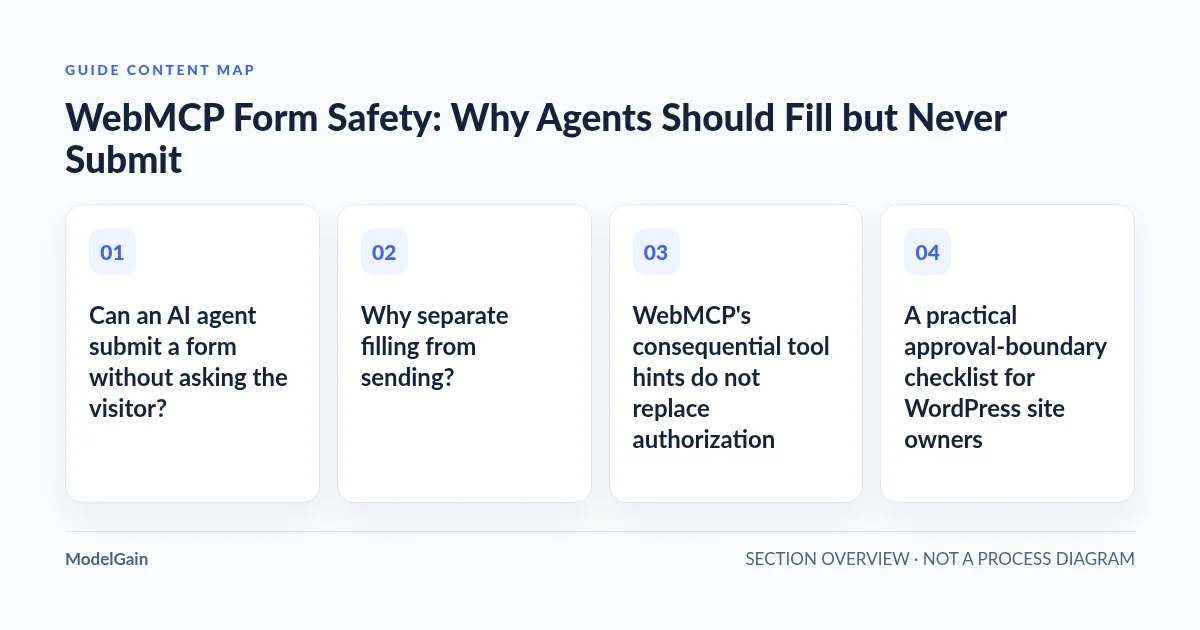
Can an AI agent submit a form without asking the visitor?
Technically, yes in some implementations. An agent can execute a submission-capable browser tool if that tool has been made available and the relevant agent/client and website permissions allow execution. An independently authorized general-purpose browser automation agent might also click a normal form’s Send button. Chrome’s imperative WebMCP API lets a developer implement arbitrary documented client-side actions; it does not automatically make all tools human-confirmed, nor does it turn every form into a submission tool. Chrome’s agent security guidance discusses user confirmation and cross-origin boundaries.
But ModelGain WebMCP Forms 0.1.0 does not provide a submit tool. Its exposed action fills a reviewed set of Contact Form 7 controls and reports submitted: false and requiresHumanReview: true. The normal CF7 Send button remains the human step. These are implemented product boundaries, not a guarantee about what every other browser extension, custom script or AI agent running on the same site might do.
| Action / capability | ModelGain WebMCP Forms 0.1.0 | Separate capability could do this? |
|---|---|---|
| Register a tool for a reviewed compatible Contact Form 7 form | Yes, after explicit per-form opt-in in a supporting browser | Other implementations may register their own tools |
| Fill supported visible fields | Yes, for user review | Yes, through a separately permitted automation or tool |
| Click Send or invoke form submission | No | Potentially, if independently authorized and technically enabled |
| Check required consent, upload a file or bypass CAPTCHA | No; these CF7 control types are excluded | Do not infer legitimacy or safety merely from technical possibility |
| Verify that a message was delivered to email or CRM | No | Requires separate backend delivery and integration evidence |
Why separate filling from sending?
Filling changes the draft state of an interface. A tool can place proposed values into a name, email, product inquiry or message field while giving the visitor a chance to check spelling, factual correctness and intended recipients. A successful fill alone should not contact the business, create a transaction or establish consent.
Submission may cross a real-world boundary. It can send personal information to a company, trigger CRM lead creation, enqueue email or notifications, create support tickets, or record a legally meaningful request. Whether that action is consequential depends on the form and downstream systems; the words “contact form” do not make it automatically harmless. A Contact Form 7 acceptance control can be a deliberate choice by the human, and an agent filling text must not be treated as evidence that the visitor agreed to terms.
Not submitted does not automatically mean not disclosed. Entering values into an open web page may make them visible to that site’s scripts, integrations or analytics; a separate browser agent may also process information under its own privacy terms. The fill-only design avoids the plugin’s explicit form submission step, but does not make a guarantee about every script on the page, browser extension, AI service or destination. Test with synthetic values first and assess each system’s data flow independently.
Human approval is a sensible product default for such workflows, not a blanket statement about the law. Different jurisdictions, consent mechanisms, business models and client agreements can impose different requirements. A click or confirmation from a user is not, by itself, proof that your implementation meets a particular privacy, advertising or contract rule. Review those obligations separately where material.
WebMCP’s consequential tool hints do not replace authorization
Chrome’s imperative WebMCP specification supports annotations such as readOnlyHint and consequentialHint. The latter is intended to signal significant real-world or irreversible effects so agents and browsers can use confirmation safeguards. These are useful tool metadata and client-side guardrails; they are not a server-side permission check, a universal guarantee that every agent requests approval, or a substitute for the website’s own validation and authorization. Read the official tool annotation documentation and Chrome’s secure WebMCP tools guidance.
For the published ModelGain fill-only tool, the current implementation sets readOnlyHint: false because it modifies on-page field values, and consequentialHint: false because this tool does not itself transmit a form or perform an off-page action. It still reports requiresHumanReview: true and submitted: false in its execution result. The absence of a consequential hint does not authorize a different tool to send the form.
If you develop a different, submission-capable tool, document its side effects, require the intended user to authorize the action in an appropriate interface, validate permissions and inputs server-side, and test that no duplicate or unintended transactions occur. Simply changing an annotation cannot make a poorly protected endpoint safe. The Chrome WebMCP best practices recommend explicit tool behavior and robust input handling.
Decide whether an AI form action needs human approval
Applies when: Contact Form 7 with WebMCP-enabled AI agents, and the narrower fill-only boundary of ModelGain WebMCP Forms 0.1.0.
Quick answer
Some independently permitted tools or browser agents can submit forms. ModelGain WebMCP Forms 0.1.0 only fills supported user-visible fields on explicitly opted-in compatible forms and never submits. Human confirmation and server-side protections are separate controls.
What to do
-
Separate preparing visible form fields from transmitting a message, creating a lead or triggering a consequential workflow.
-
Inspect the ModelGain form registry, registered tool contract and any separate browser automation privileges. A fill-only plugin cannot constrain every other agent or script.
-
Use synthetic values and compare tool output, visible state and network/submission observations. Do not click Send as part of the fill-only acceptance test.
What action are you trying to permit?
All paths are listed below. Select a symptom to focus on the most relevant path.
Use the released fill-only integration
For eligible Contact Form 7 forms, explicitly opt in under Tools → WebMCP Forms, let the WebMCP tool populate allowed visible fields, and leave the ordinary Submit button to the human.
Treat submission as a different consequential system
ModelGain v0.1.0 does not submit. A separate submit-capable implementation needs actual authorization, user confirmation appropriate to the action, server validation and downstream auditing. An annotation alone does not enforce these.
Retain human consent and security checks
Acceptance, checkbox, CAPTCHA, file and sensitive fields are outside this adapter's allowlist. The full form fails closed when a blocked tag is present; never remove required protections to make a form agent-readable.
Review the agent's separate browser permissions
The plugin cannot prevent unrelated general-purpose browser automation from interacting with a human submit button. Assess the agent client, UI confirmations, origin scope and server permissions independently.
Use a no-submit acceptance test
On a staging page, verify the published tool returns submitted=false, visible field values match, no form-submission request is attributable to the tool and no downstream send is observed. Never rely only on an empty inbox.
Did this help?
A practical approval-boundary checklist for WordPress site owners
- Identify the action. Is your intended workflow “draft a message for review” or “transmit the message to a third party”? Do not combine these into an ambiguous single tool.
- Inventory who can act. Identify your WordPress plugins, custom scripts, browser agents and automation extensions. A fill-only WebMCP tool does not control other automation that may be permitted to click or submit.
- Inspect the form. Use the field compatibility guide to check whether all explicit CF7 form-tags are supported. In ModelGain 0.1.0, a blocked user field prevents exposure of the whole form; do not remove consent, anti-spam or upload safeguards to force eligibility.
- Enable only the intended form. Open Tools → WebMCP Forms, review compatibility and the tool name, then explicitly opt in the test form. New forms start disabled. This setting controls ModelGain tool registration, not general site/browser capabilities.
- Test the actual browser capability. Verify
document.modelContext.registerToolexists in the right secure page and that the exact named tool is registered. If the browser lacks experimental WebMCP support, do not infer that the ordinary CF7 form is broken; see Chrome WebMCP local testing. - Verify no-send behavior on staging. Execute the published tool with harmless sample values and inspect the actual response, visible controls and network activity. The complete no-submit test includes a negative input case and a request-observation checklist.
- Keep ordinary safeguards in force. A later human submission must still pass Contact Form 7 validation, consent, CAPTCHA/anti-spam measures as configured, email/CRM processing and any relevant server-side authorization checks. Do not equate successful WebMCP filling with delivered mail.
The release’s safe acceptance criterion is specific: an agent can prepare only approved visible form values; the person can inspect and modify them; no message is sent by that WebMCP tool. This criterion does not establish a site-wide rule that other agents or browser controls cannot submit.
Does an agent get to accept privacy terms or bypass CAPTCHA?
Not through ModelGain WebMCP Forms 0.1.0. Its allowlisted Contact Form 7 types exclude acceptance, ordinary checkbox, file upload, CAPTCHA/anti-spam, hidden, sensitive and unknown controls. One blocked form-tag makes the entire CF7 form ineligible for this release’s WebMCP tool. Those exclusions apply even if a visible text or email field would otherwise be compatible. For human-facing acceptance requirements, follow the original Contact Form 7 consent mechanism and do not infer consent from a text-filling action.
Contact Form 7 remains responsible for its normal validation and submission behavior. The ModelGain plugin is not anti-spam software, a mail-delivery repair tool, a CAPTCHA bypass, a privacy-compliance guarantee, or a payment/credential automation system. Never disable necessary controls merely to make an experimental browser tool appear compatible.
What if the agent can still click the normal Submit button?
That is a different capability boundary. A browser agent with general DOM interaction privileges might be able to use the same human interface a visitor uses, depending on the product, its permissions and confirmation policy. The ModelGain WebMCP plugin does not supply that capability and cannot disable or police every other browser interaction. To protect consequential operations, assess the agent’s permission model, client-side confirmation and the server’s authorization/validation separately. Chrome’s agent security considerations emphasize limiting untrusted cross-origin interactions and confirming impactful actions.
For a low-risk test, choose a separate non-production Contact Form 7 instance with controlled outbound email and no CRM/third-party automation. Record whether execution emitted a CF7 submission request and whether any backend event occurred. Do not treat an empty inbox as proof of no send, nor the tool’s submitted: false field as the only independent evidence. If a fill-only test unexpectedly sends anything, stop rollout and isolate the source before proceeding.
Should you build an AI submission tool instead?
Only if your business workflow genuinely requires it and you can verify identity, authority, consent, intended recipients, business rules, retries, duplicate prevention and consequences end to end. For a public contact or RFQ form, having the visitor review and submit is typically simpler and easier to audit than inventing an unattended write pipeline. A more advanced workflow might be justified for an authenticated internal system with strict approval records—but it is a different project, not a configuration switch in ModelGain WebMCP Forms.
Do not infer that the browser’s consequentialHint alone can enforce such an architecture. A defensible system checks authorization at the point of action and confirms downstream effects; independent controls should remain effective when the AI client malfunctions or makes an incorrect decision.
FAQ: user approval and AI contact forms
Does enabling ModelGain WebMCP Forms automatically let agents send emails?
No. The released plugin registers fill-only tools for explicitly approved compatible Contact Form 7 forms. It does not trigger Contact Form 7 submission or mail delivery. A person reviews and submits through the original form.
Does submitted: false mean no email could possibly have been sent?
It is the plugin’s declared result for its execution path, not a complete audit of every browser extension, custom listener, server-side integration or external automation. Verify the absence of unexpected requests or downstream events in an isolated test environment. See the fill-only acceptance procedure.
Can I turn on automatic submission by setting consequentialHint: true?
No. An annotation describes the intended side-effect profile of a tool; it does not add a submission implementation, create permissions, or guarantee approval. ModelGain WebMCP Forms 0.1.0 does not ship an automatic-submit feature.
Is explicit human approval legally required for every contact form?
There is no universal answer across countries, purposes, data types and applicable obligations. This article recommends a conservative human-review boundary for consequential communications. It does not provide jurisdiction-specific legal advice or claim that a WebMCP tool ensures regulatory compliance.
The recommended implementation path
Start with fill-only, verify on staging, and leave submission to the person. If your goal is to make a supported Contact Form 7 form easier for an AI-assisted visitor to complete, visit ModelGain WebMCP Forms and install the current release from its official WordPress.org listing. Then use the integration setup guide, field compatibility matrix and no-submit test procedure to verify each boundary before serving real visitors. If you require autonomous transmission, that requirement should be evaluated as a separate security and product decision, not misrepresented as a feature of this plugin.