WORDPRESS
WordPress MCP Ability Not Found: Registration and Exposure Checks
Fix WordPress MCP ability not found errors: verify registration hooks, MCP exposure, exact tool names and permissions without weakening site security.
FREE WORDPRESS PLUGIN
Agent Readiness Audit
Audit how AI clients discover and read your WordPress site, and whether relevant structured capabilities are available.
- Install the local audit plugin
- Select Read, Act or Manage profile
- Review findings and next steps
Read-only: no crawler bypass, automatic repairs, permission grants or MCP setup. Investigate the reported evidence before changing the site.
If WordPress MCP Adapter says an ability “does not exist,” do not immediately reinstall WordPress or make the ability public. First check whether the named ability exists in the WordPress registry. If it does, inspect its MCP exposure settings and the connected user’s permissions. In MCP Adapter 0.7.1, an ability that exists but is not exposed through MCP can deliberately return the same ability_not_found result as an unknown name. The error alone does not identify the root cause.
Fast diagnosis: check the correct site and adapter version → check the exact registered ability name → distinguish a missing PHP registration from a private MCP ability → inspect the default server and the authenticated caller → retest discovery before attempting execution. If the PHP function wp_register_ability() itself is undefined, use our separate WordPress Abilities API version guide. If the MCP HTTP endpoint returns 404, use the MCP route diagnostic; this page addresses an ability-level error after the integration is available.
Want a local, read-only readiness snapshot? ModelGain Agent Readiness Audit checks Abilities/API and MCP-related evidence without connecting a remote agent or executing a tool. It can point to missing local evidence, but it cannot prove that a particular MCP client can discover or invoke a tool, and it does not repair registration, exposure, or permissions. See also the product overview.
Where did the WordPress MCP ability disappear?
Applies when: An MCP Adapter client reports an unknown or unavailable WordPress ability after connection, or the default discovery list does not include a known ability.
Quick answer
First establish whether the exact ability is registered in the same WordPress runtime. A registered ability may still be intentionally private to MCP. Discovery, execution permission and MCP transport are separate layers.
What to do
-
Record WordPress core and MCP Adapter versions; use read-only WP-CLI to check the exact namespaced ability in the intended installation.
-
Review meta.public and meta.mcp.public only for this ability; compare the default server's discovered names with the provider's registered WordPress names.
-
Verify approved read-only discovery and a permitted non-destructive action, while confirming an unauthorized user remains denied.
What evidence do you have?
All paths are listed below. Select a symptom to focus on the most relevant path.
Check core version and bootstrap
The Abilities API arrived in WordPress core 6.9. Check wp core version and the running installation before changing the adapter or security settings.
Check the provider's registration lifecycle
Confirm exact namespaced name, plugin loading, category registered at wp_abilities_api_categories_init, ability registered during wp_abilities_api_init, valid schema and callbacks.
Review intentional privacy before changing it
A private ability can return ability_not_found in MCP Adapter 0.7.1. Check meta.public and MCP-specific overrides; only the ability owner should approve exposing a scoped action.
Keep the effective user's restriction
The authenticated client must meet server discovery and per-ability execution checks. Verify least-privilege identity, permission callback and allowed test action; do not disable authentication.
Troubleshoot the server route separately
Verify MCP Adapter activation, default-server configuration, intended endpoint and supported protocol flow. A missing transport or route is not the same as a missing ability.
Did this help?
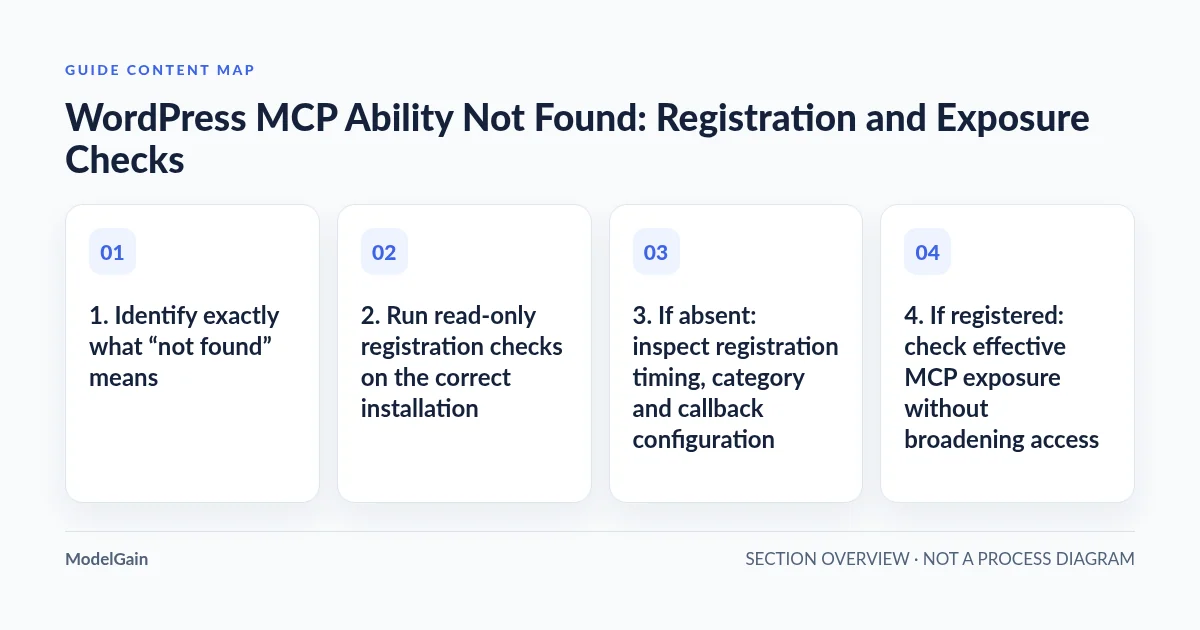
1. Identify exactly what “not found” means
There are four layers. WordPress core provides the Abilities API in version 6.9 and later. A plugin registers a named ability with a category, schema and callbacks. The official MCP Adapter default server discovers only abilities approved for MCP exposure. The connected WordPress account still needs authorization to perform the action. Failure in any layer may be reported as “nothing available,” but the remedy differs.
| Evidence you have | What it establishes | Next check |
|---|---|---|
Call to undefined function wp_register_ability() |
The PHP API symbol is not loaded in that execution context | Core version and WordPress bootstrap, not MCP exposure |
wp_get_ability('vendor/action') returns null |
That exact name is not registered in this WordPress runtime | Plugin activation, hook timing, category and registration errors |
| WordPress ability exists, but default MCP discovery omits it | Local registration succeeded; MCP publication has not been established | Effective meta.public / meta.mcp.public, default server and identity |
| Ability is discoverable, but calling it returns an authorization error | Discovery and execution permissions are different checks | Effective WordPress user, capability and permission callback; do not bypass them |
2. Run read-only registration checks on the correct installation
Use authorized WP-CLI on the same installation and site that the MCP client targets. For multisite or hosts with separate staging/production copies, select the right --path and --url through your normal administration procedure. These commands do not register or execute an ability.
wp core version
wp plugin list --status=active --fields=name,version,status
wp eval 'printf("abilities_function=%s; registered=%s\n",
  function_exists("wp_register_ability") ? "yes" : "no",
  function_exists("wp_get_ability") && wp_get_ability("vendor/action") ? "yes" : "no"
);'
Replace vendor/action with the exact registered WordPress ability name from the provider’s code or documentation. A plugin being active, or an MCP server returning HTTP 200, does not imply that it registered this ability. wp eval proves what loaded in that CLI invocation; if HTTP and CLI use different sites, deployment revisions or bootstrap paths, compare them before changing code.
Interpret the outcome carefully. If the function is missing on WordPress older than 6.9, plan a staged core upgrade; do not install a shadow API or copy core files. If the function exists but the ability is absent, continue to registration. If it exists, do not force it to register again just to satisfy an MCP client. You can also inspect the official function reference for the required registration lifecycle.
3. If absent: inspect registration timing, category and callback configuration
wp_register_ability() must run during wp_abilities_api_init. If you register too early in the plugin file, or attach the registration callback after that hook has already fired, WordPress can reject or miss the registration. A custom category must be registered on the earlier wp_abilities_api_categories_init hook. An absent or unknown category can cause a null registration result and a developer notice, rather than a normal WP_Error. Do not mistake a quiet production log for proof of success.
// Register the category BEFORE the ability-registration phase.
add_action( 'wp_abilities_api_categories_init', 'my_plugin_register_category' );
add_action( 'wp_abilities_api_init', 'my_plugin_register_abilities' );

// Inside my_plugin_register_abilities(), use the exact registered
// category, a namespaced ability name, schemas, an execute callback,
// and a permission callback. Check wp_register_ability()'s result.
Also inspect required label, description, valid namespaced name, category, JSON input/output schema, and both execute_callback and permission_callback. Verify hook registration in the active, loaded plugin rather than in a disabled plugin or an unused MU-plugin copy. Capture a diagnostic WP_DEBUG_LOG on staging with secrets redacted; avoid enabling browser-visible debug output on production.
A documented MCP Adapter issue (#117) involved the adapter registering its own default abilities after the init hook had fired. Later releases changed initialization behavior, including a 0.7.0 fix for another-plugin-first initialization. This history makes hook order worth checking; it does not justify assuming that every current “not found” error is the same bug. Record your actual installed adapter version and reproduction.
4. If registered: check effective MCP exposure without broadening access
WordPress abilities are private by default. According to the official MCP ability authoring guide, a provider can opt into client exposure with meta.public=true or opt into MCP alone with meta.mcp.public=true. An explicit meta.mcp.public=false overrides a broader public setting and keeps an ability out of MCP. These are registration configuration decisions by the ability owner, not sitewide switches for an administrator to enable blindly.
Before changing them, review what the ability reads, returns or modifies, the declared readonly / destructive annotations, the permission callback and any private data involved. A tool that fetches customer records is not safe just because it performs no writes. If the ability should remain private, ability_not_found may be the correct outcome.
Do not equate REST exposure with MCP exposure. On WordPress 6.9/7.0, meta.show_in_rest and MCP visibility have distinct behavior; WordPress 7.1 changed how meta.public informs REST defaults. Check documentation for the installed release instead of setting every visibility flag to true. The safe fix is a deliberately scoped exposure policy for a specifically intended ability, not opening all tools.
5. Check which MCP name and discovery mechanism the client uses
The default MCP Adapter server does not normally list each WordPress ability as an independent top-level tool. It exposes three meta-tools: mcp-adapter-discover-abilities, mcp-adapter-get-ability-info and mcp-adapter-execute-ability. The discovery response contains original WordPress names such as vendor/action. A custom MCP server can expose a converted tool name with slashes sanitized, such as vendor-action. Mixing the two naming layers causes false “missing tool” reports.
Use the provider’s documented WordPress name when asking the default server’s get-info or execute meta-tool about an ability. Confirm that the client first discovers the current list and does not reuse a cached name from an earlier plugin release. Review the default-server documentation for the exact tool model. If the three meta-tools themselves are missing, inspect whether the default server is disabled, whether the adapter is active and whether you are using the correct server URL. Our MCP endpoint 404 guide handles this separate failure.
MCP Adapter 0.7.1 deliberately reports a registered-but-unexposed ability as ability_not_found, just like an unknown name. It may offer nearby available names, but suggested alternatives do not authorize executing any of them. If the correct ability is visible to one caller but not another, compare client identity and scoped exposure before touching plugin code.
6. If discovery succeeds but execution fails, keep permissions intact
Use a dedicated least-privilege WordPress account and a revocable Application Password over HTTPS where appropriate. The adapter’s default discovery has an authentication and capability boundary; each exposed ability also enforces its own execution permission callback. A successful network handshake or tool discovery does not entitle that client to edit posts, manage users or read customer data.
A denial is not evidence that the Abilities API is broken. Record the actual user role and expected capability on a controlled staging instance, then have the owning plugin developer fix an incorrect permission policy if the expected action is genuinely allowed. Never change a permission callback to unconditional true, disable authentication, print application passwords in debugging output or test destructive abilities on production merely to obtain a successful response. For a systematic access boundary review, consult our Read / Act / Manage checklist.
7. A safe five-case acceptance test
- Wrong installation: verify the WordPress site, active provider plugin, core version and MCP Adapter version match the client’s destination.
- Absent registration: check the exact PHP ability name, initialization hooks, category availability and registration return value without invoking its execute callback.
- Intentionally private: confirm
meta.mcp.publicis false or absent as intended; preserve the deny-by-default behavior rather than making it globally public. - Approved exposure: for one explicitly authorized, preferably read-only test ability, verify the intended client discovers its exact registered name and can inspect its schema.
- Denied versus permitted execution: only on staging and with synthetic test data, exercise an approved non-destructive action under authorized and unauthorized identities; verify access denial is preserved.
Definition of done: you can state which layer failed, demonstrate the corresponding correction on the same site with the same limited client, and verify that unauthorized actions still fail. A passing local audit, a 200 response or an empty errors log alone is not this acceptance test.
8. When to use ModelGain Agent Readiness Audit
The released ModelGain Agent Readiness Audit plugin can gather a read-only local report on WordPress site readiness, including Abilities API availability, registration, selected metadata and adapter-related signals, depending on the audit profile. Run it if the installation is accessible but you need to organize evidence for a developer or compare before/after configuration on a staging copy.
It does not create an ability, change the exposure flags, grant access, test an external MCP transport handshake or certify that a remote user is allowed to execute a particular action. An Unknown audit outcome means the plugin lacks sufficient evidence, not that the integration passed. Use the official adapter docs and the actual authorized client’s response for the final confirmation. The readiness checklist explains how to interpret evidence confidence alongside audit results.
FAQ
Does “ability does not exist” prove that WordPress needs upgrading?
No. Core 6.9 or newer may already provide the API. The exact ability could be unregistered, private to MCP, misspelled, or unavailable to the connected caller. Check the registry first and the exposure policy second.
Why does WordPress see an ability that the AI client cannot find?
The local PHP registry and the MCP client’s discovery surface are separate. A registered but unexposed ability is intentionally hidden. Also confirm the client’s user identity, the default versus custom server and the exact name used.
Should I set every ability to public to fix the error?
No. Visibility is an explicit per-ability security decision. Review the data and actions exposed, permission checks and intended caller first. A private ability remaining undiscoverable may be the correct result.
Will a readiness plugin fix MCP registration?
No. A read-only audit can document local evidence and help prioritize a developer investigation. The actual registration and client authorization need separate fixes and an end-to-end test.
Sources and related diagnostics
- WordPress Abilities API — official getting-started guide
- Official MCP Adapter — creating abilities and exposure rules
- Official MCP Adapter — default server and layered discovery
- MCP Adapter release notes, including 0.7.0–0.7.1
- Historical hook-order issue #117 — reproduce before attributing a current defect
- WordPress core API not available · MCP endpoint 404 · Agent readiness checklist