ANDROID
NetBox API 401 vs 403 on Android: Find the Real Denial
NetBox API returns 401 or 403 on Android? Find whether the denial came from your token, user permissions, IP restrictions, or a reverse proxy.
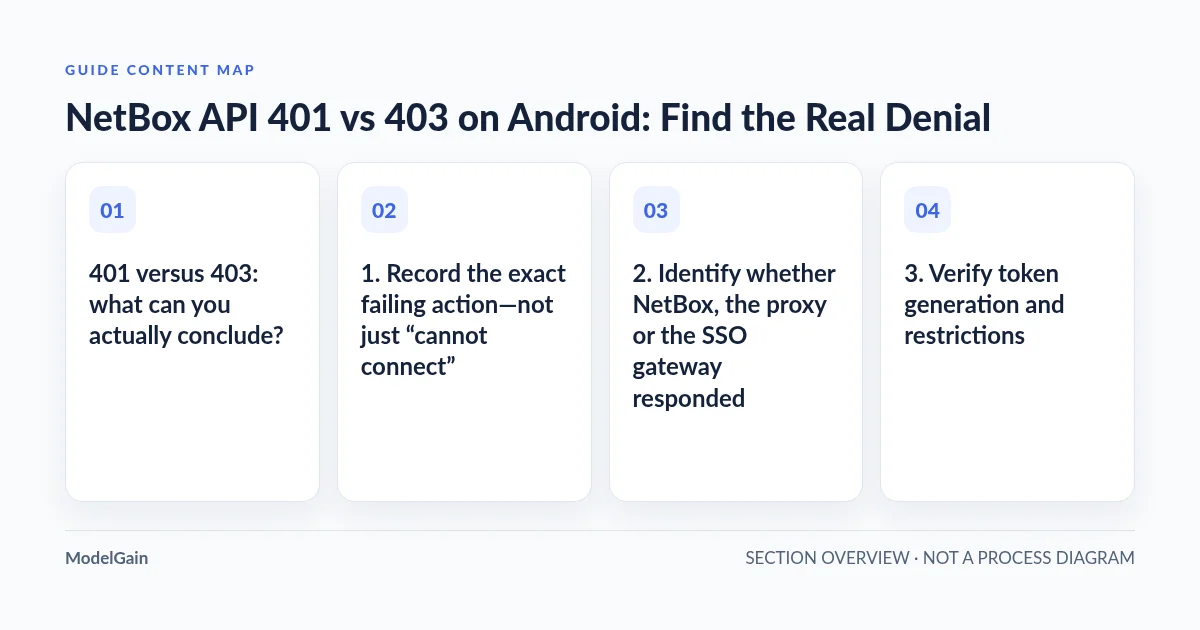
NetBox answers your Android phone, but the app reports HTTP 401 or 403. This is a different problem from a DNS failure or a certificate error: an HTTP responder has rejected a request. The important next question is which responder rejected which endpoint—NetBox itself, your reverse proxy, an SSO gateway or a network access policy?
Fast diagnosis: identify the failing API endpoint, record the status and a sanitized response, and establish whether the response came from NetBox. Then check the token’s generation and restrictions, the owning user’s object permissions and the phone’s approved source address. 401 does not always mean “bad token,” and 403 does not prove the token authenticated successfully. In particular, NetBox documents a 403 response when required credentials are missing. Do not fix either code by granting superuser access or disabling TLS verification.
This guide focuses on authorization failures after the server has responded. For DNS, VPN, timeout, certificate or HTML login-page failures, first use our NetBox mobile connection checklist. For creating a new least-privilege token, see the read-only technician token guide. Field Companion for NetBox is an independent, read-only Android client—not an official NetBox Labs app or a tool for changing NetBox permissions.
401 versus 403: what can you actually conclude?
| Observed result | Plausible cause | Next evidence to collect |
|---|---|---|
| 401 Unauthorized | Expired, revoked, malformed or rejected token; gateway authentication rule; missing forwarded header | Exact endpoint, JSON versus HTML body, response owner, token generation and server-side redacted log |
| 403 Forbidden | Missing credentials in NetBox, denied View permission, token source-IP restriction, SSO/WAF/proxy policy | Who produced the 403, the denied model/action and the source address the server observed |
| 200 on /api/status/; 403 on /api/dcim/devices/ | Connection/status access succeeded but device-list authorization failed | The token owner’s dcim.view_device permission and any object constraints |
| 200 in a phone browser; 401/403 in the app | Browser cookie/SSO session differs from API-token authentication; proxy policies differ | Compare the authenticated API JSON endpoint, not just the web login page |
| 200 on the office network; 403 over cellular/VPN | Token allowed-IP rule, VPN egress address or gateway source policy | The phone’s authorized egress path and NetBox’s trusted client-IP interpretation |
1. Record the exact failing action—not just “cannot connect”
Ask the technician for the app version, NetBox server version, the action that failed, the displayed error, approximate UTC time, and the approved Wi-Fi/VPN or cellular context. Never request a token value, complete Authorization header, private server log, internal inventory export or screenshot containing credentials.
There are at least two distinct stages in the reviewed Field Companion code. Connect to NetBox requests GET /api/status/; searching inventory uses distinct read-only Device, Rack and IP Address collection endpoints. A successful connection test proves only the tested request worked. A later 403 while searching Devices may have nothing to do with the connection token’s cryptographic validity. Verify that the installed Play version behaves the same way before using an app-specific UI message as proof of a backend condition.
A useful report reads: “Android app [version], NetBox [version], Connection passed at [UTC], Device search returned HTTP 403 while Rack search is unverified; approved VPN active.” This is actionable without disclosing a live credential.
2. Identify whether NetBox, the proxy or the SSO gateway responded
Confirm that the app points to the organization’s approved HTTPS NetBox origin or documented base path. A reverse proxy can deliver a branded HTML error page, an SSO redirect or a WAF denial before the request reaches Django/NetBox. The app may condense these to a status message, so an operator must correlate the request time and path with approved proxy and NetBox logs.
- Check the endpoint. Was it
/api/status/,/api/dcim/devices/,/api/dcim/racks/or/api/ipam/ip-addresses/? Do not compare unrelated endpoints. - Check the response type and origin. NetBox API JSON with a documented error detail is a stronger NetBox clue than a corporate HTML sign-in form. Neither is final proof if a proxy rewrites responses.
- Check the trusted logs. An authorized administrator can determine whether the request reached NetBox, and whether a reverse proxy or gateway denied or removed its Authorization header. Share a redacted conclusion, not the header.
- Do not bypass security. Do not weaken HTTPS, turn off SSO/WAF rules or expose a private API publicly just to make a field phone connect.
If the phone cannot reach the correct host at all, return to the network and TLS checklist; an HTTP permission investigation is premature.
3. Verify token generation and restrictions
NetBox introduced improved v2 API tokens in version 4.5, and the current REST API documentation states that legacy v1 tokens are deprecated in NetBox 4.6 and slated for removal in 5.0. These are token generations, not different /api/v1/ and /api/v2/ URL paths. In the HTTP Authorization header, NetBox v2 uses Bearer with an nbt_-prefixed value; legacy v1 uses Token. The reviewed Field Companion source selects a scheme by the entered token prefix. The actual installed release must still be checked when diagnosing a version-specific problem.
Have the token owner or NetBox administrator verify, without revealing the secret:
- Generation and destination. Does the token format match the NetBox release and the installed client’s supported input? Is the app using the actual API token value, not a full header, a browser cookie or a token generated for a different instance?
- Validity. Was the token revoked, disabled, expired or rotated? A new token is a controlled credential rotation—not the first troubleshooting step.
- Source-IP restriction. Does the token’s allowlist include the actual address NetBox observes after corporate VPN, carrier NAT and any trusted proxy? Check NetBox’s token model and its client-IP header trust configuration.
- Write Enabled. Leave it disabled for a field lookup credential. Disabling writes does not grant missing View permissions, and enabling writes does not repair a 403 on a read-only GET.
Important: a token shown once at creation cannot be recovered in plaintext from NetBox. If it is lost, follow your organization’s controlled replacement procedure instead of asking the technician to paste an existing token into chat or a support ticket.
4. A 403 on Search may be an object-permission failure
NetBox checks model-level permissions for API reads. Per the official object-permissions documentation, a user with no required View action can receive 403. A user with the action but additional object constraints may receive a successful response containing only allowed records—so an empty search is a different problem from an HTTP 403.
| Field lookup | NetBox collection | Relevant View action |
|---|---|---|
| Device search | /api/dcim/devices/ |
dcim.view_device |
| Rack search | /api/dcim/racks/ |
dcim.view_rack |
| IP address search | /api/ipam/ip-addresses/ |
ipam.view_ipaddress |
Have an administrator test each required, approved endpoint separately against a synthetic or non-sensitive known record. If a collection is forbidden, grant only the missing, business-approved View action or correct its policy constraint; do not use an all-powerful user as a “fix.” For a technician limited to one location, keep the site/object constraints in place and verify that the expected in-scope records appear while out-of-scope records remain hidden.
Some app versions perform multi-category search operations; one denied API collection can make the search experience appear broadly broken. That is why separately checking Devices, Racks and IPs is more informative than merely repeating the same text search on a phone. Our least-privilege token setup guide covers the permission design in more depth.
5. Compare one authorized reference request with the phone
If the organization permits it, have an administrator use an approved, trusted diagnostic client on a controlled network to request the same read-only NetBox API endpoint using the same token identity and the documented scheme for its generation. Keep the secret in an approved secret-handling mechanism—not in shell history, shared screenshots, HTTP access logs or a browser URL. Do not run mutation requests as a test.
The comparison supports a bounded diagnosis:
- Reference and phone both rejected by NetBox: review expiration, token generation, user permissions and NetBox-side source restrictions.
- Reference succeeds, phone rejected: compare the app version and token format, gateway route, source IP, Authorization forwarding and device trust/policy.
- Status succeeds, one collection rejected: examine the specific model View action and object constraints; connection success is not inventory authorization.
- A proxy/SSO page appears instead of expected JSON: fix the authorized API gateway integration with its owner; a successful web browser login is not the same credential flow.
Do not infer that the entire NetBox deployment is secure from one successful request, or that a 401/403 proves a breach. This procedure identifies a rejected access attempt; it is not a penetration test.
Choose the next check for your specific rejection
This local decision aid reads no credentials or network responses. Choose the observation that your administrator has actually verified.
Who is rejecting the NetBox API request?
Applies when: A local, static decision aid. It does not receive a token, inspect server responses, send diagnostics or change any system.
Quick answer
Identify the response owner before acting on 401 or 403; distinguish a connection/status success from permission on Device, Rack and IP collections. Keep TLS, least privilege and source-IP policy intact.
What to do
-
Record time, installed Android build, NetBox version, failed operation and status. Do not include tokens, full Authorization headers or private logs.
-
Check whether NetBox API JSON, a proxy, WAF or SSO gateway produced the response using approved redacted logs.
-
For a NetBox response verify token generation, expiry, allowed IPs and the owning user's model View permissions. Do not grant administrator access as a workaround.
-
Confirm allowed Device, Rack and IP searches after remediation and confirm out-of-scope records are still unavailable.
Which observation has your administrator confirmed?
All paths are listed below. Select a symptom to focus on the most relevant path.
Investigate the API gateway boundary
Ask the gateway owner to correlate the endpoint and UTC time and check permitted Authorization forwarding or SSO/WAF route handling. Do not disable HTTPS, SSO or WAF as an unreviewed fix.
Confirm that API credentials reached NetBox
NetBox can return 403 when a required token is absent. Check the request's supported Authorization scheme and whether a trusted reverse proxy stripped its header. Do not treat this 403 as proof the account lacks a View role.
Review token identity without revealing the secret
Check the NetBox release, token generation, expiry, revocation, selected instance and allowed client IP. Confirm the installed Android build supports the token format. Rotate through an approved process only if required.
Inspect the denied model and constrained View action
Check dcim.view_device, dcim.view_rack or ipam.view_ipaddress for the token's owning user/group and applicable constraints. Test a known allowed record without granting blanket access.
Compare the phone's approved egress and the server's client IP
Check corporate VPN, carrier NAT, token source allowlists and the proxy's trusted client-IP headers. An office desktop and an Android handset may reach NetBox through different policies.
Attribute the status before changing credentials or permissions
A 401/403 can originate at several layers. Collect the failed endpoint, sanitized response type, UTC time and authorized server/proxy log correlation. Do not infer a bad token or missing role from the code alone.
Did this help?
6. Verify a field-ready outcome
After the responsible administrator corrects the identified policy or credential issue, test the same approved phone, network and installed app build. A complete acceptance check is: the app connects to the intended HTTPS instance; a permitted Device, Rack and IP Address can be found and opened; an out-of-scope record stays inaccessible; no unintended write permission was granted; and no live secret was copied into a ticket. If the app shows a saved Offline or Cached record, reconnect and confirm current server data rather than treating a local copy as a successful authorization test.
Where Field Companion fits
Field Companion for NetBox offers Android field lookup of NetBox devices, racks and IP addresses through an authorized direct connection. It is a read-only client, not an API permission editor, VPN manager, identity provider or automatic authentication repair tool. Before diagnosing a particular deployed phone, consult the installed build and the Field Companion support page for the supported release and connection requirements. To explore available mobile tools, use the Android app catalog.
Frequently asked questions
Why does NetBox return 403 when I forgot to send a token?
NetBox’s official REST API documentation explicitly gives 403 Forbidden as an example when required authentication credentials were not supplied. Unlike a generic HTTP status-code rule of thumb, that is direct evidence that 403 alone does not prove successful authentication. Check the response’s actual source and contents.
Why can I open NetBox in a browser but not the Android app?
Your browser may have a valid session cookie or completed a separate SSO flow. An API-token client uses HTTP Authorization and must be permitted through the relevant proxy and NetBox API endpoint. Verify a documented API JSON response, not just the homepage.
Will a read-only token automatically let me see all devices?
No. The token’s write restriction and its user’s object-level View permissions are independent controls. A restricted user may receive a 403 for an entire model or a narrower successful result with out-of-scope records filtered out.
Should I turn off IP restrictions, TLS or the WAF to troubleshoot?
No. Record the source address seen by the authorized server and ask the responsible administrator to adjust the intended rule if the field network is approved. Fix certificate trust or API gateway routing without disabling essential protections.
Official references and related ModelGain guides
- NetBox Labs — REST API token authentication and response examples
- NetBox Labs — API token generations, expiration and client-IP rules
- NetBox Labs — object permission enforcement and query constraints
- NetBox Labs — trusted client-IP and API security configuration
- ModelGain — connect but cannot search: phone, VPN, TLS and gateway checks
- ModelGain — create and test a least-privilege read-only token
- ModelGain — first-time Android NetBox connection