WORDPRESS
IndexNow cURL Error 28 in WordPress: Diagnose the Timeout
Diagnose IndexNow cURL error 28 in WordPress with safe network checks, then distinguish API acceptance from Bing indexing.
IndexNow “cURL error 28” in WordPress means the HTTP operation exceeded its timeout before completing. It is a client-side transport error—not an HTTP 28 response, proof of a rejected ownership key or proof that Bing has not indexed a page. Capture the exact failing request and elapsed time, then investigate the path from your WordPress server to that destination. Do not regenerate the key or repeatedly resubmit your content as the first response.
A timeout can occur during name resolution, connection establishment, TLS negotiation or response transfer. It can also involve a proxy, host restrictions or resource pressure. The short error code alone cannot identify which layer failed. Separate transport diagnosis, API acceptance and eventual search indexing into three different checks.
Separate an IndexNow timeout from an API rejection
Applies when: A WordPress IndexNow sender reports cURL error 28 or an unclear submission failure.
Quick answer
cURL error 28 is a transport timeout, not HTTP status 28 or proof of a bad key. Identify the exact destination and deadline, then inspect DNS, connection, TLS, proxy and response timing from the affected host. API receipt and Bing indexing are separate outcomes.
What to do
-
Preserve the exact endpoint, method, timestamp, duration and error. Redact keys, query parameters, headers and sensitive content URLs before sharing evidence.
-
Use a bounded HEAD probe to a verified harmless path on the confirmed destination host. Include no key, URL submission parameters or POST body, and do not enable retries.
-
After correcting the demonstrated cause, inspect the next normal submission or one coordinated legitimate retest. Record its HTTP response separately from eventual indexing.
What does your recorded evidence show?
All paths are listed below. Select a symptom to focus on the most relevant path.
Investigate host-side resolution and routing
Have the host correlate resolver results, outbound firewall policy, proxy routing and supported IPv4/IPv6 paths with the incident time. Do not hardcode a destination IP or disable networking safeguards globally.
Locate the delay after connection
Compare TLS, first-byte and total milestones; they are cumulative timings. Review proxy behavior, destination delays and host pressure without disabling TLS verification. A root-path response does not certify a real submission.
Compare separate execution environments
Check the actual web PHP runtime's proxy settings, certificate store, network context and sender timeout. A shell success is limited evidence; do not dump credentials or install a generic fix blindly.
Switch to protocol-level key diagnosis
An actual 403 is different from a transport timeout. Confirm the request source and ownership-key evidence rather than applying timeout-only changes.
Separate receipt from search inclusion
A 200 acknowledges receipt, not guaranteed indexing. A 202 would instead mean receipt with key validation pending. Investigate crawlability and indexing without repeatedly resubmitting unchanged URLs.
Did this help?
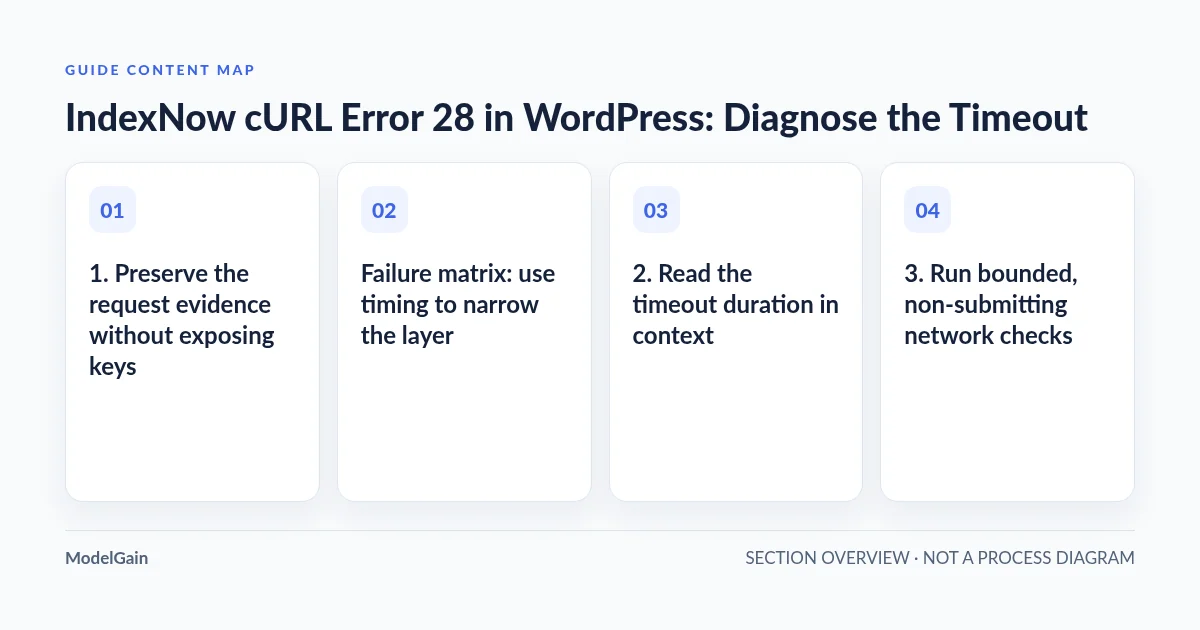
1. Preserve the request evidence without exposing keys
Open the sending plugin’s existing submission history or private logs. Record the timestamp with timezone, sender and version, request method, destination hostname and path, elapsed duration and full error text. Note whether the failure occurs on every attempt or intermittently, and whether it began after a hosting, security or network change.
Keep an exact request record privately, but redact keys, authorization headers, query parameters and submitted URLs before sharing it. Some URLs themselves contain private data. Do not publish a full request body or turn on unrestricted production HTTP debugging merely to obtain more evidence.
Identify which request actually failed. The plugin might contact an IndexNow submission endpoint, a service operated by its vendor or another URL during the same workflow. An inbound request to your site’s public key file is different from an outbound request made by PHP. Confirm the hostname rather than diagnosing everything labeled “IndexNow” as the same connection.
WordPress’s wp_remote_post reference documents that a call can return either a response array or WP_Error. A transport failure is not an API status code. If the plugin logs both, preserve the original sequence rather than merging several attempts into one supposed response.
Failure matrix: use timing to narrow the layer
| Evidence | Possible layer | Safe next check |
|---|---|---|
| Name resolution stalls or gives inconsistent results | DNS resolver or cached records | Have the host inspect resolution from the affected server environment |
| No TCP connection completes before the deadline | Routing, outbound firewall, address-family path or proxy | Compare bounded IPv4 and IPv6 connection evidence where supported |
| TCP connects, but TLS negotiation does not complete | TLS path, middlebox, proxy or remote negotiation delay | Inspect handshake evidence without disabling certificate verification |
| Connection and TLS finish, but response data is late | Slow destination, proxy buffering or slow transfer | Compare first-byte and total timing at the incident timestamp |
| Shell request works, WordPress still times out | Different runtime, proxy configuration, container or HTTP filters | Compare the actual PHP web-request environment and sender settings |
| An HTTP 403, 422 or 429 is recorded instead | A completed HTTP exchange needs protocol-level interpretation | Follow the documented status, not a timeout-only repair |
2. Read the timeout duration in context
The libcurl error reference defines error 28 as an operation timeout: the specified timeout period was reached. A message mentioning approximately ten seconds tells you about an observed deadline, not a universal IndexNow limit. Preserve any distinction between a connection timeout and an operation that timed out after transferring some data.
The WordPress HTTP API implementation exposes a request timeout and documents a default of five seconds. Plugins and filters can override it. Therefore, do not assume that a five-, ten- or thirty-second log duration reveals the default behavior of every sender.
Ask whether the sender changed its timeout, proxy or batch behavior recently. Repeated failures near the same deadline can indicate a consistent limit, but increasing it may simply occupy PHP workers longer while leaving a broken route unchanged. First identify whether the request can connect and where time is being spent.
3. Run bounded, non-submitting network checks
Start from the host running WordPress, not your laptop. A working browser on a home connection says little about a server’s outbound firewall, resolver or address-family routing. If you have no shell access, send the redacted incident record to the hosting provider and ask them to check the specific destination.
An administrator can make a single HEAD request to a verified, harmless public path on the same destination hostname. The following example uses the shared API hostname; replace it with the confirmed hostname only if your sender uses another destination:
curl --head --silent --show-error \
  --connect-timeout 5 --max-time 15 \
  --output /dev/null \
  --write-out 'http=%{http_code} dns=%{time_namelookup} tcp=%{time_connect} tls=%{time_appconnect} first=%{time_starttransfer} total=%{time_total}\n' \
  https://api.indexnow.org/
This request contains no submission endpoint parameters, key, content URL or POST body. It does not submit content. It still makes a network request and can appear in server logs. Do not paste a key-bearing submission URL into the command or add automatic retries.
The timing fields are cumulative milestones from the start, not independent phase durations. A quick 404 or 405 on the root path can still show that an HTTP response arrived; it does not establish that a real IndexNow POST would succeed. A HEAD probe can also behave differently from POST. Interpret the test as narrow transport evidence, not complete application validation.
If address-family routing is suspect, the host can repeat this bounded probe once with --ipv4 and, where IPv6 is supported, once with --ipv6. Failure on a server without IPv6 connectivity is not proof of an IndexNow outage. Do not hardcode a destination IP or disable IPv6 globally as a shortcut.
4. Compare the PHP path with the shell path
A shell curl command and WordPress can differ in libcurl version, certificate store, proxy settings, DNS environment, container network and execution user. A successful shell probe does not clear the PHP web runtime. Have the administrator compare those environments with existing authenticated diagnostics, without dumping environment variables that may contain credentials.
Inspect host egress restrictions, proxy requirements and PHP worker or memory pressure during the incident window. A busy host may delay requests; a failed network path may also tie up workers. Correlate evidence before treating load as either the cause or the consequence.
A WordPress.org support report about error 28 concerns communication with WordPress.org and discusses DNS and connectivity. It is a generic WordPress HTTP example, not an IndexNow-specific incident. Its destination addresses and proposed remedies should not be copied into an IndexNow configuration.
Apply only the demonstrated correction: a resolver fix, an appropriate outbound rule, a proxy correction or a sender-specific setting reviewed with its maintainer. Do not disable TLS verification, remove security controls broadly or install a “cURL fix” plugin without understanding what it changes.
5. Verify API acceptance separately
Once transport is healthy, inspect the next normal submission’s result. If a deliberate retest is necessary, coordinate one controlled submission of a legitimately changed public URL through the existing sender. Record its timestamp and response; do not create a loop of identical resubmissions.
The official IndexNow protocol lists 200 for successful submission, 202 for receipt with key validation pending, 403 for an invalid key, 422 for specified host or schema problems, and 429 for excessive requests. Those are HTTP responses; error 28 is not another entry in that list. A timed-out client might not know whether the server received the request before the connection failed.
If you now have a real 403, follow the IndexNow 403 investigation. If evidence identifies blocked inbound key retrieval, use the key-file security-block guide. A timeout alone is not a reason to rotate the key or relax the site’s WAF.
6. Close the incident without promising indexing
Record the confirmed network or sender correction and compare the next normal attempts with the original error. Check that PHP errors, timeout frequency and worker pressure improve. Remove temporary diagnostics and retain only appropriately redacted evidence under your site’s log policy.
The IndexNow FAQ explains that submission does not guarantee immediate indexing. A 200 records receipt, not search inclusion; a 202 still has key validation pending. For accepted requests whose pages remain absent, investigate crawlability and indexing separately using the accepted-but-not-indexed guide.
ModelGain IndexNow Health Check is read-only diagnostic tooling. It does not repair server DNS, TLS, proxy configuration, firewall policy or PHP worker capacity, and it does not guarantee Bing indexing. Use its findings alongside host-side evidence rather than treating a plugin report as a server repair.
Frequently asked questions
Is error 28 an HTTP status returned by Bing?
No. It is libcurl’s operation-timeout code. An HTTP response, if one was actually received, must be recorded separately.
Should I just increase the timeout?
Only after measuring the path and reviewing the sender’s configuration. A longer deadline cannot repair a blocked connection and can keep workers occupied longer.
Can the request have reached the server despite the timeout?
Yes. The client may time out while waiting for a response after sending data. That uncertainty does not justify immediate repeated submissions.
Does a successful root-path probe prove my key works?
No. It tests a different request without ownership validation. Verify the real sender’s later response separately, without exposing the key.