WORDPRESS
Polylang Translation Linked to the Wrong Language: What to Check
Polylang translation points to the wrong page? Check linked post IDs, language assignments, draft status and URL routing before changing translation links.
FREE WORDPRESS PLUGIN
Multilingual Abilities
Inspect missing Polylang translation links and bounded language coverage without changing your posts or translation groups.
- Install with Polylang on WordPress 6.9+
- Check Tools → Multilingual Abilities
- Run a permission-aware, bounded audit
Read-only and administrator-gated. No translation, automatic link repair, background scan or bundled MCP server. Coverage is paginated by source posts, not a site-wide total. External REST exposure stays off unless explicitly enabled.
When a Polylang language switcher opens the wrong article, first verify the actual translation pair—not just the language flag or URL. A link can point to a post with the wrong assigned language, lead to an unrelated post that has the correct language assignment, or be perfectly correct in Polylang while a permalink or theme integration sends visitors elsewhere. Those failures require different fixes.
This troubleshooting guide shows how to separate relationship integrity from editorial intent and frontend routing. We use Polylang’s public post-language and translation APIs, plus the optional ModelGain Multilingual Abilities read-only link checker. The plugin can report certain provable structural anomalies; it cannot judge what an article means, choose the intended translation, repair links, or diagnose every language-switcher problem.
Quick diagnosis: what is actually wrong?
| Observed symptom | What it may mean | First evidence to collect |
|---|---|---|
| The French flag opens an unrelated French article | Editorially wrong counterpart, even when Polylang’s mapping is internally consistent | Source and destination post IDs, topics, and the translation group |
| The French flag opens a post assigned to English | Potential language-assignment or structural mapping inconsistency | Each post’s Polylang language slug and the stored public translation map |
| The French flag opens the French homepage | The current post may have no published French translation; switcher fallback is not necessarily a broken link | Target translation status and switcher configuration |
| The linked French post exists but its URL 404s or redirects | Permalink, routing, cache, or third-party integration problem | Destination post ID, direct permalink, HTTP status and redirect chain |
| The French article opens but contains English text | Editorial content-language issue despite a correct Polylang assignment | The actual article content and intended translation brief |
Polylang explicitly allows pages and posts to remain untranslated. It also documents that the switcher may point to the target-language front page when the current page has no translation, and may omit languages with no published target content. Therefore, “I expected a different page” does not automatically mean that Polylang is broken. See translating posts and pages and the language-switcher behavior guide.
1. Capture the source, expected target and actual destination
Before changing any translation link, make a three-column record: source (the page where you clicked), expected target (the correct translation of that article), and actual destination (where the switcher takes you). Do not assume the expected target is already linked, or even published.
- Record each WordPress post/page ID, not just its title or permalink; URLs can change or be redirected.
- Record assigned Polylang language slugs—for example
enandfr—separately from the language used in the article body. - Verify that the source and target share the relevant post type and that the post type is enabled in Polylang.
- Record
publishversusdraftor other statuses. A linked draft is not a public destination. - Check the direct destination permalink independently of the language switcher. If it 404s, record the HTTP response before assuming the relationship is wrong.
Polylang’s documentation describes how to connect an existing translated post using the Languages panel, and warns that changing a language assignment on already translated content can break its existing translation links. Preserve the current mapping before making such changes. See assign a language to existing content.
2. Compare the public translation mapping with each post’s language
For one post you administer, compare the result of Polylang’s pll_get_post_translations( $post_id ) with pll_get_post_language( $translation_id ). The first returns a language-to-post mapping; the second reports the language assigned to a given post. The mapping should match the language assigned to each referenced post, but that only establishes structural consistency.
For example, a mapping that refers to French post 258 under fr should be checked against that post’s actual language assignment. A mismatch is worth investigating. However, two French articles about different topics can both have fr assigned: the API cannot tell which is the intended equivalent of your English source. Polylang’s official PHP function reference documents the public functions.
If your team has a trusted WordPress shell, this read-only WP-CLI example prints the exact source and mapped posts. Run it only for a post you are authorized to inspect. Replace both placeholders with values for your installation.
wp --user=YOUR_ADMIN_USERNAME eval '
$source_id = 123; // Replace with the real source post ID.
if ( ! function_exists( "pll_get_post_translations" ) ) {
    WP_CLI::error( "Polylang is unavailable" );
}
if ( ! current_user_can( "edit_post", $source_id ) ) {
    WP_CLI::error( "Source post is not accessible" );
}
foreach ( (array) pll_get_post_translations( $source_id ) as $slug => $id ) {
    if ( ! current_user_can( "edit_post", $id ) ) {
        WP_CLI::log( $slug . ": target not inspectable" );
        continue;
    }
    WP_CLI::log(
        $slug . ": post " . (int) $id .
        ", assigned_language=" . pll_get_post_language( $id, "slug" )
    );
}
'
This command deliberately avoids printing post titles or bodies. Its output depends on your own site’s content and permissions; it is not a test of the frontend router. If you need a broader bounded audit, see the separate guide to executing the four WordPress Abilities rather than extending this one-off snippet into an unreviewed bulk script.
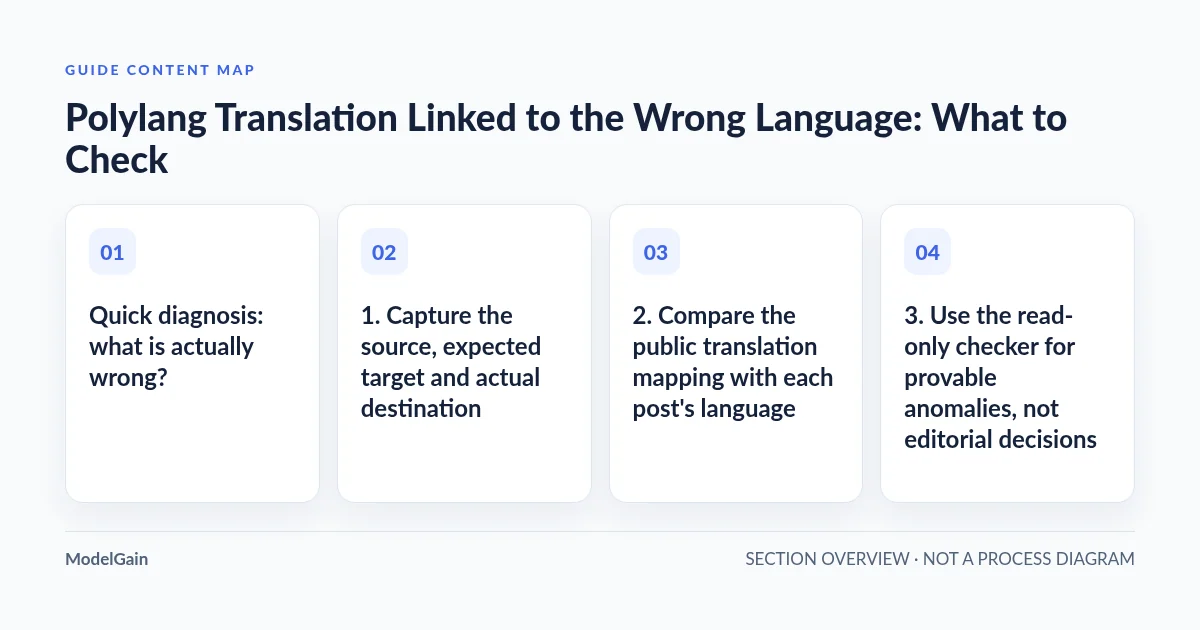
3. Use the read-only checker for provable anomalies, not editorial decisions
ModelGain Multilingual Abilities 0.1.0 provides a native WordPress ability named modelgain-multilingual/check-translation-links. It accepts a source-language slug, a Polylang-enabled post type, and optional offset and limit parameters. Each request examines at most 100 source posts. Execution requires manage_options, while per-post visibility remains permission-checked; external REST exposure is disabled by default.
The checker verifies mapping consistency using public Polylang APIs. Depending on the inspected relationships, it can return these structural finding codes:
| Reported anomaly | What to verify manually |
|---|---|
source_link_missing / source_link_mismatch |
Does the source-language entry exist and point back to the source post ID? |
duplicate_translation_id / self_reference |
Is the same post ID reused under multiple language keys, or is a source incorrectly used as its own different-language target? |
translation_post_missing_or_wrong_type |
Does the mapped ID exist, and does it have the expected post type? Do not assume a missing ID means deletion. |
translation_language_mismatch |
Is the target post’s assigned Polylang language different from the language key in the map? |
reverse_link_missing |
Does the target’s public translation map refer back to the source where it should? |
Important: an empty anomalies array means this plugin found no covered structural anomaly in the inspected page of source posts. It does not prove the link points to the intended article or that every translation on the site is correct. Follow has_more and next_offset for subsequent pages before describing the scope as complete. The plugin does not make any translation changes or run an always-on scan.
4. Tested counterexample: a valid link to the wrong article
This is the most important false-negative to understand. In a disposable WordPress 7.1 + Polylang 3.9.1 integration environment, the source post was an English Shipping policy, but its linked Chinese-language destination was a Returns policy. The destination had a valid zh language assignment and the two posts formed a consistent Polylang translation group. The plugin’s link checker returned no structural anomaly for that source. That is expected: it cannot know these two articles are not editorial equivalents.
| Example (isolated test fixture) | Structural check | Human editorial check |
|---|---|---|
| English Shipping policy → Chinese Returns policy; IDs form one consistent group | No covered anomaly | Wrong intended counterpart; confirm the correct shipping translation before editing the link |
| English source has no target-language link | Missing association reported by find-missing-translations |
Determine whether that translation is required at all |
| English source linked to a Chinese draft | linked_unpublished in the coverage audit |
Review publishing status; do not commission a duplicate translation |
This also explains why a flag that lands on the wrong topic can escape an automated structural audit. Neither AI-similarity matching nor the post title alone is a safe substitute for a human-approved correspondence between two editorial records. Legitimate localization may use different headings, prices, examples or calls to action without invalidating the translation relationship.
5. A draft, inaccessible target or intentional gap is a different case
If the mapped target is still a draft, the relationship may be valid even though the page is unavailable to visitors. The separate audit-language-coverage ability distinguishes linked, linked_unpublished, absent, inaccessible and invalid_link states within its bounded scan. These states must not be collapsed into a single “broken translation” count.
If the target is not inspectable by the current user, you do not have sufficient evidence to call it missing. If there is no link, first check whether your site’s content policy calls for a translation. Use the broader missing-translation and coverage guide for that separate task; do not overwrite a deliberately untranslated page merely because it appears in an audit list.
6. When the mapping is right but the visitor still lands in the wrong place
If the source and target IDs, language assignments and intended topics are all correct, the remaining failure may be a frontend routing problem. Inspect the actual destination URL, its HTTP redirect chain, WordPress permalink settings, theme-generated switcher markup, page cache and any custom-permalink or page-builder integration. Do not use ModelGain’s relationship checker as a permalink debugger: it does not crawl frontend HTML or repair rewrites.
Public issue reports show why this distinction matters. A Polylang GitHub report about linking different posts as translations concerns relationship creation, whereas a report about a wrong-language translated custom-post-type archive concerns archive language behavior; these are not the same defect. In a Reddit report involving inaccessible translated pages, resaving WordPress permalink settings solved the reported symptom, rather than changing the relationship. Another LMS integration report traced an apparent language-related redirect to the LMS’s own page-slug rewrite rule. These are individual reports, not prevalence statistics or evidence that every site has the same cause.
Before changing database records or translation groups, test one source and one target using a staging environment or a safe backup, and preserve the current translation IDs. Polylang’s language reassignment warning is especially relevant: changing an already translated post’s language can detach its existing group.
7. Choose the next safe action
You should now have the source post ID, actual target ID, expected target ID (if known), their assigned language slugs and publication states, and a separate observation of frontend routing. Use those facts to choose the next diagnostic step—not the wording of a generic “wrong language” error.
A Polylang translation points to the wrong place: what should you verify?
Applies when: A site operator is investigating a current-language source, an actual language-switcher destination, and a suspected incorrect, unpublished, inaccessible or editorially mismatched target. This is a documentation decision guide, not a live site scanner.
Quick answer
Verify source/target post IDs, assigned language, post type and publication status first. Then distinguish structural mapping findings, a structurally valid but editorially incorrect counterpart, absence or unpublished status, and frontend permalink or switcher behavior. Read-only ModelGain abilities cannot repair relationships or judge text meaning.
What to do
-
Record source post ID, expected translated post ID and actual destination post ID/URL. Compare language assignment, post type and publication state.
-
Use the Polylang editor or public translation functions to inspect the source/target map. An audit finding concerns only proven structural anomalies in a bounded, permission-authorized scope.
-
Separately confirm editorial equivalence and frontend routing. Make approved changes through Polylang or the responsible permalink/plugin configuration, then verify both directions and URLs.
Which fact have you verified?
All paths are listed below. Select a symptom to focus on the most relevant path.
Investigate a provable relationship inconsistency
Compare exact post IDs, type and Polylang language assignments on both sides. The read-only check-translation-links ability can flag a subset of mapping inconsistencies but does not choose a replacement article or fix the link. Save the original group IDs and verify a manual editorial correction.
A clean structural result does not mean the pairing is correct
The linked article may have the right language, type and reciprocal relationship but cover a different subject. Compare the two content briefs, intended source/target records and editorial approval; do not rely on title similarity or assume an automatic check should detect this.
Do not confuse absent with unpublished
Use the separate bounded missing-translations or language-coverage ability. A missing target link is not a required translation until editorial scope is confirmed; a linked draft is not absent. Inaccessible posts are unknown, not necessarily missing.
Inspect permalinks and frontend integration separately
Check the real destination permalink and redirect chain, switcher output, routing rules, cache and any custom permalink, theme or page-builder integration. A relationship check does not crawl HTML or test rewrite rules. Change only the responsible component, with backup and readback.
Did this help?
After identifying the failure class, make the smallest reversible correction through Polylang’s supported editor workflow or the responsible routing/integration setting. Do not rewrite Polylang’s internal translation storage from a third-party audit result. Revisit the source and target from both language directions, verify the published URLs in a fresh session, and re-run the appropriate read-only check for the same scoped posts.
What the plugin can and cannot establish
- Can establish: bounded public-API relationship consistency findings and, through its other abilities, missing target links and page-scoped coverage states.
- Cannot establish: whether two articles are the intended translations, whether text is linguistically correct, whether a theme switcher or SEO
hreflangtag points correctly, or whether a server rewrite is healthy. - Will not do: edit post languages, automatically pair or repair translations, run a scheduled site-wide audit, expose a bundled MCP server or bypass WordPress permissions.
For administrators who need repeatable, read-only inspection on a compatible Polylang site, see ModelGain Multilingual Abilities and its official WordPress.org installation and support page. If you need concrete examples for executing each Ability, use the existing WP-CLI tutorial. For editing or creating translations, use Polylang’s own translation workflow.