WORDPRESS
Polylang Translation Coverage: Calculate Honest Percentages
Calculate Polylang translation coverage without inflated totals. Combine page-scoped audit results, separate drafts from published links, and report limits.
FREE WORDPRESS PLUGIN
Multilingual Abilities
Inspect missing Polylang translation links and bounded language coverage without changing your posts or translation groups.
- Install with Polylang on WordPress 6.9+
- Check Tools → Multilingual Abilities
- Run a permission-aware, bounded audit
Read-only and administrator-gated. No translation, automatic link repair, background scan or bundled MCP server. Coverage is paginated by source posts, not a site-wide total. External REST exposure stays off unless explicitly enabled.
A Polylang translation coverage percentage is only useful when you name the source posts, target language, publication state and denominator behind it. If three out of five English posts have linked Chinese counterparts, you could report 60% linked coverage. But if one of those counterparts is still a draft, only two out of five have a linked published counterpart: 40%. Neither number proves that the translated text is accurate, complete or publicly reachable.
This is a practical reporting guide for site operators and multilingual content teams. It uses actual outputs from ModelGain Multilingual Abilities 0.1.0, run against disposable WordPress 7.1 and Polylang 3.9.1. We focus on how to aggregate, label and qualify audit results. To learn how to execute the abilities, use the existing WordPress Abilities audit walkthrough; to investigate individual missing links, use the Polylang translation diagnosis guide.
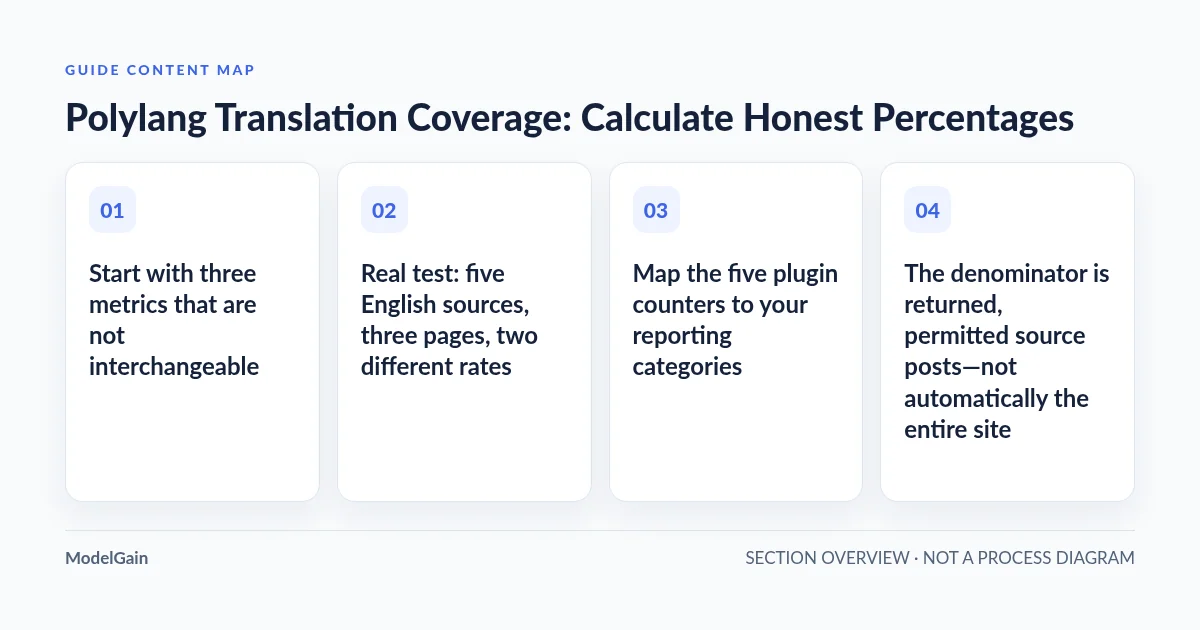
Start with three metrics that are not interchangeable
| Metric | Numerator | Denominator and limitation |
|---|---|---|
| Linked presence rate | Source posts with a valid linked, inspectable target that is either published or unpublished | Returned, inspected source posts in the declared scope. A draft counts as a relationship, not a live translation. |
| Published-linked rate | Source posts whose inspectable, correctly mapped target has WordPress status publish |
Same scoped denominator. Does not validate the public URL, human translation quality, SEO, or text completeness. |
| Absent-link share | Sources without a linked target for the selected language | Same scoped denominator. An absent target may be an intentional editorial choice, not a defect. |
A count of all posts in Chinese is another, different metric. It can include independently authored Chinese content that is not linked to any English source. For example, the separate Show Language Counts for Polylang plugin offers per-language WordPress administration counts; it is not, by itself, a one-to-one source/target relationship audit. Polylang’s own translation guide explicitly notes that translating every post is not mandatory.
Real test: five English sources, three pages, two different rates
We created five published English source posts, labelled A through E, on an isolated WordPress instance. Three had linked Chinese counterparts: A and D were published, B was a draft; C and E had no linked Chinese counterpart. We scanned with source_language=en, post_type=post, target language zh, limit=2 and source offsets 0, 2 and 4. Each response was produced by the installed plugin’s native read-only WordPress Abilities.
| Source offset | Scanned | Chinese linked, published | Linked, unpublished | Absent | Missing-link findings | More source pages? |
|---|---|---|---|---|---|---|
0 |
2 | 1 | 1 | 0 | 0 | Yes, next offset 2 |
2 |
2 | 1 | 0 | 1 | 1 | Yes, next offset 4 |
4 |
1 | 0 | 0 | 1 | 1 | No |
| Sum | 5 | 2 | 1 | 2 | 2 | Source-query pages exhausted |
Now calculate three precise, source-scoped measures:
- Published-linked rate: 2 ÷ 5 = 40%. Only A and D have inspectable Chinese counterparts with the WordPress
publishstatus. - Linked presence rate: (2 published + 1 unpublished) ÷ 5 = 60%. B has a link to a draft and is not ready to count as a published Chinese counterpart.
- Absent-link share: 2 ÷ 5 = 40%. C and E have no linked Chinese post; this is a candidate editorial review queue, not automatically work that needs translating.
Notice why the first page is misleading if someone stops early: it contains zero missing-link findings and all two sources have some Chinese link. Yet the full three-page fixture still contains two absent links, and only 40% have a published counterpart. An average of the three individual page rates (50%, 50%, 0%) would also be wrong: the pages contain different numbers of source posts. Add numerators and denominators first; divide once.
Map the five plugin counters to your reporting categories
Use modelgain-multilingual/audit-language-coverage and read the by_language entry for the intended target language, not the source language. The plugin reports one of five exclusive states per inspected source/target pair:
| Response counter | What it supports | Reporting treatment |
|---|---|---|
linked_count |
For the target language, an inspectable matching post exists with publish status |
Candidate numerator for published-linked rate |
unpublished_count |
An inspectable linked post exists but is draft, pending, private or another non-published state | Count separately; included in link presence, excluded from published-linked |
absent_count |
No target-language ID is present in the inspected source’s public Polylang translation map | Review against editorial translation requirements |
inaccessible_count |
The linked target post exists but the current operator cannot inspect it | Unresolved access, not automatically a missing translation |
invalid_link_count |
Linked target is missing, wrong type or does not agree with expected language | Structural anomaly requiring investigation; not a valid published link |
scanned_count for an inspected page. Do not combine inaccessible or structurally invalid outcomes into the missing-link bin.There is an important implementation detail: the source language’s own counter is normally classified as linked even if a source is not published. For a target-language KPI, always select the actual target row. If your report is intended to cover only published source posts, inspect each returned item’s source_status and aggregate the corresponding per-source coverage states. The plugin does not expose a built-in published-source-only reporting switch; its default query includes non-internal post statuses the caller may inspect.
Never infer content completeness from these structural statuses. An English page and a published Chinese page may be linked correctly while the Chinese article remains untranslated, stale or incomplete. Checking that requires separate content or editorial QA beyond this plugin’s remit.
The denominator is returned, permitted source posts—not automatically the entire site
For a given source-language, post-type and operator, the plugin’s scanned_count is the number of records returned to that operator on that page. Add it over all source pages only when you retain the same query settings and review scope. The API’s source page size is at most 100 and its counters are page-scoped; it does not return a guaranteed site-wide total_sources.
The implementation queries a bounded slice of Polylang-language source posts and then checks edit_post for each candidate. That distinction matters. In a second test using the same five-source fixture, we denied access to source E for the audit identity. The last source window at offset 4 then returned scanned_count: 0 and has_more: false even though E still existed in WordPress. Source-query exhaustion is therefore not proof that every relevant source record was inspectable.
Two practical safeguards follow:
- Call the state you have honestly. Report “page scan exhausted for the current permission/scope” rather than “all English pages on the site are audited.” Check against a trusted editorial inventory when a site-wide claim matters.
- Do not treat a filtered scan as the complete denominator. Permission limitations, unassigned languages, unsupported post types and unpublished source statuses can make a comparison misleading. For CMS-wide reporting, reconcile those populations separately using authorized inventory tools.
WordPress’s WP_Query reference explains offset, posts_per_page and no_found_rows. Polylang’s developer guide describes language-aware source queries. Neither documentation makes a returned collection immune to custom permissions or concurrent editing.
Make multi-page aggregation repeatable
The minimum review procedure is short, but every step affects what the percentage means. First choose a single source language (for example en), a distinct target language (zh), one Polylang-enabled post type (post or page), and a stable authorized operator. Then record the first request’s limit and offset.
- For each page, save its
scanned_count, the selected target’s fiveby_languagecounters,has_moreandnext_offset. Where you need a published-source-only report, instead aggregate the per-item target states for onlysource_status=publish. - Repeat using the response’s
next_offsetwhilehas_more=true. Do not advance by the number of missing-translation findings or by the number of returned items: inaccessible source posts may have been filtered out after the source query window was formed. - Verify that, for each target language and page, the five state counters add up to
scanned_count. Treat any failed invariant or incomplete page request as a failed report, not an acceptable denominator. - Sum each counter across all retained pages. Calculate named percentages from the summed numerators and summed, scope-qualified denominator. Never average percentages from pages of different sizes.
- Save the start/end times and the software versions. If content, permissions, language settings or translation links changed while paginating, label the result potentially inconsistent and rerun during a stable editorial window when feasible.
The current plugin does not automatically save a historical run, export CSV, reconcile a site-wide inventory, or schedule scans. The table below is an operator-maintained reporting example, not a built-in plugin dashboard or an API output field.
Copy this honest reporting template
| Report field | Value in our isolated fixture | Why it matters |
|---|---|---|
| Site and execution date | Isolated test site; 2026-11-03 | Separate test data from production data and historical runs |
| Software baseline | WordPress 7.1; Polylang 3.9.1; ModelGain 0.1.0 | Pin behavior to tested versions |
| Source / target / type | en → zh; post |
Do not blend source languages or post types in one rate |
| Source status policy | Five published English fixture sources | Define which source items enter the denominator |
| Observed source pages | Offsets 0, 2, 4; limit 2; final has_more=false |
Document source-query pagination exhaustion |
| Returned source denominator | 5, with all fixture sources known to be accessible in the baseline run | Do not rename the count as total site inventory |
| Target status breakdown | Published linked 2; unpublished linked 1; absent 2; inaccessible 0; invalid 0 | Keep operationally different outcomes separate |
| Published-linked / link presence | 40% / 60% | Publish-ready relationship is not any relationship |
| Confidence and limitations | Fixture scope reconciled; not a content-quality or public-route audit | Declare what remains unknown |
For a real operational report, a concise sentence is often enough: “As of [UTC date], with administrator access, we inspected [N] source-language [post type] records across [P] source-query windows; [L] have an inspectable published target, [U] have an unpublished linked target, [A] have no link, [X] are inaccessible or invalid. The resulting published-linked share is [L/N] within this audited scope. Site-wide completeness and translation quality were not evaluated.”
Four errors that turn an audit into a misleading KPI
- Reporting missing-finding count as total inspected: in our first page,
find-missing-translationsreturnscount=0even though two source posts were inspected and another source page exists. Use coveragescanned_countfor the observed source denominator. - Counting drafts as published: “three links exist” and “two published links exist” are both true. Show the distinction rather than selecting whichever percentage looks better.
- Mixing languages, content types or permissions: a page audit for one administrator cannot be safely combined with post audits for another account into an unexplained “overall multilingual completion rate.”
- Calling the audit exhaustive or transactional:
has_more=falsetells you pagination ended for that query, not that inaccessible posts were counted or no source changed while you were scanning.
Decide what your coverage report is allowed to say
The diagnostic below helps choose the correct report status when the last source page, publication state or permissions are uncertain. It is a static decision aid and does not access your WordPress installation.
What can you safely claim from your Polylang coverage scan?
Applies when: A WordPress operator has actual page-scoped ModelGain Polylang audit-language-coverage results and wants to decide whether and how to present an operational translation coverage percentage. This is an editorial decision tool, not a live scanner or exporter.
Quick answer
A trustworthy report must name its target language, source-post scope, permission context and denominator. Sum target-language status counts across every source page before calculating published-linked and linked-presence shares. Pagination exhaustion does not independently certify whole-site inventory coverage.
What to do
-
Record source language, target language, Polylang-enabled post type, which source post statuses are included, and the authorized audit identity.
-
For every scanned source window, retain scanned_count, the target language's five state counters, has_more and next_offset. Verify each row sum and advance using next_offset.
-
Published-linked excludes unpublished translations. A linked-presence numerator includes drafts. The denominator is returned inspected sources, not automatically a complete source inventory.
Which condition best describes your report?
All paths are listed below. Select a symptom to focus on the most relevant path.
Publish counts only as a partial scan
Save the final successful offset and latest has_more. Do not average page percentages, advance by missing findings, or claim whole-site coverage. Continue using next_offset when you have authorization and a stable source population.
Calculate two differently named rates
Linked presence includes inspectable published plus unpublished target relationships; published-linked includes only inspectable published targets. Report unpublished_count as its own queue and never claim that a draft is a live translation.
Withhold an unqualified site-wide percentage
An inaccessible source can be filtered before scanned_count even when has_more is false. Keep inaccessible and invalid target counters separate and reconcile source eligibility with an authorized inventory; rerun after permission or content changes.
Use a scoped published-linked report
State the source and target language, post type, source status policy, operator scope, timestamps and returned source denominator. Sum target linked/unpublished/absent/inaccessible/invalid counts across pages, then divide once. Call the result published-linked among inspected sources, never content translation completeness.
Did this help?
For missing-translation diagnosis rather than reporting methodology, follow the Polylang missing-link checklist. For source-type eligibility, see Posts, Pages and custom types. For external API access boundaries, see why the audit REST abilities are hidden by default.
What ModelGain does—and does not—measure
The released ModelGain Multilingual Abilities plugin provides four authenticated, read-only WordPress Abilities for supported Polylang post types. The coverage ability provides bounded source windows and per-language structural link states; its output can support the carefully qualified reporting method above. It does not verify translated prose, enable translation types, repair link groups, guarantee anonymous URL access, create a historical dashboard or offer a built-in site-wide percentage.
The free plugin requires WordPress 6.9+ and a configured Polylang installation; audit execution requires appropriate administrator-level manage_options permission and per-post inspectability. Review the product details and limitations before enabling any external REST integration. The next useful outcome is a reproducible editorial decision list, not simply a larger percentage.