WORDPRESS
Action Scheduler Maximum Simultaneous Queues: Find the Blocker
Diagnose Action Scheduler concurrency notices using completions, overdue trends and claim evidence, without unsafe retries or lock deletion.
“Maximum simultaneous queues already in progress” means Action Scheduler has reached its allowed concurrent-batch limit. It does not, by itself, prove the queue is stuck. First compare recent completions, overdue-action age and the actions shown as In-progress. If work continues to complete and the overdue backlog is shrinking, the notice can describe normal processing. If nothing completes while the same action remains In-progress and overdue work grows, investigate the runner and its claims before changing limits.
Do not start by deleting locks, increasing concurrency or bulk-running pending actions. A scheduled callback can send email, synchronize inventory or interact with payments. The safe objective is to find the blocked execution path while preserving enough evidence to recover without duplicating business effects.
Is the queue busy or actually blocked?
Applies when: Action Scheduler displays its maximum simultaneous queues notice, with or without overdue work.
Quick answer
The notice means the allowed concurrent-batch limit has been reached. Compare new completions, overdue age and In-progress action logs before deciding it is stuck. Do not delete claims, force concurrency or bulk-run callbacks as a diagnostic.
What to do
-
Record timestamps, relevant completions, oldest overdue pending work and In-progress action IDs. Exclude future-dated actions from the overdue count.
-
Read private action and PHP logs, identify the owning hook and compare worker, dependency and cron activity during the same window.
-
Before any approved retry, cancellation or claim recovery, reconcile possible payments, messages and external updates with the responsible maintainer.
How does the queue change between observations?
All paths are listed below. Select a symptom to focus on the most relevant path.
Observe normal concurrent processing
The ceiling notice alone does not require a change. Continue checking the affected hooks and business outcomes until overdue age returns to normal; do not add runners merely to hide the notice.
Measure throughput before tuning
Compare arrivals and completions over the same interval, including group-specific delays. Investigate callback duration, remote APIs, PHP workers and database waits. Higher web concurrency can overload a site.
Investigate the callback and its claim
Correlate the logged start with PHP fatals, timeouts and external records. An In-progress label is not proof of a live process. Ask for version-specific supported recovery; do not clear database claims or replay financial work blindly.
Inspect initiation separately
Check actual cron executions, any intentional server-cron replacement and loopback failures. An enabled flag or a successful manual callback does not prove unattended runner health.
Treat migration as distinct evidence
Capture both exact notices and installed versions. The concurrency message does not establish migration failure. Ask the responsible maintainer to assess data-store migration and processing state separately before any repair.
Did this help?
What the notice actually checks
In the official Action Scheduler admin-list source, the notice is added when the runner reports that its maximum concurrent batches have been reached. The displayed queue count comes from the store’s claim count. A claim is the scheduler’s reservation of work for a runner; it is not a count of all pending jobs or a live process monitor.
The performance documentation describes conservative default web-runner limits, including one concurrent batch, to avoid consuming too many server processes or connections. Installed versions and custom configuration can differ. The number in your notice must be interpreted against your actual installation, not a copied tuning recipe.
Keep a separate “Action Scheduler migration in progress” message separate. A data-store migration notice concerns migration state; the maximum-queues message concerns concurrent processing. They may coexist, but one does not establish the cause of the other. Capture the exact text and loaded versions before proposing either a migration repair or a capacity change.
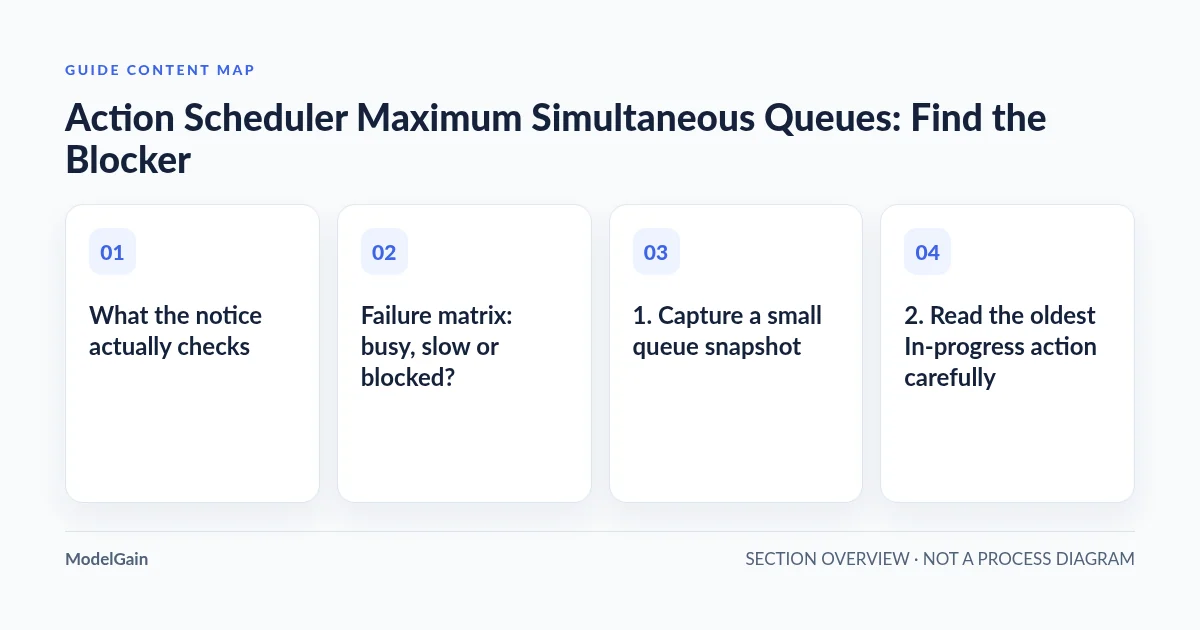
Failure matrix: busy, slow or blocked?
| Observed pattern | Interpretation to investigate | Next safe checkpoint |
|---|---|---|
| New completions appear; overdue count and age fall | The concurrency ceiling may be working normally | Observe another representative interval without forcing extra runners |
| Completions appear, but overdue work grows | Arrivals exceed throughput, or one group is lagging | Compare arrival rate, completion rate and hooks across the same interval |
| No new completions; the same action stays In-progress | Long-running callback, abandoned claim or stalled execution | Correlate action logs with PHP, worker and dependency logs |
| No progress; unrelated WP-Cron events are also overdue | The trigger path may be unhealthy | Inspect cron configuration and actual recent executions |
| Only one hook fails while others complete | An action-specific callback or dependency problem | Identify the owning plugin and its error evidence |
| A migration notice appears alongside the ceiling notice | Two distinct conditions require evidence | Record each message; ask the plugin maintainer about migration state |
1. Capture a small queue snapshot
Open WooCommerce → Status → Scheduled Actions, or Tools → Scheduled Actions where available. Record the observation time and timezone, recent completed actions, oldest overdue pending action, In-progress action IDs, hooks, groups and their logs. Capture failed actions separately. Do not count future-dated pending actions as overdue.
Repeat the observation after an interval appropriate to the site’s normal callback duration and business deadlines. An illustrative comparison is two snapshots ten minutes apart; that is not a universal stuck-job threshold. If renewals or order processing are already affected, escalate immediately rather than waiting for an arbitrary interval.
A falling pending count alone is insufficient: actions might have failed, been canceled or been deleted. Look for new successful completions and verify the intended business result. Similarly, a fresh completion in one group does not prove that a separate payment or inventory group is healthy.
2. Read the oldest In-progress action carefully
Open its details and save the action ID, hook, group, scheduled time, arguments and available log entries privately. Arguments can contain order references, addresses or other sensitive data. Share only the fields needed for support, with customer data and tokens removed.
Distinguish the scheduled date from the start time in the log. An old scheduled date does not prove the callback has been executing continuously since that date. A log entry showing a runner started an action is more useful, but still does not prove the operating-system process is alive now.
Correlate that start time with PHP fatal errors, out-of-memory messages, PHP-FPM worker termination, web-request timeouts, database contention and the relevant external service logs. A callback may perform a remote operation successfully and then time out before recording its completion locally. That uncertainty is precisely why “run it again” is not an innocent diagnostic.
A real WooCommerce support case reports one action remaining In-progress for days while pending work accumulated. That site’s discussion includes advice about a particular hook; it is not permission to delete any action that looks similar. Hook ownership, installed version and partial business effects must be assessed on your site.
3. Investigate claims without deleting them
A reached concurrency limit can reflect legitimate active work or reservations left behind after abnormal execution. Action Scheduler includes cleanup behavior, but the notice does not tell you whether a given claim is stale. An administrator or maintainer should inspect the installed scheduler version, store implementation, claim age and corresponding runner evidence using supported diagnostics.
Do not edit scheduler tables, set claim IDs to zero, delete lock options or copy a database cleanup query from a forum. Bypassing reservations while another runner is active can allow overlapping work. Even an apparently abandoned reservation may be attached to a callback whose remote side effects need reconciliation.
If supported tooling cannot explain the claim, send the action evidence and logs to the owning plugin’s maintainer and host. Request a version-specific recovery procedure with an explicit duplicate-execution assessment. Preserve a backup before any approved state-changing recovery, but remember that restoring WordPress does not reverse an external charge or an email already sent.
4. Check runner initiation and resources separately
The official FAQ explains that default initiation uses WP-Cron and an administrative-request shutdown hook; Action Scheduler is not technically dependent on WP-Cron alone. A cron-enabled flag therefore does not prove continuous queue processing, and visiting wp-admin can mask an unattended triggering problem.
Inspect the configured cron route, recent executions and Site Health’s loopback findings. If a real server cron intentionally replaces traffic-triggered WP-Cron, verify that replacement rather than simply removing DISABLE_WP_CRON. Ask the host to correlate blocked loopbacks, authorization challenges, HTTP errors and worker exhaustion with the incident window.
For a read-only schedule inventory, an administrator with WP-CLI can use:
wp cron event list --fields=hook,next_run_relative,recurrence --format=tableThis lists events; it does not deliberately run due callbacks. Read commands can still bootstrap WordPress and installed code. Do not substitute a command that runs all due events. Follow the runner-versus-cron troubleshooting path when triggering evidence is weak.
If processing continues slowly, inspect available PHP workers, CPU, memory, database waits and remote API latency during the same window. A slow vendor API can hold a callback open even when server CPU looks quiet. The Action Scheduler overview describes the library as a traceable background queue; it does not guarantee that every callback supplied by a plugin is fast or safe to repeat.
5. Choose a recovery that matches the evidence
- Healthy progress: keep observing until overdue age returns to its normal range. Do not “fix” the notice alone.
- One broken callback: repair the confirmed plugin or dependency issue, then agree on recovery for the affected actions with its maintainer.
- Blocked trigger or loopback: correct the specific cron, DNS, authentication or firewall problem, preserving the intended security boundary.
- Capacity shortfall: measure throughput and callback duration before designing controlled processing with the host. The official performance guide warns that more concurrent web batches can overload a site.
- Uncertain side effects: reconcile the order, payment, message or external record before any retry or cancellation.
A planned CLI runner may be appropriate for large queues, but it is execution, not observation. This guide deliberately does not provide a bulk-run, forced-concurrency or lock-deletion recipe. Test the chosen recovery on representative staging where possible and control real integrations before running callbacks there.
Verify the queue and the business outcome
After a targeted fix, compare fresh snapshots: new relevant actions complete, overdue count and oldest overdue age improve, and the same action does not remain unexplained. Check failed actions and host errors for new problems. Confirm the business result for the affected workflow, not merely that the maximum-queues notice disappeared.
For action-specific errors, use the failed-actions investigation guide. ModelGain Queue Health provides read-only queue-health inspection; it does not release claims, rerun callbacks, delete jobs or repair server capacity. Observation informs a recovery decision but cannot certify payment correctness.
Frequently asked questions
Is one queue necessarily too few?
No. It is a conservative default intended to protect shared resources. Whether it meets your workload depends on callback duration, arrival rate and host capacity.
Does clicking Run prove cron works?
No. A manually executed action follows a different initiation path. It can also create real business effects, so do not use repeated manual runs as a harmless test.
Should I delete all failed or pending actions?
No. Deletion can remove evidence or required work. Failed actions and pending actions also represent different states; investigate their hooks and logs first.
Is the notice itself a payment failure?
No. Check the payment-related action and provider records. The concurrency notice alone neither proves a failed payment nor confirms that a retry is safe.