WORDPRESS
Action Scheduler Stuck In Progress: Diagnose One Job Safely
Diagnose one Action Scheduler job stuck in progress, distinguish ghost counts, and check logs and business effects before any retry.
When one Action Scheduler job stays In-progress, first establish whether an identifiable action row exists and what it has already done. A visible job with a start log needs a different investigation from an “In-progress (1)” count that opens to “No items found.” Neither observation makes deleting a claim or replaying the job safe.
Open Tools → Scheduled Actions, or WooCommerce → Status → Scheduled Actions. Before changing anything, record the action ID, hook, group, scheduled time, last attempt or start time, available logs, claim ID and expected business side effects. If payments, emails or order changes may be involved, stop before any recovery action and refer the evidence to the responsible business owner and extension maintainer.
Choose the evidence path for one stuck action
Applies when: One Action Scheduler job appears stuck In-progress, or the admin count says one but no action row is visible.
Quick answer
Record the action ID, hook, group, scheduled time, last attempt, logs, claim ID and intended business effects. Distinguish an actual row from an empty-view count before considering recovery. Five minutes is a conditional default cleanup heuristic, not a guaranteed reset time.
What to do
-
Use Tools > Scheduled Actions or WooCommerce > Status > Scheduled Actions. Save the observation time and sanitized details; if no row exists, explicitly record that instead.
-
Separate the scheduled date from the latest start or attempt. Compare the same ID and relevant completions with existing host and dependency logs.
-
Do not delete claims, edit scheduler rows or run, cancel or retry actions without a maintainer-defined idempotency contract and owner approval for business effects.
Which observation best describes your case? If business effects are uncertain, choose that path first.
All paths are listed below. Select a symptom to focus on the most relevant path.
Stop and reconcile business effects
Refer the exact action timeline to the business owner and extension maintainer. Compare provider, order and delivery records before any recovery. A missing completion log cannot rule out a completed remote operation; do not replay it to find out.
Investigate that ID, not every reservation
Preserve its hook, group, claim ID and start log. Identify the callback owner and correlate host errors and dependency responses. Compare unrelated completions to distinguish one blocked callback from a wider runner incident. Cleanup timing depends on actual execution and installed configuration.
Investigate the view, store and migration state
Clear search and group filters, check pagination and preserve the empty In-progress view. Capture migration notices and the system status report; ask the maintainer to reconcile the active store and counts. Do not assume an invisible action needs retrying or delete claims to reset the display.
Do not equate a processing limit with a stuck job
Compare new relevant completions and overdue age over time. A maximum simultaneous queues notice alone does not identify a broken action. Keep this separate from a verified unchanged In-progress ID; do not increase concurrency simply to remove the notice.
Did this help?
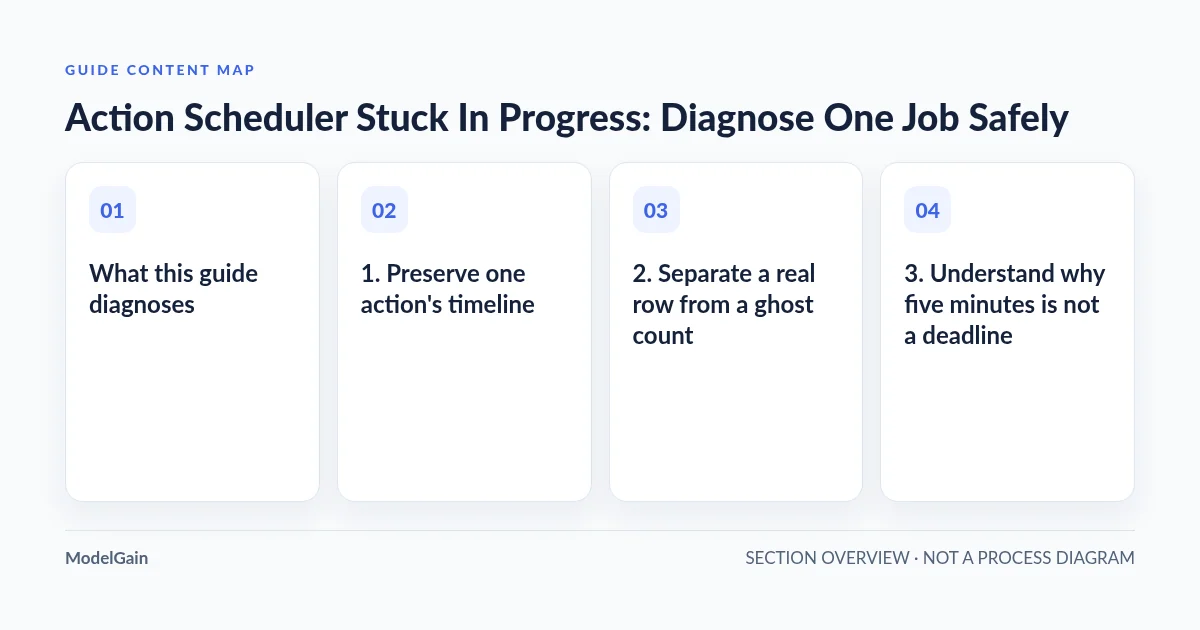
What this guide diagnoses
This is an investigation of one apparently stuck action, not a throughput-tuning recipe. The maximum simultaneous queues notice concerns a concurrent-processing limit. It can appear while work is progressing normally; it does not identify a broken callback. Likewise, an old Pending action is not necessarily an action that has been running for days.
Keep four things separate: the action’s stored status, its claim or reservation, the runner that executes callbacks, and any migration between scheduler data stores. A claim ID is not a process ID or proof that PHP is still running. A migration notice is not proof that the callback behind a particular order has failed.
1. Preserve one action’s timeline
The official administration guide documents filtering by status, searching by action or claim ID, and inspecting individual logs. Select In-progress, clear hook or group searches, and check pagination. If a row appears, save its details privately. Record the observation time and timezone so the host can correlate the same incident window.
- Identity: action ID, exact hook, group and claim ID where available.
- Timing: scheduled date, latest recorded start or attempt, and last log entry. Note which timestamps use different timezones.
- Execution evidence: runner context shown in the log, errors, and whether the same hook has newer completed or failed actions.
- Business context: what the callback should change, the related record, and whether that change is already visible.
A scheduled date from Tuesday does not establish that execution began Tuesday. Conversely, “started” followed by silence establishes an incomplete local timeline, not necessarily a failed external operation. Inspect arguments only when needed to identify the related record; redact customer details, tokens and private references from screenshots or support tickets.
2. Separate a real row from a ghost count
| What you can verify | What it suggests | Safe next check |
|---|---|---|
| The same visible ID stays In-progress; its log stops after starting | A long callback or an interrupted execution needs investigation | Correlate its start time with host and dependency logs |
| In-progress count is one, but no matching row appears after clearing filters | A filter, store, count or migration mismatch may exist | Capture the empty view, notices and system status report |
| The action later completes and the intended result exists | It may have been slow rather than abandoned | Preserve the duration and check for duplicate effects |
| Many hooks stop completing and overdue work grows | The incident extends beyond one callback | Compare runner activity and the wider backlog separately |
A 2026 WooCommerce community support thread illustrates the empty-row case: the administrator reported one In-progress item with no visible action, alongside unfinished migration symptoms. Later replies reported a table-level issue. This is a site’s experience, not an official universal diagnosis or a repair procedure to copy.
If you cannot find a row, preserve the exact filters, empty results, migration notice and WooCommerce system status report. Ask the maintainer which store and scheduler version are active and whether the report and admin view agree. Do not invent an action ID or assume a hidden payment job. Deleting every scheduler claim neither diagnoses a count mismatch nor safely repairs migration state.
3. Understand why five minutes is not a deadline
The Action Scheduler overview describes claims in batches of 25 and default housekeeping around five minutes. That does not mean every stuck job resets itself exactly five minutes after starting. Cleanup must actually execute, and installed versions, filters and store implementations affect the behavior.
The distinction is explicit in the official QueueCleaner implementation: timeout cleanup releases stale claims on Pending actions, while a separate operation marks sufficiently old In-progress actions failed. The timeout and failure periods are filterable; queue-runner cleanup can derive them from its processing time limit. These are different operations, not a blanket release of every old reservation.
The overview also explains that an action marked failed after a long run can later become completed if its callbacks finish successfully. A failed label therefore cannot prove that nothing happened remotely. If the runner is not executing cleanup, waiting another five minutes is not a recovery plan. Use the timeline and actual runner evidence instead of treating a default heuristic as a resolution SLA.
4. Correlate the callback, runner and dependency
Start with identifying the plugin responsible for the hook. The component loading Action Scheduler is not necessarily the callback owner. A hook prefix is a lead; the registered callback and installed code provide stronger evidence. Preserve extension versions before updating anything.
Ask the host to inspect existing PHP error logs, PHP-FPM worker termination, memory exhaustion, request timeouts and database waits around the recorded start. Ask the extension owner to compare API or gateway logs over the same period. Request narrowly scoped, redacted evidence rather than enabling broad debug output on a live checkout.
Compare two queue observations over an interval appropriate to the callback’s normal duration. Are unrelated hooks completing? Is the same ID unchanged? Is its group accumulating overdue work? Existing cron, loopback and async-runner request logs can help establish execution activity. A request starting is not proof of callback completion, and a quiet CPU does not rule out waiting on a remote service.
Check the official changelog against the version actually loaded. Version 4.1.0, released in August 2026, addressed potentially permanently stuck async-runner locks; 4.2.0 followed in September with additional changes. That history warrants a version check, not a claim that every stuck action has the same bug. Have the extension maintainer plan a compatible, tested update when relevant.
5. Define the recovery boundary before execution
Reconcile the business result first: check order notes, provider transaction status, delivery records or the receiving system as appropriate. A callback may have sent an email or updated a remote order before PHP stopped recording progress. A WordPress backup cannot unsend that message or reverse an external charge.
Do not issue blind SQL UPDATE or DELETE statements, release claims manually, or use Action Scheduler run, cancel or retry operations as diagnostic probes. Before any such intervention, the owning maintainer must define an idempotency contract: how duplicate execution is prevented, how partial success is detected, which exact action is eligible, and how the result will be verified. If that contract is unknown, stop and refer the decision to the owner.
A useful escalation contains one ID or an explicit “no row found,” sanitized hook and logs, the timeline, loaded versions, migration state, relevant host findings and confirmed business effects. Ask for a version-specific recovery procedure. Do not substitute deleting evidence for resolving the underlying callback or store problem.
What counts as resolved?
After an approved targeted repair, read back the exact action and relevant newer jobs. Confirm the expected business result once, check for duplicates, and verify that overdue work in the affected group is improving. A disappearing count alone is insufficient.
If the action becomes Failed, continue with the individual failed-action investigation. If the problem is broader backlog growth, use the past-due and failed-actions guide. ModelGain Queue Health offers observational queue-health diagnostics; it does not automatically correct actions, release claims or authorize retries. Its report can support this investigation, but cannot establish that a payment is safe to repeat.