WORDPRESS
Find the Plugin Behind a WordPress PHP Fatal Error Stack Trace
Find which plugin or theme appears in a WordPress PHP fatal error stack trace, check the call chain and verify the cause safely on staging.
To find the plugin behind a WordPress PHP fatal error, read the fatal message’s file and line, then follow the stack frames to the plugin-owned code involved in that request. A path such as wp-content/plugins/example-reports/includes/export.php:87 identifies an installed component to investigate. A path such as wp-includes/class-wp-hook.php often identifies the dispatcher that called it—not the plugin that supplied the bad callback.
The goal is an evidence-backed attribution: error message → executing file → calling component → installed version → reproducible failing feature. Do not deactivate a plugin merely because its name appears somewhere in a long trace. This guide focuses on reading an existing fatal, not predicting upgrade compatibility. If the site went down immediately after changing PHP, use the critical-error recovery guide for containment before continuing.
Attribute a PHP fatal to the right component
Applies when: You have a WordPress PHP fatal message and need to identify the code owner, not perform a blind plugin shutdown.
Quick answer
Read the thrown file and nearby caller frames, map relative paths to installed components, and verify the exact release and affected workflow. A core dispatcher or vendor library path is not proof of root cause.
What to do
-
Keep the timestamp, message, thrown file and its own frames together. Sanitize secrets and customer data.
-
Compare plugin, theme, must-use and drop-in paths with the installed release. Do not edit core.
-
Reproduce the affected feature under the intended web PHP runtime and test one supported change.
What does the fatal identify?
All paths are listed below. Select a symptom to focus on the most relevant path.
Map the directory to an installed release
Record the plugin directory, public name, installed version and calling feature. Inspect input and caller frames before assigning root cause.
Find the callback registration
Read the missing class, method or function in the message and locate its registration on staging. Do not patch core to suppress the error.
Route to the actual owner
Identify the theme developer, host or integration maintainer. Ordinary plugin deactivation may not isolate this component.
Obtain the missing evidence
An allocation failure location is not necessarily the source of memory growth. Ask the host for the full matching event before blaming a component.
Did this help?
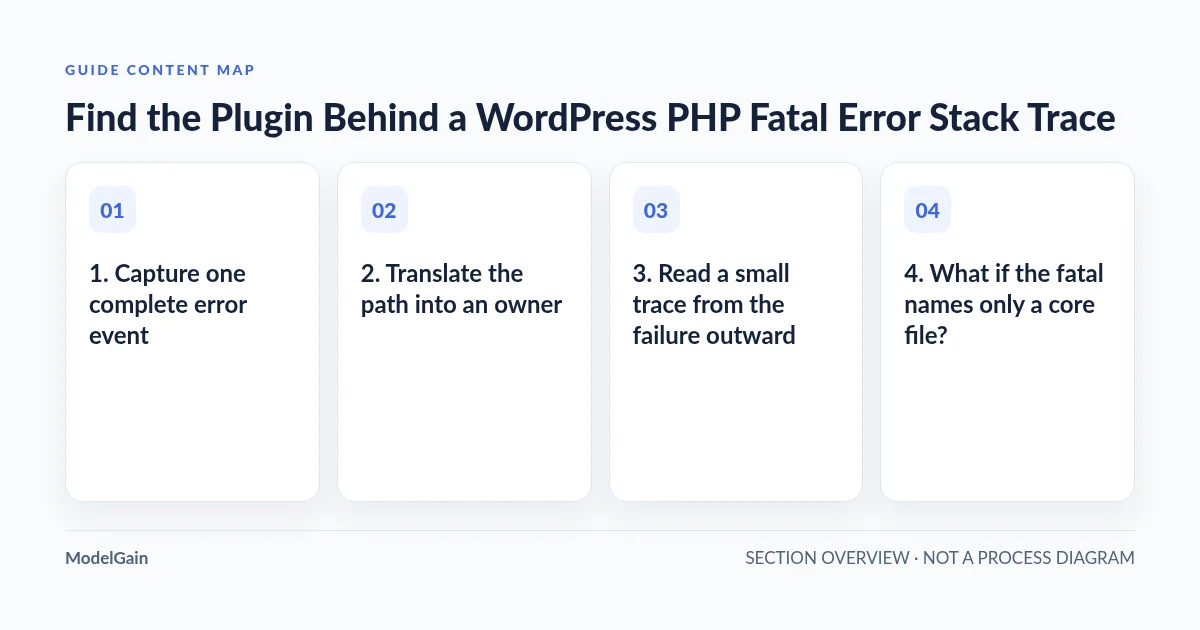
1. Capture one complete error event
Start with the hosting panel’s PHP error log or an existing protected application log. Record the timestamp and time zone, request or background task, fatal message, thrown location, and associated stack frames. A screenshot containing only “critical error” is not enough. WordPress’s common errors documentation explains why a generic error page can have several underlying causes.
Logs may interleave requests. Keep the frames attached to the same fatal rather than combining a checkout error with a nearby scheduled-task exception. If timestamps differ between the hosting panel and WordPress, reconcile the time zones first. Note whether the failure happened before or after a deployment, PHP change, or plugin update; correlation supplies a hypothesis, not proof.
If no useful log exists, ask the host to locate the PHP-FPM or web runtime log. For a controlled staging reproduction, follow WordPress’s debugging guidance. Logging and displaying errors are separate settings; never expose a trace to visitors. Do not paste your entire wp-config.php into a support ticket. It contains sensitive configuration, and the official configuration reference should guide any authorized change.
2. Translate the path into an owner
| Path in the error | What it establishes | Next verification |
|---|---|---|
wp-content/plugins/example-reports/ |
The file is distributed inside that plugin directory. | Match the directory to the installed plugin and release. |
wp-content/plugins/example-reports/vendor/ |
The plugin bundles the library containing this file. | Check both the library failure and the caller supplying its input. |
wp-content/themes/example-child/ |
The file belongs to a theme, not a regular plugin. | Identify the child or parent theme and feature involved. |
wp-content/mu-plugins/ |
A must-use component is involved. | Ask the host or developer who maintains it; it may load another directory. |
wp-includes/ or wp-admin/ |
The failure surfaced in WordPress core code. | Inspect the message and plugin/theme callers before blaming core. |
wp-content/object-cache.php or another drop-in |
A drop-in file is involved, outside the ordinary plugin list. | Identify its owning integration and hosting configuration. |
Installations can customize the content directory, use symlinks, or run from versioned release paths. Strip the private server prefix when sharing evidence, but preserve enough relative path to identify the component. A directory slug is not necessarily the public plugin name. The plugin header and installed inventory provide that mapping.
3. Read a small trace from the failure outward
The following trace is fictional and simplified. The example plugin and functions are placeholders, not findings about a real product.
PHP Fatal error: Uncaught TypeError:
Example_Reports\Exporter::render(): Argument #1 must be of type array, null given
in /REDACTED/wp-content/plugins/example-reports/includes/exporter.php:87
Stack trace:
#0 /REDACTED/wp-content/plugins/example-reports/includes/jobs.php(42):
   Example_Reports\Exporter->render(NULL)
#1 /REDACTED/wp-includes/class-wp-hook.php(324):
   example_reports_run_export()
...
The thrown location is exporter.php:87. Frame #0 shows a caller inside the same plugin passing null to a method expecting an array. The WordPress hook frame explains how the callback was invoked; it does not prove that WordPress created the null value. A useful report identifies the plugin release, these two plugin files, and the export operation that triggered the error.
Even here, “the plugin is broken” is incomplete. Missing saved data, an integration returning an unexpected response, or an earlier failed lookup might supply the null. Inspect the surrounding source on a staging copy and ask the maintainer which input contract was violated. Do not change the type declaration merely to silence the symptom.
4. What if the fatal names only a core file?
Errors involving an invalid callback can surface in a dispatcher because that is where PHP attempts the call. Read the message for a missing class, method, or function, then look for the component that registers that callback. The relevant registration may have happened earlier and may not appear in the final stack.
For example, a message about a non-callable Example_Reports::export gives a search term, not permission to patch class-wp-hook.php. Search the installed source on staging for the class name and related hook registration. Check whether the expected file was loaded, whether the method is accessible, and whether the plugin’s dependency is present. An incomplete update can also leave code and expected classes out of sync.
Do not edit core to skip the callback. That hides the affected feature, can be overwritten by updates, and discards the evidence needed for a durable repair. If no third-party owner is identifiable, give a developer the full sanitized event rather than assigning blame from the last visible filename.
5. Match evidence to the installed version safely
If you already have authorized SSH access and WP-CLI, these commands inspect inventory rather than changing plugin status. Run them from the intended site’s WordPress directory; a server can host several installations.
wp plugin list --fields=name,status,version --format=table
wp theme list --fields=name,status,version --format=table
If normal bootstrap fails because of a regular plugin or theme, a diagnostic inventory may work with these global options:
wp --skip-plugins --skip-themes plugin list --fields=name,status,version --format=table--skip-plugins does not skip must-use plugins. Drop-ins or other bootstrap problems can still prevent the command from working. Check the official plugin-list reference; do not improvise deactivation commands when a read fails. These are read-only diagnostic intentions, but bootstrapping WordPress can still execute installed code, so use staging if that execution itself is risky.
Record the web PHP version from the host, not only command-line PHP. Different interpreters or extensions can explain why a shell check succeeds while a web request fails. Also record the version running at the error timestamp: today’s updated plugin may not match yesterday’s trace.
6. Eliminate common false leads
- Deprecated notice versus fatal: a nearby notice is not automatically the event that stopped execution. Locate the actual fatal or uncaught exception.
- Memory exhaustion: the allocation failure’s file shows where the limit was reached, not necessarily where memory consumption began. Investigate workload and earlier allocations.
- Bundled libraries: identical library filenames may exist in several plugins. Preserve the complete relative path and consider autoloading interactions.
- Old logs: confirm a fresh event after the reported fix. A historical trace is not evidence that the current release still fails.
- Unrelated successful requests: a working homepage does not verify a failing admin export, REST request, or cron callback.
If the message specifically names the removed PHP function create_function(), continue with the function-specific fatal-error guide. That is a narrower diagnosis than simply recognizing a plugin directory.
7. Verify the proposed fix, not just restored access
Preserve a rollback path, reproduce the affected operation on equivalent staging, and test one maintainer-supported change at a time. Use sandbox integrations for workflows that could send mail, charge a card, or update an external service. Compare the new result with the original event and inspect fresh logs over the same operation.
A plugin being disabled and the homepage loading proves containment, not a repaired export or checkout. Verification means the original workflow completes under the intended web PHP runtime without the corresponding fatal and without silently losing its business output. Capture the exact version and result for the eventual production release owner.
For future PHP upgrades, PHP Upgrade Risk Audit can be considered as a separate pre-upgrade assessment step. A compatibility assessment does not replace runtime trace attribution or certify the repair of this incident.
Frequently asked questions
Is the first plugin path always the culprit?
No. It is an actionable lead. A library can reject bad input supplied by another component, and the visible frame may be a wrapper. Confirm ownership, input, and reproduction together.
Can I identify the plugin from the line number alone?
No. Line numbers change across releases and only make sense with the file, exact installed version, and error message. Never apply a patch written for an unrelated version solely because its line number matches.
Should I share the complete error log publicly?
No. Share the smallest relevant sanitized event through a trusted support channel. Remove server account paths, customer details, cookies, tokens, query-string secrets, and unrelated request data while retaining useful relative file paths and stack structure.
What if the fatal has no stack trace?
A parse error or truncated hosting log may give only a message, file, and line. Start there, obtain the complete event if available, and inspect that release’s source on staging. Do not invent missing caller frames.
Next step: hand off a reproducible attribution
Send the maintainer a short packet: affected operation, timestamp and time zone, sanitized fatal and frames, plugin/theme release, web PHP version, recent changes, and staging reproduction. State what is confirmed and what remains a hypothesis. That is far more useful than “WordPress crashed in a core file.”